customer survey display issue

  • July 24, 2018
  • 9 replies
  • 57 views

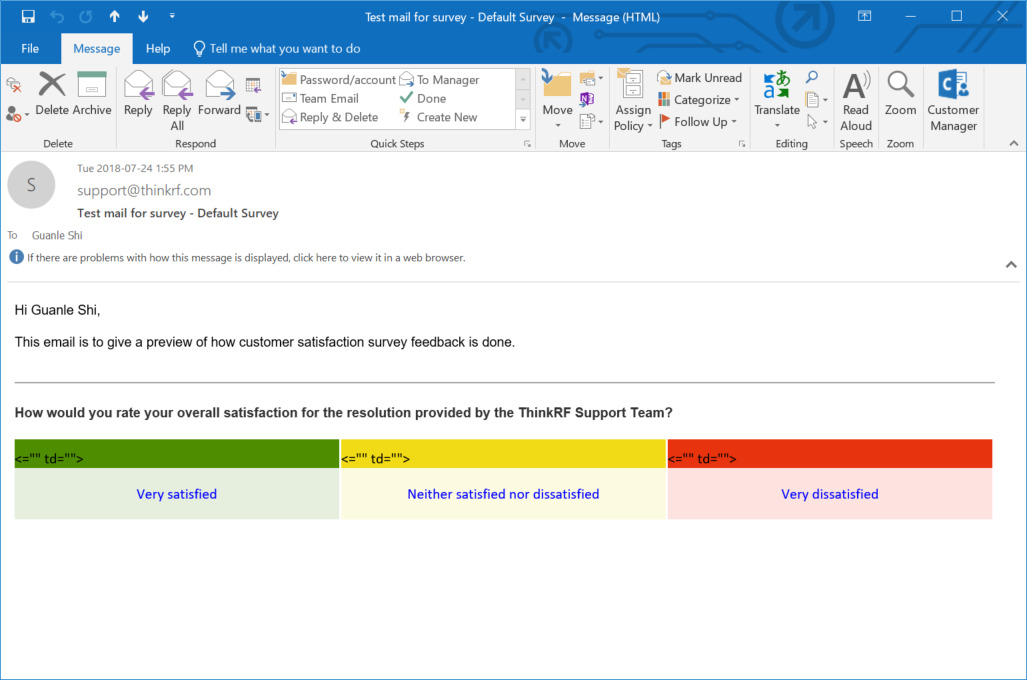
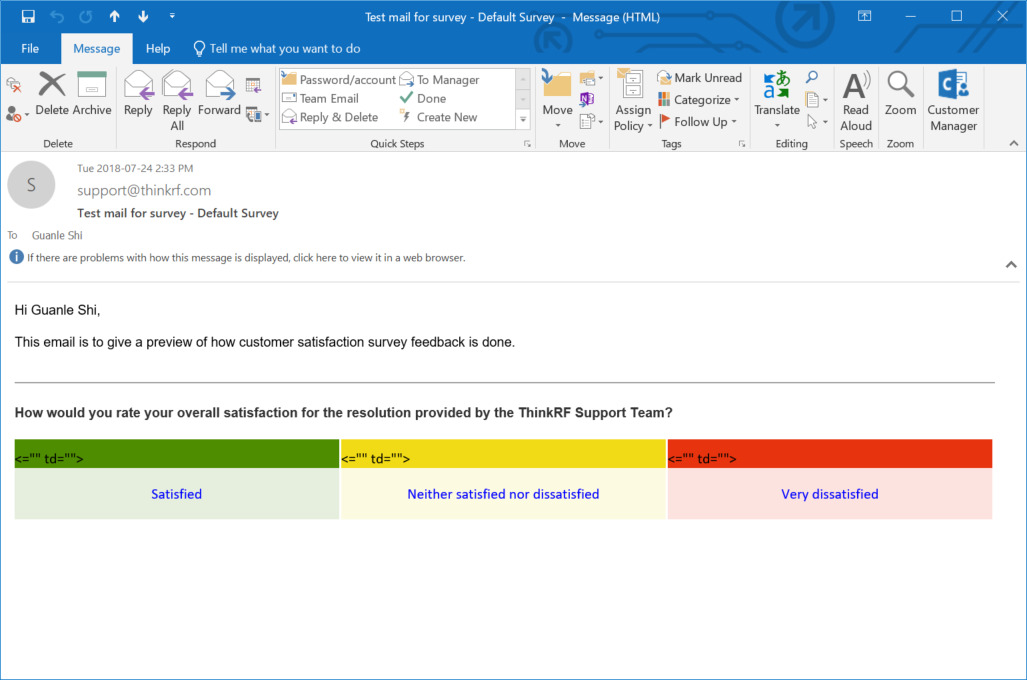
there are some random display on the customer survey, how to make it display normally?

Please see pic in below. 

This topic has been closed for replies.

9 replies

  • Author
  • Contributor
  • July 24, 2018

repost screenshot here in case is doesn't show up image


ip8mku_34529.jpg

aravind.sundararajan
Skilled Expert
Forum|alt.badge.img+12

Hello Guanie,


This looks strange. I wasn't able to recreate this on a test instance. Can you try changing the values a bit and see if that helps? 


Cheers!


  • Author
  • Contributor
  • July 24, 2018

changed value, still acts the same. see below


sujk2g_34530.jpg

  • Author
  • Contributor
  • July 24, 2018

please see this changed value one below


zmwitl_34536.jpg

aravind.sundararajan
Skilled Expert
Forum|alt.badge.img+12

@Guanle: Can you please shed some light on the OS/browser configuration so that we can try to recreate the issue? Does this happen only with outlook? Did you get a chance to view this on a different email client like Gmail?


Cheers!


  • Author
  • Contributor
  • July 25, 2018

windows 10 1804 version , google chrome.

send me an email to our support email, and i will reply you with the survey.


  • Contributor
  • July 26, 2018

We've recently noticed we are getting this issue aswell


aravind.sundararajan
Skilled Expert
Forum|alt.badge.img+12

@Guanie and @Sam We've tested the behaviour and were able to recreate this with only Outlook windows app. Looks like it works well for other email clients. Our developers are on the case and we're hoping to get this fixed in a couple of weeks from now.


Thanks for helping us uncover this case!


Cheers!


aravind.sundararajan
Skilled Expert
Forum|alt.badge.img+12

@Guanie and @Sam We've fixed the issue in our weekly release dated 2nd August. Head over to this forum to stay updated on the product updates.


Cheers!