You can view all tags currently in your Freshdesk account from the Tags page in the Admin module; however, there’s no way to export a list of these tags. Seems like such a glaring omission and such an easy one to remedy,
When I asked Freshdesk support about exporting all tags currently in my company’s account, here’s the response I received:
You could get the tag data by exporting the entire helpdesk data.
Go to Admin -> Account -> Account Details >Export data > click on the Export button on this page, to receive the data. The export of the entire helpdesk data, in XML format, will be sent to your registered agent email address of this account.
I tried this. It took 13 minutes to receive the download link via email and another 1 minute to download the 65 MB ZPI file. After unzipping, this was what I found:
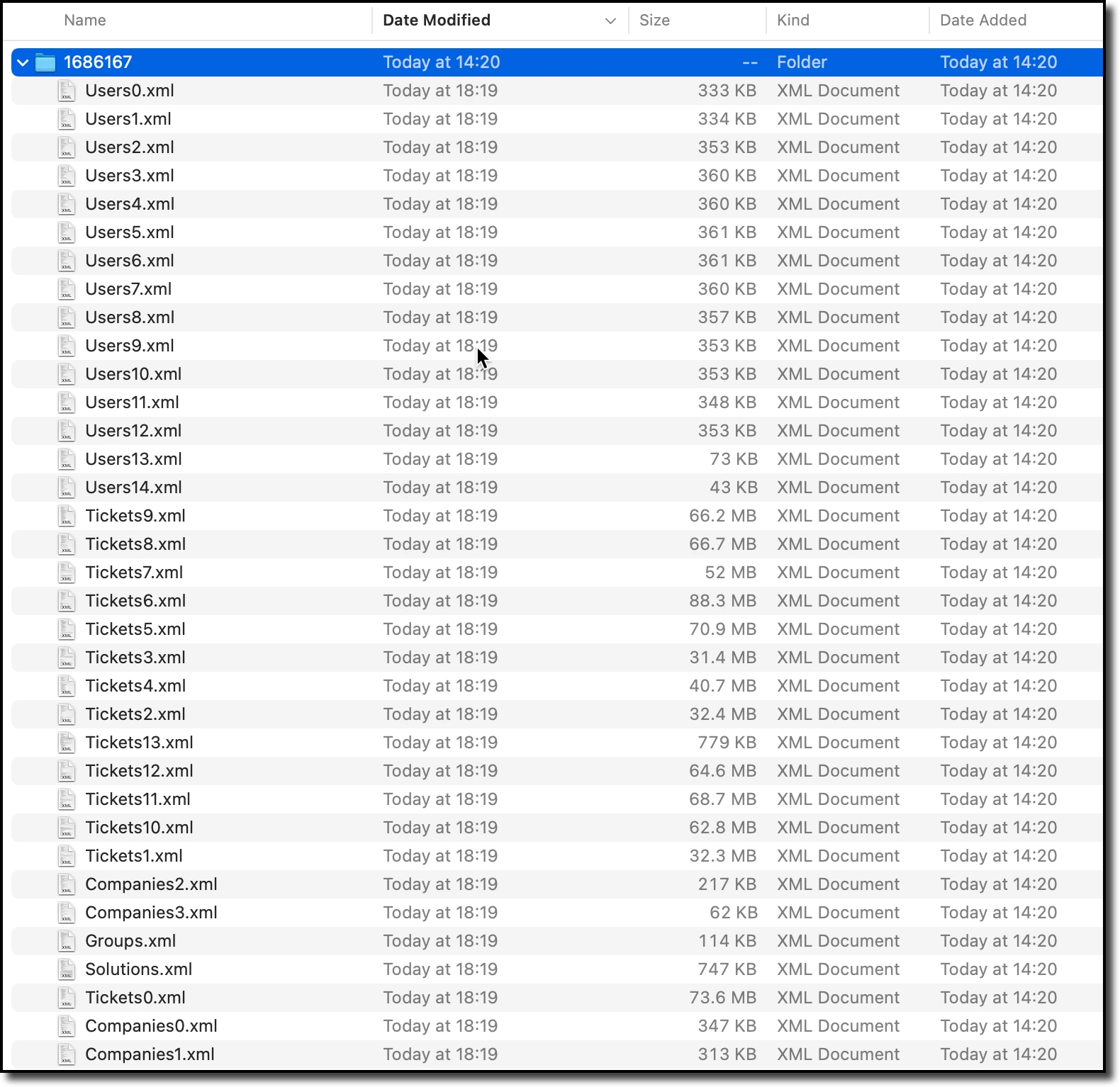
Unfortunately, the export does NOT contain “the entire helpdesk data.” The export includes XML files for...
- users (aka “contacts”),
- tickets,
- companies,
- groups and
- solutions
...but not for tags. 😕
So, what I ended up doing to create my list of tags was to copy each tag one by one from the Tags page in the Admin module and paste to spreadsheet. A tedious bit of work but at least our FD account has only 41 tags.
REQUEST 1 of 2 - TAG EXPORT
Please add export functionality on the Tags page in the Admin module. Include the following:
- tag name
- tag id
- count of related tickets
- count of related contacts
- count of related solutions
- date created
- created by
REQUEST 2 of 2 - TAG IMPORT
Please add bulk import functionality to the Tags page in the Admin module that supports the following:
- create new tags
- update names of existing tags
- remove tags