Solved

Assistance with authorization of MS Teams integration

  • May 7, 2024
  • 1 reply
  • 96 views

jacky-coke
Apprentice

Hey, 

we’re having some issues getting the Teams integration up and running: 
Even though the colleagues form IT confirm the app-request within O365 Admin Panel, the integration seems not to receive this confirmation and keeps asking for this again and again and again… 

Any suggestion where we did wrong? 

Best answer by pradipta.chandra

Hi ​@jacky-coke 

Thank you for reaching out to us.


Can you please confirm if you had tried connecting MS-Teams to Freshsales or Freshdesk?

Freshsales <> Ms-Teams Integration K-base: https://crmsupport.freshworks.com/en/support/solutions/articles/50000005995-how-to-connect-freshsales-with-ms-teams- [Allows you to add team Meeting links to the Meetings]

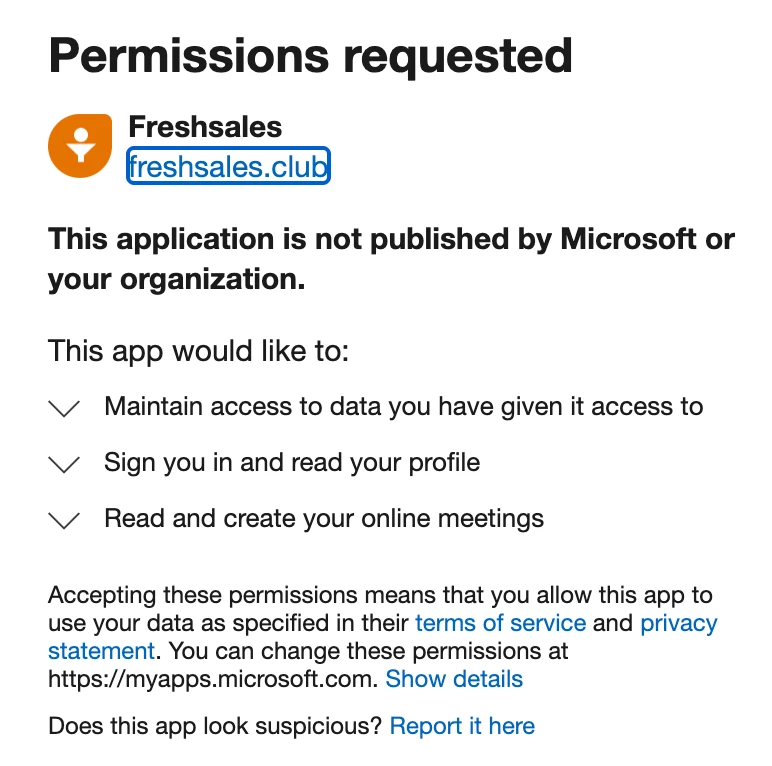
In Freshsales, generally, the following permissions are required to ensure that the integration is successful:


In case there are any blockers on these, you might face some issues.


If you are using Freshdesk, you can follow the instructions available on the following article: https://support.freshdesk.com/en/support/solutions/articles/232273-the-microsoft-teams-app#Integrate-MS-Teams-with-Freshdesk,

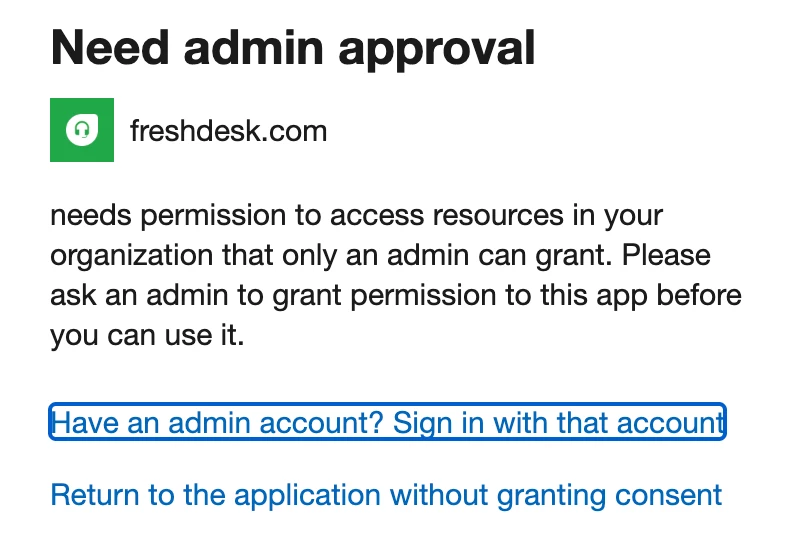
This is a Marketplace app and it requires the Microsoft Account Admin to provide some access. If you don’t have the permissions, it will throw the following error:


Can you share more details on this so that we can help you further?

Awaiting your reply.

1 reply

pradipta.chandra
Community Manager
Forum|alt.badge.img+8

Hi ​@jacky-coke 

Thank you for reaching out to us.


Can you please confirm if you had tried connecting MS-Teams to Freshsales or Freshdesk?

Freshsales <> Ms-Teams Integration K-base: https://crmsupport.freshworks.com/en/support/solutions/articles/50000005995-how-to-connect-freshsales-with-ms-teams- [Allows you to add team Meeting links to the Meetings]

In Freshsales, generally, the following permissions are required to ensure that the integration is successful:


In case there are any blockers on these, you might face some issues.


If you are using Freshdesk, you can follow the instructions available on the following article: https://support.freshdesk.com/en/support/solutions/articles/232273-the-microsoft-teams-app#Integrate-MS-Teams-with-Freshdesk,

This is a Marketplace app and it requires the Microsoft Account Admin to provide some access. If you don’t have the permissions, it will throw the following error:


Can you share more details on this so that we can help you further?

Awaiting your reply.