Closed for Voting

Ability to Schedule Ticket request, IE convert ticket to Calendar Event

Related products:Freshdesk
  • March 7, 2012
  • 18 replies
  • 57 views

It would be nice to be able to have a ticket created, and then when ready schedule a date to perform action on the ticket and have it integrate with the Google Calendar.


18 replies

  • Contributor
  • March 14, 2012
I would also like to see the ability to schedule a repeating task like server maintenance, updates, testing etc.  This way you can have a new ticket created every 3 months for a specific task.

  • Contributor
  • July 1, 2012
+1 to this.


Any helpdesk that co-ordinates mutliple areas would appreciate this I imagine - we would use it for monthly maintenance tasks (MS Patching), install of AV equipment for re-occuring events etc.......

  • Community Debut
  • August 2, 2012
+1 for this idea. I would love to be able to schedule things from help desk and have them populate google calendar. Need to schedule appointments for on-site service work.

  • Community Debut
  • August 2, 2012
Any idea when this may come about????

  • Contributor
  • October 17, 2012
guys, any hints on when this awesome feature will see daylight?


  • Community Debut
  • December 3, 2012
Been waiting... The original post was 9 months ago!!!, and in one of the other posts somewhere in the forum it stated they were working on it. This is a mandatory requirement for us to continue the service, otherwise I am going to have to look elsewhere.

  • Contributor
  • March 18, 2013

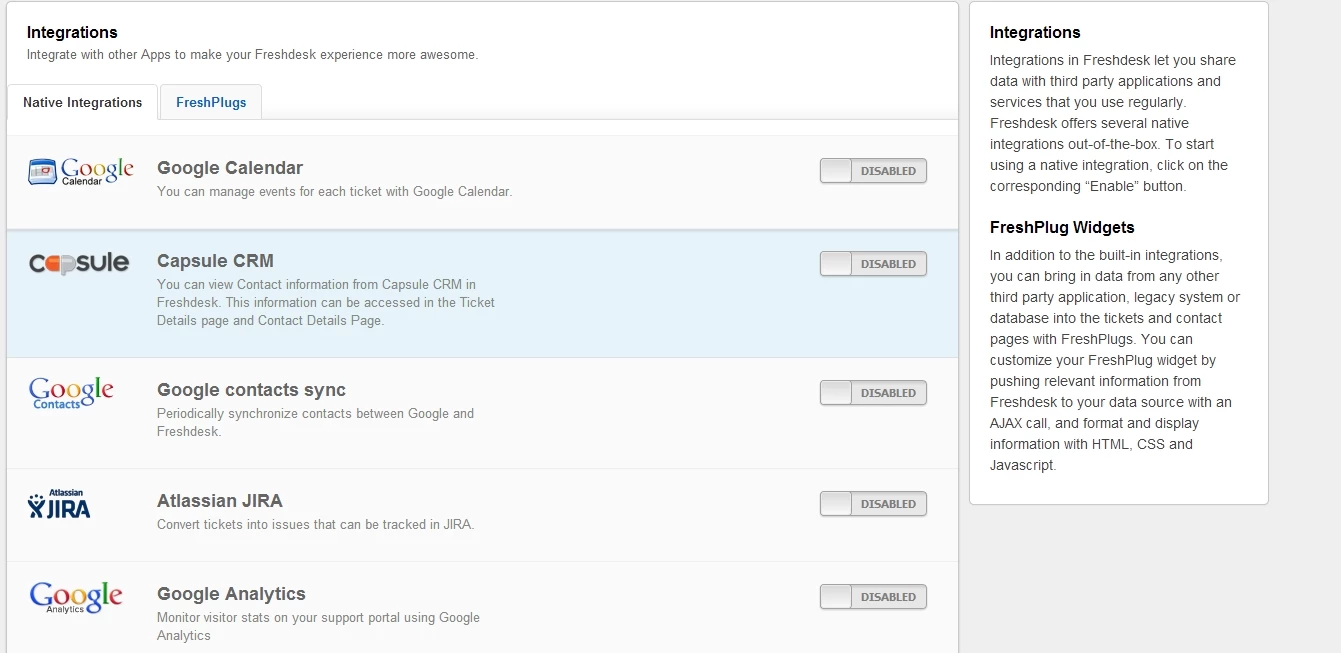
I think the Google Calendar integration is very close.  I saw it in my list of Integrations, but when I tried to enable it something didnt quite work.  Maybe our favorite developers could let us in on the secrets of this very exciting feature while they get the final pieces ready?   nudge, nudge, wink, wink!!??


googlecalendarscreengrab_11759.jpg

annapoorna.venketaraman
Skilled Expert
Forum|alt.badge.img+8

Hey guys,


As you must have noticed, this integration is out already.  Thank you for your suggestions and please keep it pouring in.


Shaun, can you please tell me more specifics about the error you are facing so that I can make it work fine for you ? 


Thanks,

Annapoorna 


  • Contributor
  • March 21, 2013

Woot, it worked when I enabled it today!  I am guessing "operator error" on my part.


Thanks Annapoorna and team!


annapoorna.venketaraman
Skilled Expert
Forum|alt.badge.img+8

Great Shaun! :) Happy to help anytime!! 


  • Apprentice
  • March 24, 2013

Any thoughts of adding a view of "today's" events from your Google Calendar on the Dashboard?   Can we have multiple calendars associated?


  • Community Debut
  • April 3, 2013

I´ve activated the Google Calendar integration but I´m not seeing any change. What is supposed to happen? Should I see tickets due time information on my calendar?


annapoorna.venketaraman
Skilled Expert
Forum|alt.badge.img+8

Kathy,


You can sure associate as many calendars as you like. But I am sorry, you cannot fetch the "todays events" and display it on the dashboard. 


annapoorna.venketaraman
Skilled Expert
Forum|alt.badge.img+8

Aluizio,


When you enable the Google Calendar integration, you will see a google calendar option on the bottom right of a ticket. You would first have to authorize a google account here and once you do, you can add Events for the particular ticket and get it refelcted on your google calendar. 


You can also associate as many calendars as you want. 


Let me know if this works for you.


Thanks,
Annapoorna 


  • Community Debut
  • April 4, 2013

I thought it would show all tickets on a calendar with its SLA´s due dates. Is that functionality being developed?


annapoorna.venketaraman
Skilled Expert
Forum|alt.badge.img+8

Not as of now Aluizio. But I will definitely see if we can do something about it. 


  • Community Debut
  • August 14, 2013

When will you be able to easily calendar a ticket with customer information (including address) and ticket details?  The current integration seems to add too much work (you have to cut and paste from various areas).  Or, am I missing something?


aravind.sundararajan
Skilled Expert
Forum|alt.badge.img+12

Hello,


The Google Calendar integration automatically fetches the ticket information and pre-fills the event details in the calendar widget on the ticket page.


Cheers!