Closed for Voting

Add comments to the customer fields when customer hovers their mouse over field in submit a ticket form

Related products:Freshdesk
  • September 16, 2012
  • 3 replies
  • 30 views

We would like to add comments  to the customer fields when they hover their mouse over field in submit a ticket form- is this possible?

Regards

Mark Winter

RemoteTechies
www.remotetechies.net

3 replies

aravind.sundararajan
Skilled Expert
Forum|alt.badge.img+12

Hi ,


This is certainly possible with the portal customisation feature on the Estate plan. Here's a snippet that you can use to place a tooltip next to a field on the new ticket page layout (Admin -> Portals -> Customise portal -> Portal pages -> New ticket page section) :

<a target="_blank" href="#" id="test" title="Insert your text here"><img src="https://shots.jotform.com/kade/Screenshots/blue_question_mark.png" height="13px"/></a>


<script type=”text/javascript”>

 jQuery(document).ready(function(){ 

 jQuery(".control-label.subject-label").append(jQuery('#test'));

});
</script>


<style>
#test{

padding-left: 10px;
}

</style>


Cheers!


mrenaud
Skilled Expert
Forum|alt.badge.img+6
  • Skilled Expert
  • May 8, 2019

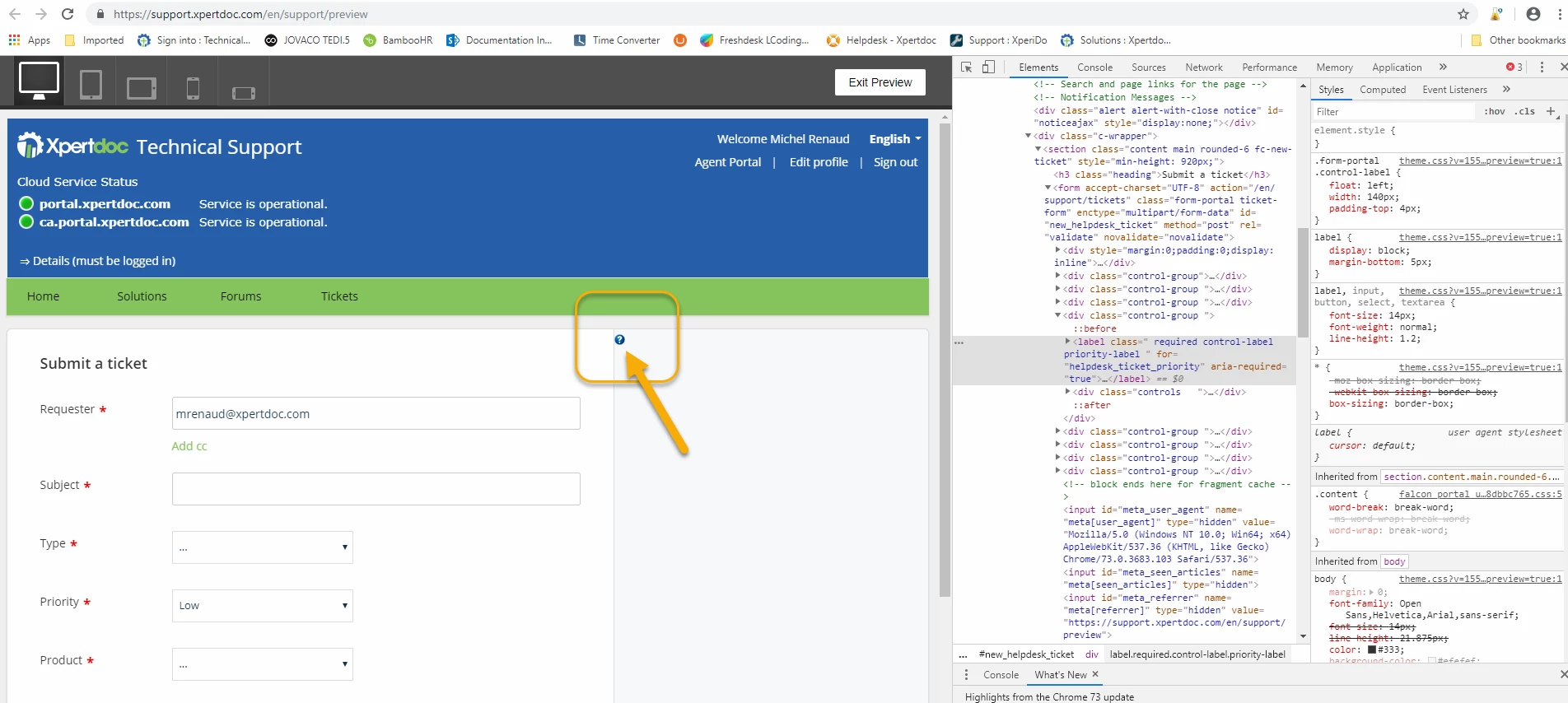
Hello! I would like to accomplish something similar and tried your code, as is, however, the tooltip is showing up at the top right, not at the field level. Here is what I mean:


image


Do I need a JQuery library or something? If so, how/where do I add it?


In the same idea, can one add just a text comment with a link, just before the field, to a solution within the Helpdesk? For instance, we would like to let customers select their ticket priority, upon ticket creation, but we would like to give them a link to a solution that details the criteria that define each priority level, so that they do not set all tickets to Urgent....


Thanks!


Hello Michel,


Are you still facing trouble configuring tooltip? If yes, please write to support(at)freshdesk.com and one of our support folks will assist you further on this.  

Also, yes the text comment with a link can be added using Portal customization.

Cheers!