


Closed for Voting

Add SolarWinds -> Freshservice alerts integration for 'Applications' generated by the SAM module in SolarWinds

  • September 21, 2021
  • 4 replies
  • 133 views

JiriGrohmann
Skilled Expert
Forum|alt.badge.img+3

I know ‘NPM’ is explicitly mentioned in the title of the KB article - Integrate SolarWinds NPM with Freshservice Alert Management (NPM = Network Performance Monitor), however only after configuring the integration I realized that the SolarWinds to Freshservice integration works only for alerts triggered on ‘node’ in SolarWinds and not for alerts triggered on ‘application’.
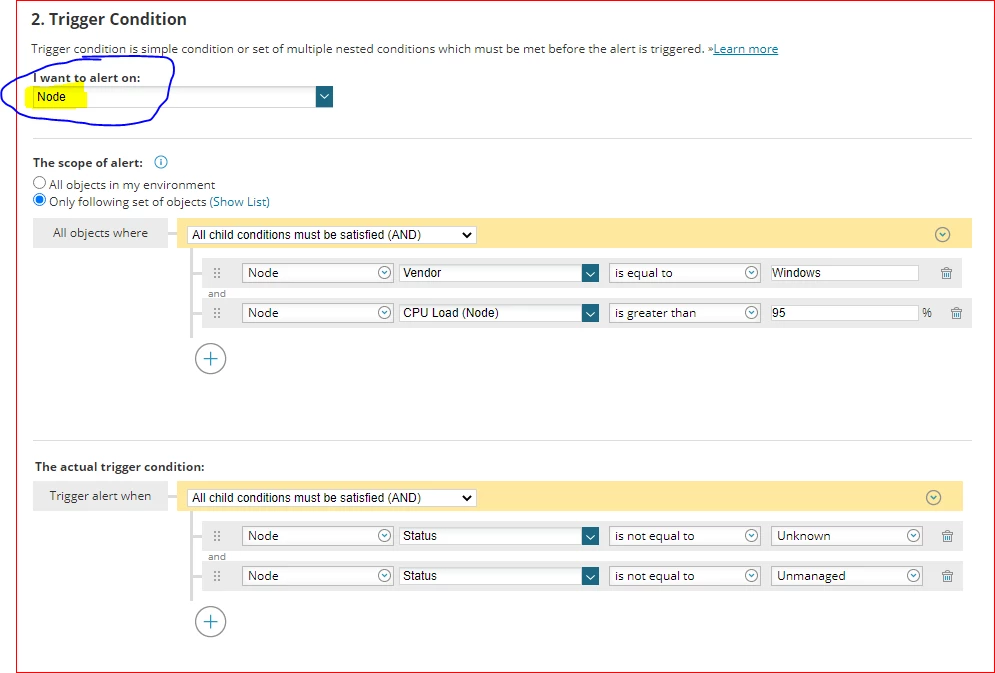
 

If I’m using SolarWinds SAM (Server and Application) module and I want to be alerted on ‘Application’ I’m out of luck.
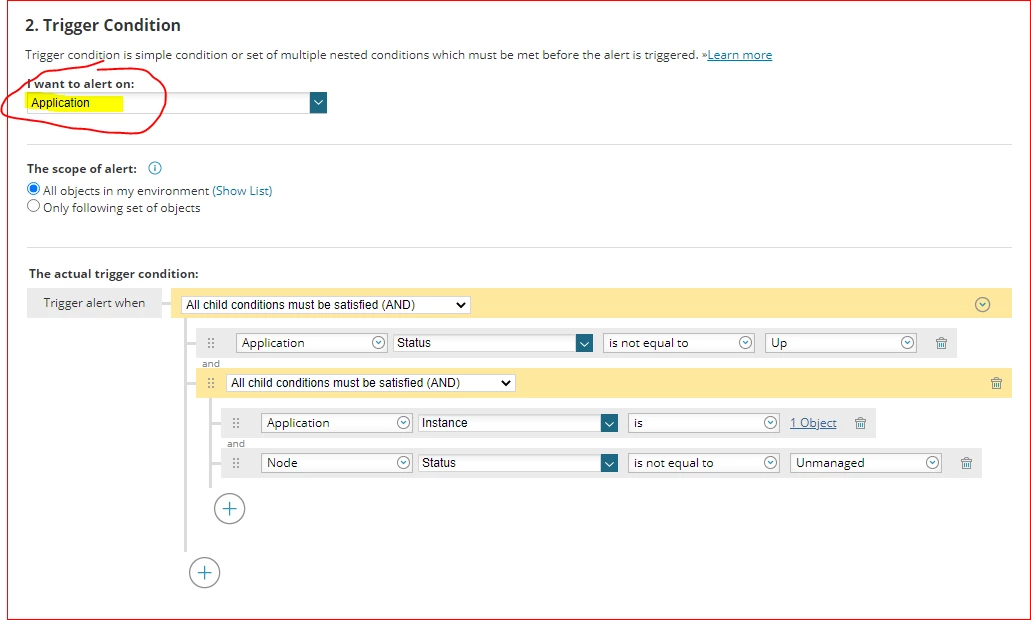
 

Please make the SolarWinds to Freshservice integration customizable and/or include option on alerting on ‘Applications’ in SolarWinds.


4 replies

Forum|alt.badge.img+5
  • Active Contributor
  • September 22, 2021

I was going to play around with that at some point. In theory you should be able to add a solarwinds integration and adjust the JSON contents and the CURL command to match the data pulled from application alerts. If i’m successful i’ll reply back here with the details.


Forum|alt.badge.img+5
  • Active Contributor
  • September 22, 2021

Ok this was actually easier than i thought. You don’t even need to create a new integration the existing one works just fine. Here’s what you have to do:


When configuring the “when an application goes down” alert follow the same procedure for setting up the trigger and reset actions. For the CURL command line replace the following variables:


resource:
${N=SwisEntity;M=Caption}  with ${N=SwisEntity;M=ApplicationAlert.ApplicationName}

node:

${N=Alerting;M=AlertObjectID}  with ${N=SwissEntity;M=Node.Caption}

alert details url:

${N=Alerting;M=AlertDetailsUrl} with ${N=SwisEntity;M=DetailsUrl}


What this will do is tell you the name of the application under resource in the alert and the server its associated with under node as well as the details URL for that incident. For me personally that’s enough info to work off of. 


JiriGrohmann
Skilled Expert
Forum|alt.badge.img+3
  • Author
  • Skilled Expert
  • September 30, 2021

awesome. Thanks for the update. Let me review the alerting setup and give that a try. 


JiriGrohmann
Skilled Expert
Forum|alt.badge.img+3
  • Author
  • Skilled Expert
  • October 21, 2021

hmm, so far I wasn’t successful to make the integration working for SAM module in SolarWinds. Since I posted this question I changed the alerts in SW to ‘Alert on Components’. I’m using below KB article as a resource in SW to find the list of component monitor variables for Alerts:

https://documentation.solarwinds.com/en/success_center/sam/content/sam-alerts-variables.htm

I updated the resource variable from ${N=SwisEntity;M=ApplicationAlert.ApplicationName} to ${N=SwisEntity;M=ComponentAlert.ComponentName} but no luck so far. 

As the next step I’ll want to capture the alert output from SW to see what exactly is sent to Freshservice Alerts.