New Idea

Add tag condition on time trigger automation

Related products:Freshdesk
  • February 28, 2023
  • 2 replies
  • 60 views

Forum|alt.badge.img+2

Automations > Time Triggers

It would be good to be able to add a tag condition to a time trigger automation.


For example, I have an automation that sends an email to the agent if there’s no activity on an open ticket for 2 months asking if it can be closed. However, a lot of these open tickets are bugs waiting to be fixed, often with no timings agreed. They can remain “open” for months. 


These open tickets are usually tagged as bugs, so it would be great to be able to only trigger this automation for tickets without this tag.


Many thanks,

Toni

2 replies

Jebas
Contributor
Forum|alt.badge.img+7
  • Contributor
  • February 28, 2023

Hi @Toni-MarieB ,

Greetings from Freshworks Community!

I agree with your idea. 

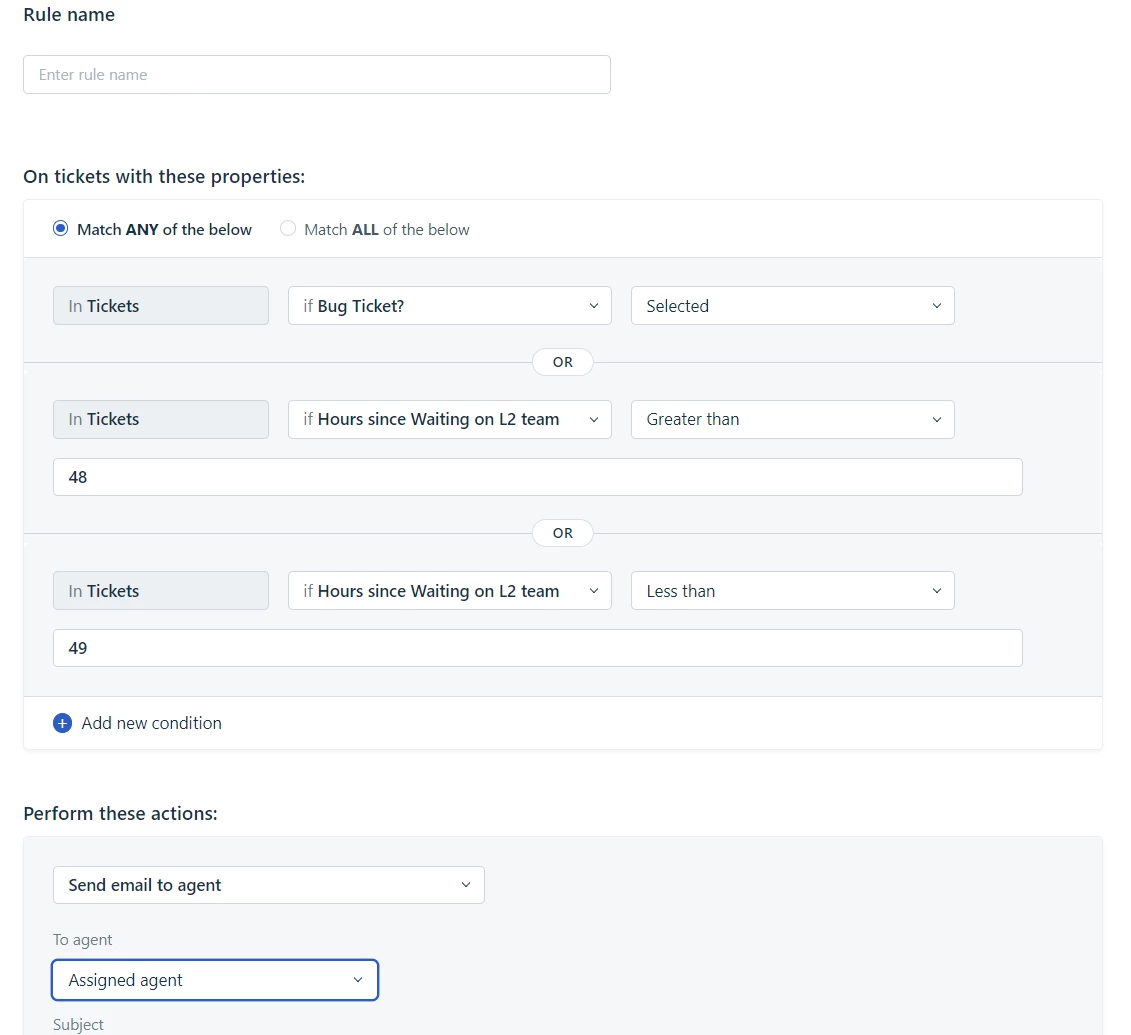
But there is a workaround to achieve your use case here. You can create a Check box field from “Ticket Fields”. And add that as a condition in Time Triggers:
 

If Tag is needed for reporting or any other purpose, you can set up an Ticket update Automation to Add a Tag whenever someone selects this Check box.

Please reply back to this thread if you have any queries.

Regards,
Jebas D.


Forum|alt.badge.img+5
  • Community Debut
  • February 28, 2023

Hi @Toni-MarieB,


I see you’re referring to tracking inactivity on a ticket for 2 months. The Time Triggers currently only runs on tickets updated in the past 30 days as described in https://support.freshdesk.com/en/support/solutions/articles/37615-setting-up-automation-rules-to-run-on-time-triggers- so I believe this could be a limitation.


You can check out the following app to see if could help you in any way.

https://www.freshworks.com/apps/freshdesk/ticket_reminder/