Closed

Add Timer Node to Scheduled Workflow Automation

Related products:Freshservice
  • Sep 8, 2023 7:51 AM UTC
  • 3 replies
  • 41 views

Alefre
Skilled Expert
Forum|alt.badge.img+3

Hi Team! 

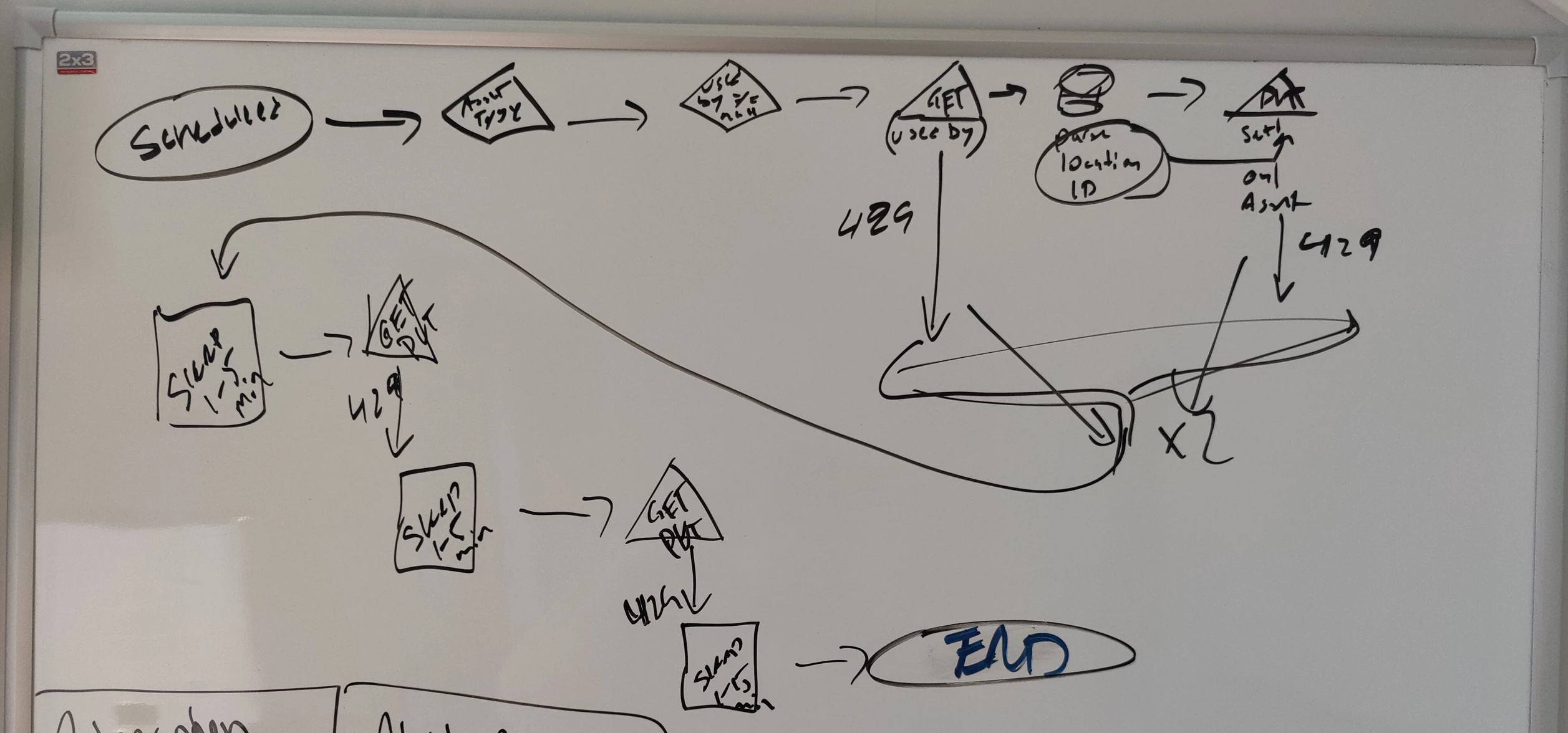
I’d like to se the addition of Timer Node into Scheduled Workflows as this node allows for more advanced flows and I use the Timer Node as an escape or re-run for Web Requests failed due to HTTP 429 (API rate limit exeeded).

Cheers!
/Alex

3 replies

Alefre
Skilled Expert
Forum|alt.badge.img+3
  • Author
  • Skilled Expert
  • Sep 8, 2023 10:54 AM UTC

To add some context to the use-case, below sketch illustrates a re-run case of a Scheduled Workflow that failed due to HTTP 429 (API rate exceeded) and by the use of Timer Nodes force the same Workflow to retry x minutes later. 

An additional feature would be to be able to set the Timer based on expressions or Placeholders, in my case below I would call a random generator to return a random value between 1 and 5 to feed the Timer Node to act like a load balancer and spreading out the failed Web Requests on different (minute) timings 


Medic1334
Top Contributor ⭐
Forum|alt.badge.img+9
  • Top Contributor ⭐
  • Jun 11, 2025 1:03 PM UTC

Running into this myself as we’re looking to do propagation of values from one asset out to anything that has a relationship to that asset via API hit. Created a powershell script, but I want to break out the assets into chunks on a single automation where there is a “wait” stacked so that I can mitigate potential 429’s. Instead, I’ll have to setup ~5 different automations with start times differing so that the issue is minimized if not mitigated altogether :(


Medic1334
Top Contributor ⭐
Forum|alt.badge.img+9
  • Top Contributor ⭐
  • Jun 11, 2025 1:04 PM UTC

​@zachary.king ​@mbutler thoughts on this and/or friends for upvotes?