Closed for Voting

Adding code snippets to discussion threads

Related products:Freshdesk
  • September 27, 2011
  • 4 replies
  • 45 views

When posting on the forum, the code snippet in the editor doesn't work very well. Since our product is related to web development, we often post code snippets in our support replies. This is something which is pretty important for us to get right. Am i missing something here? I tried adding a snippet of css and chose the css option from the code block drop down.

 

4 replies

Hi Chris


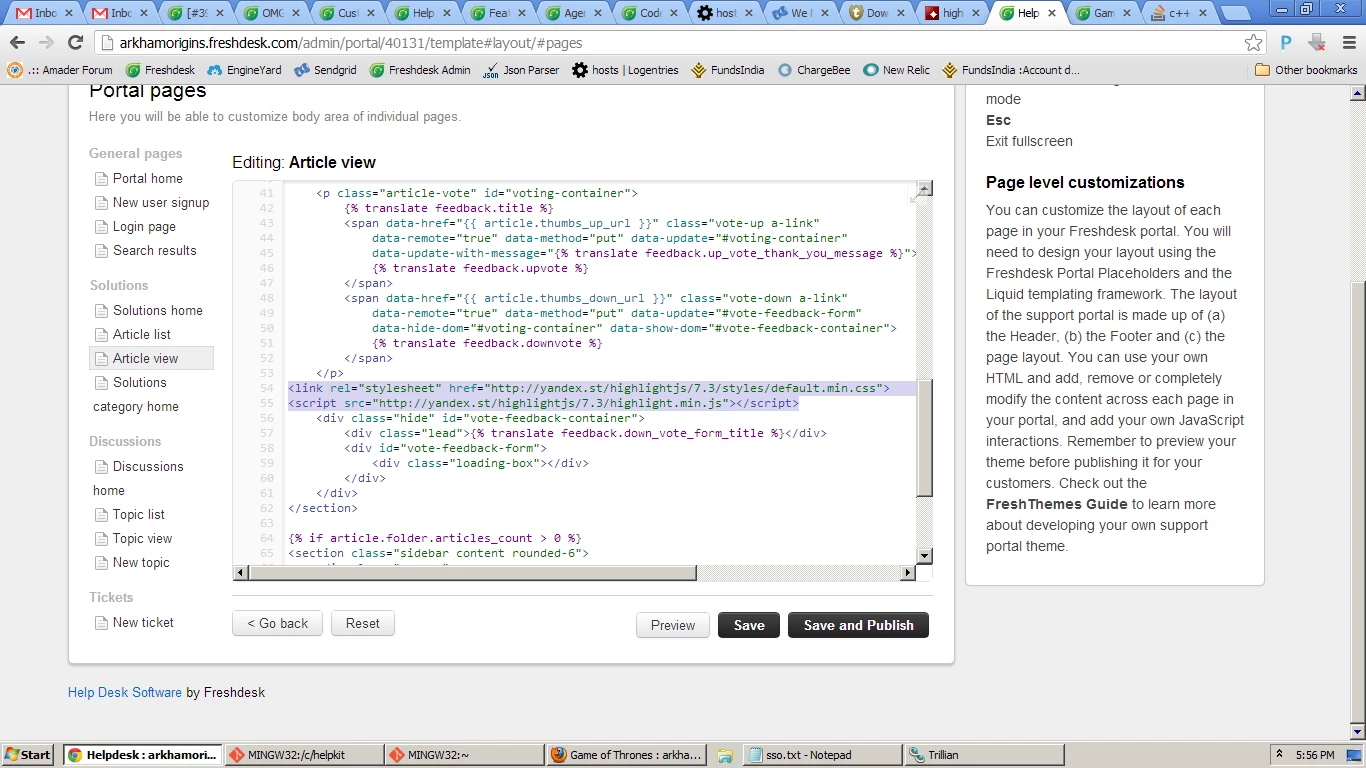
We've implemented this in Freshdesk using the Portal Customization feature.


Go to Admin -> Helpdesk Rebranding -> Portal Customization -> Portal Pages.


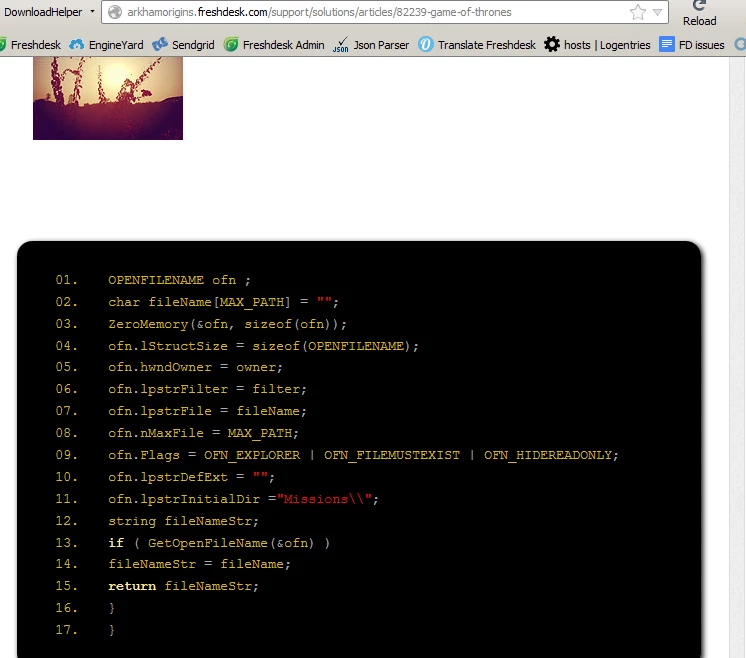
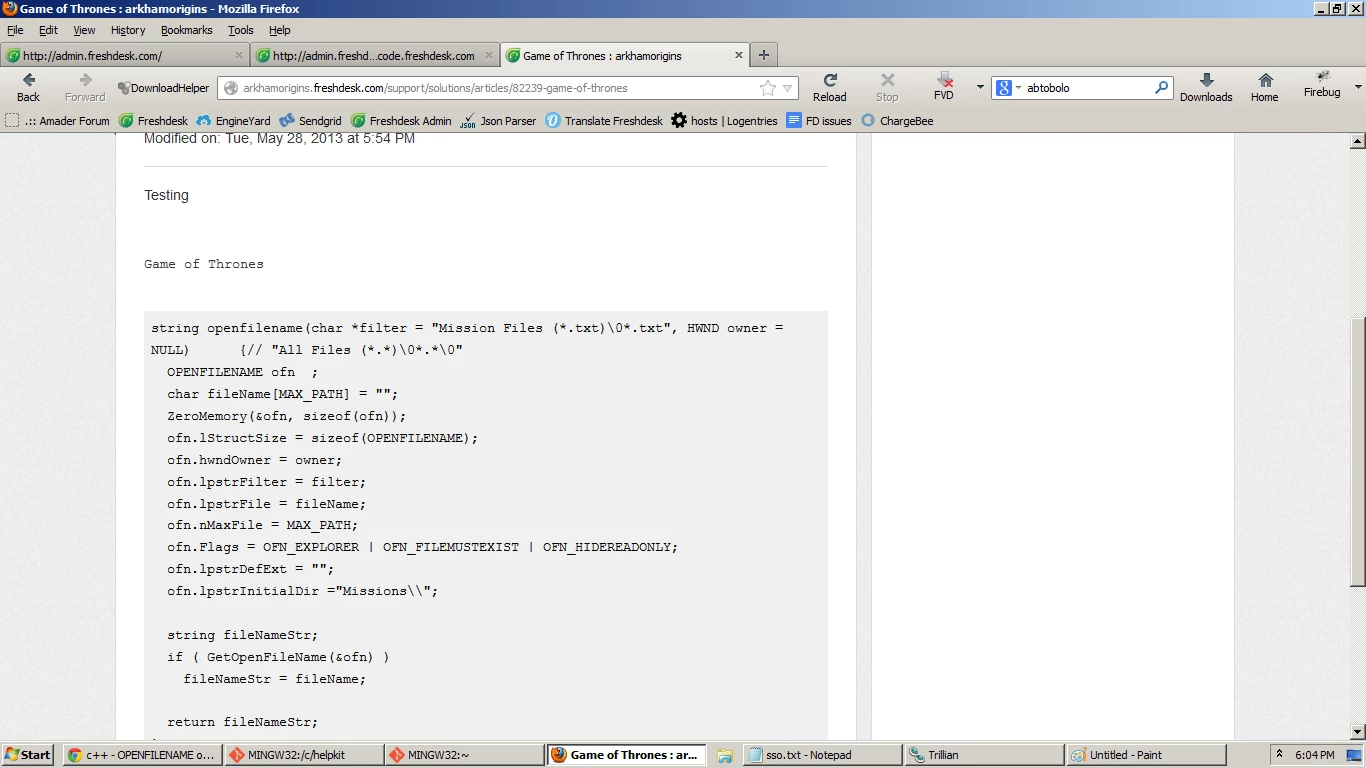
Include this JS in the Solution section, as in screenshot and you can highlight the code block, as required


regards

Vijay

hightlightjs2_12313.pnghighlightjs_12313.png

Hey Chris


One other option to highlight specifically based on each of the Programming language can be done using this option in the Portal Pages section


<link href='http://www.steamdev.com/snippet/css/jquery.snippet.css' rel='stylesheet'/>
 <script src='http://www.steamdev.com/snippet/js/jquery.snippet.js'></script>


More info can be obtained here for each of the language type - http://www.steamdev.com/snippet/


After adding this in the Portal Pages section, you must add the code highlighting option in the solution article within the <Pre> Tag


<pre data-lang="ruby" class="Class Name">

....... CODE HERE.......

</pre>


This will highlight the Code like the attached screenshot


regards

vijay

hightlightjs3_12314.png

aravind.sundararajan
Skilled Expert
Forum|alt.badge.img+12

Hello,


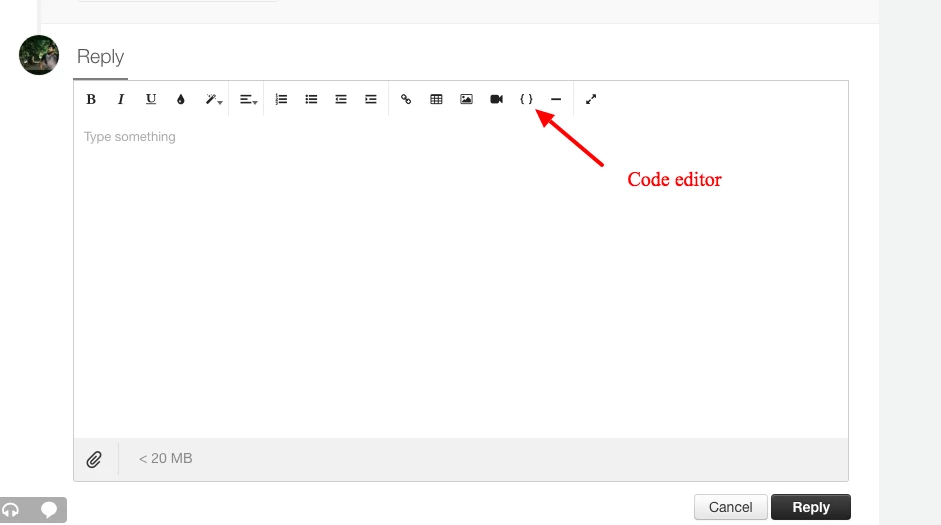
The forums editor now has an inbuilt code highlighting option that can be used to display code blocks for the users. 


Cheers!


artoon
  • March 19, 2021

Adding a code snippet to a forum post:

  1. Go to your forum in your live site.
  2. Click Create New Post or click Edit on an existing post.
  3. Add a post title.
  4. Add the post content, including the code.
  5. Highlight the code. 
  6. Click the Code Snippet icon09e8d228-b8c7-453f-975b-d5de24acdb7f.pngto format the code.
  7. When you're ready, click Publish.

Have we ever settled for the mediocrity? Never. By teaming with Artoon Solutions Pvt. Ltd. you can expect nothing less than perfect. And, that our promise. We are a web app development company in India who also delivers a full package of services in various verticals. Our websites will leverage your business and give your company the much required global web presence.

Being a professional web development company in India we have catered clients all across the world with for their digital requirements by designing and developing effective virtual branding. We proudly boast to your one-stop shop for all your website development needs.