



New Idea

Alert automator notify agent

Related products:Freshservice
  • January 7, 2025
  • 3 replies
  • 50 views

Medic1334
Top Contributor ⭐
Forum|alt.badge.img+9

We are bringing our alerting into FS and one of the QoL items I’ve put in is that when an alert status is marked “OK”, a note is injected to the ticket so that the Agent Assigned knows that the alert has been cleared when it was cleared on the associated incident. 

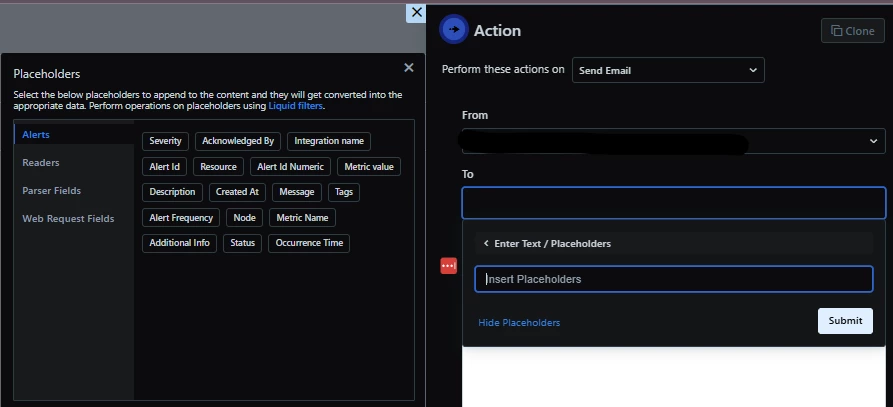
There is a Send email option in the action block, but there is no way to select “assigned agent” for the incident in the placeholders.
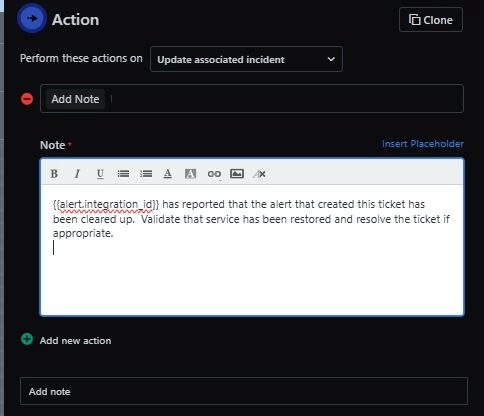
Similarly, even though I am able to add a note via automator in the associated incident, there is no way to add an agent recipient such as assigned agent.
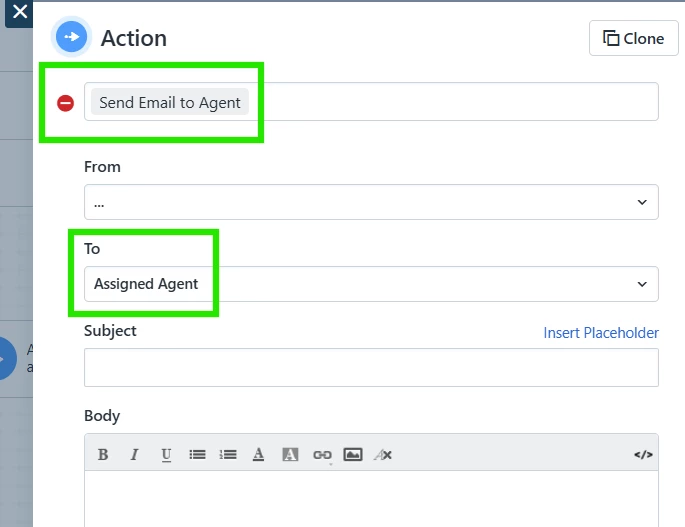
This would be a great QoL item to have in lieu of having to use the API to collect the associated agent from the incident then using that as a placeholder (rather messy comparatively).

3 replies

Forum|alt.badge.img+11
  • Skilled Expert
  • January 9, 2025

Hey ​@Medic1334 does this set of options appear in your specific circumstances?


Medic1334
Top Contributor ⭐
Forum|alt.badge.img+9
  • Author
  • Top Contributor ⭐
  • January 9, 2025

Your screenshot looks like the ticket automator; not the alerts automator.  Though now that I have a fresh day ahead, I’m wondering if I can come up with some sort of custom placeholder in the meantime that isnt published…. something like {{alert.associated_incident.agent}} if possible. I’ll need to do some digging into the API to see if that’s possible and work off there. Would be a better UX to not have to jump these hoops. If I figure something out I’ll definitely update this :)


Forum|alt.badge.img+11
  • Skilled Expert
  • January 10, 2025

Sorry Medic1334, you’re quite right.  Please let the rest of us know the outcome of your testing :)


Medic1334
Top Contributor ⭐
Forum|alt.badge.img+9
  • Author
  • Top Contributor ⭐
  • January 10, 2025

This is going to be ugly but here was my workaround that I believe is going to work:

  • Query the alert via API
  • Parse the response for the incident_id value
  • Insert that value into a get query for the ticket
  • Parse that return for the responder_id value
  • Query the responder_id
  • Parse the return for the agents email address
  • Add action block to send email to the parsed value