

In progress : Included in Product Roadmap

Analytics (FreshDesk, FreshService): Ticket Lifecycle - streamlined report according to time events

Related products:Freshservice
  • March 5, 2024
  • 6 replies
  • 122 views

eeha0120
Top Contributor ⭐
Forum|alt.badge.img+12

Hi.

Currently, we have a curated report called Ticket Lifecycle.

In the Ticket-wise Split widget, for instance, you can have a view of how long (both, in Calendar and in Business hours) a ticket stayed in a status, in a group or assigned to an agent.

That is actually pretty good.


But it is missing something very important for the ticket lifecycle itself: The timestamp of any of that points changed.

I’ll use a real example for elaborating this.

This specific ticket has passed several status changes, group changes and agent changes:
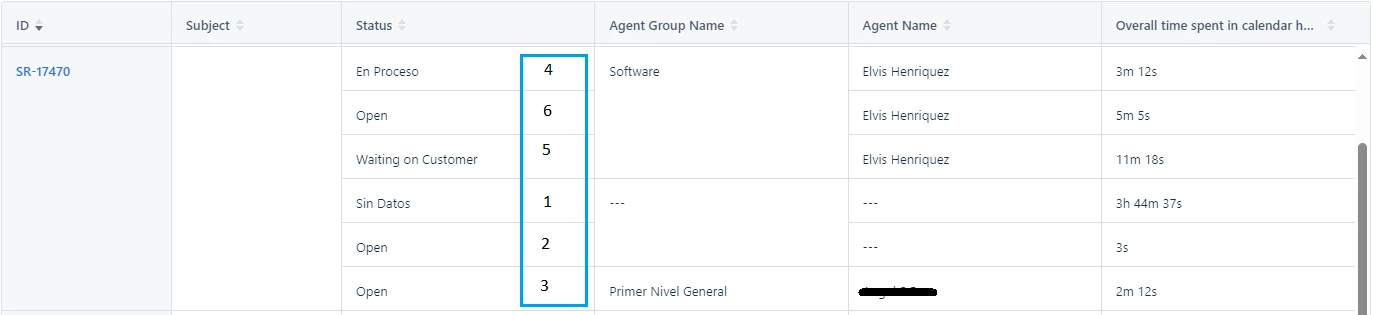
The correct order of events was:

  1. Ticket created with status “Sin Datos” (Without Data).
  2. Data was filled, so it changed to status Open.
  3. Auto-assignment assigned it a group and an agent (and was kept in status Open).
  4. I changed the group and assigned it to myself, and set it to status “En Proceso” (In process).
  5. I worked on it and sent a reply to customer asking for further information, setting it on status “Waiting on Customer”.
  6. Customer replied back with a response, changing the ticket to status Open.


The information of how long a ticket stayed in a status | group | agent combination is perfect, but it is missing the timestamp of such events, making it impossible to view in a streamlined way the lifecycle of this (or any) ticket, as you can’t currently have the proper sorting of those events.

That example Report / Data should be shown in this way:
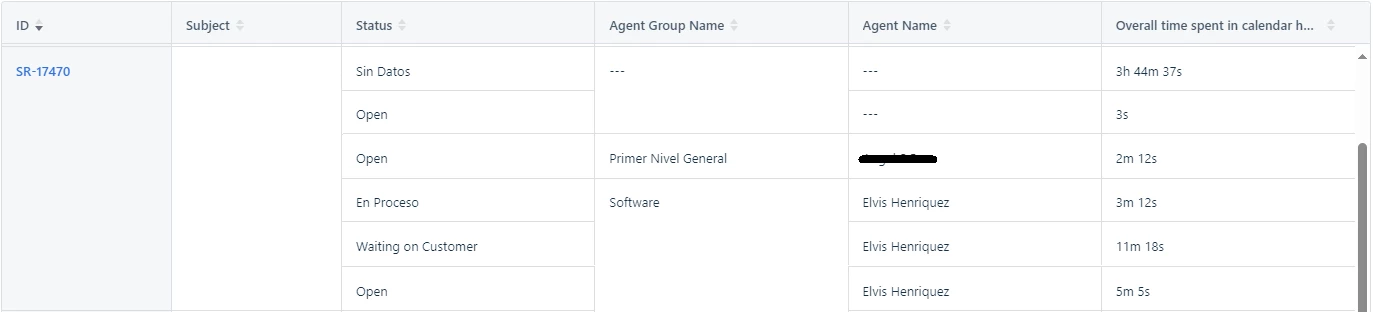
 

That’s the chronological order of the events, as seen on Ticket Activities, 

If having a timestamp column in such report, we could sort that data as expected.


I tried / thought of creating a custom object in order to store that data and then retrieve it from Analytics, but Custom Objects are basically readable-only in Workflows and we cannot write data onto them from Workflows.


This is very much needed for auditing.


This applies for FreshDesk and FreshService (and I guess all products that uses Analytics).


Hope this gets considered, approved, developed and delivered soon.


Elvis.

6 replies

Amrit Mishra
Community Manager
Forum|alt.badge.img+8
  • Community Manager
  • April 19, 2024

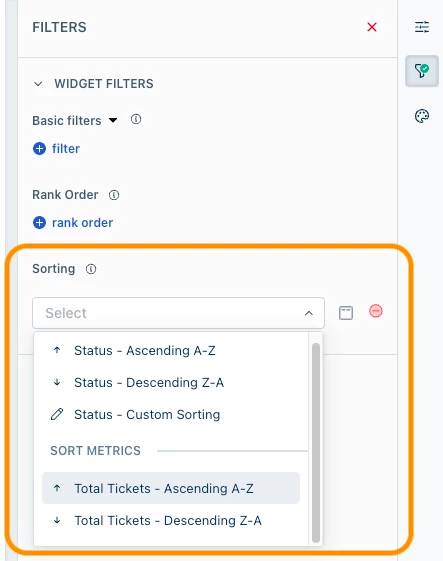
@eeha0120 Will a custom sorting capability help in this case?


eeha0120
Top Contributor ⭐
Forum|alt.badge.img+12
  • Author
  • Top Contributor ⭐
  • April 19, 2024

@eeha0120 Will a custom sorting capability help in this case?


Hi.

I would need to check the available options, but in general, I’d say that yes, it might help.

What I wonder is: Would we need to manually custom sort for every ticket (for this particular Use Case)?


Regards,


Amrit Mishra
Community Manager
Forum|alt.badge.img+8
  • Community Manager
  • April 20, 2024

@eeha0120 No, you don’t need to custom sort for every ticket, it should apply automatically to all tickets. However, on rethinking I don’t think this will solve your requirement as the sort is based only on a single attribute (Status) and not on a combination of attributes (Status, Agent, Group, etc.).


eeha0120
Top Contributor ⭐
Forum|alt.badge.img+12
  • Author
  • Top Contributor ⭐
  • April 20, 2024

@eeha0120 No, you don’t need to custom sort for every ticket, it should apply automatically to all tickets. However, on rethinking I don’t think this will solve your requirement as the sort is based only on a single attribute (Status) and not on a combination of attributes (Status, Agent, Group, etc.).

Hi.

It is actually a single attribute, which would be Timestamp. Sorting by Status would not work.


Regards,


  • Community Debut
  • November 6, 2025

I would also like to see this including resolution breach events and timestamped stating which group it was with.


Amrit Mishra
Community Manager
Forum|alt.badge.img+8
  • Community Manager
  • February 6, 2026
New IdeaIn progress : Included in Product Roadmap