


New Idea

Analytics Scheduled Export with the ability to include both "Time Tracked" and "Tag Name"

Related products:Freshdesk
  • July 17, 2024
  • 2 replies
  • 40 views

Forum|alt.badge.img+1

When setting up a scheduled export from the analytics section there is no data source available that offers both “Time Tracked” (you must use “Time Sheets” to access this field) AND “Tag Name” (you must use “Tickets” to access this field).  


However, when exporting manually from the ticket list, both options are available as options in the field list: 
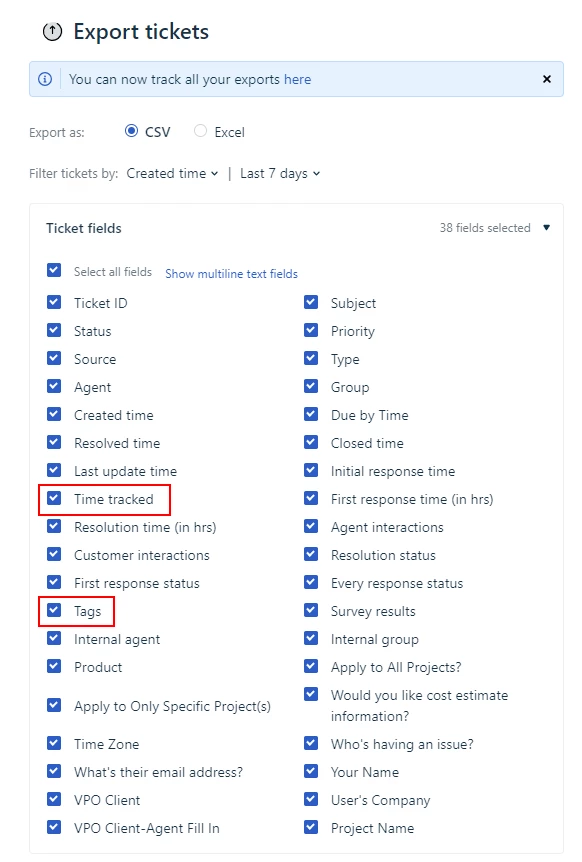
 

This makes me believe that it might be possible to offer that same set of options in the scheduled export area.  


Thanks!

2 replies

Amrit Mishra
Contributor
Forum|alt.badge.img+8
  • Contributor
  • August 28, 2024

@khadd Could you please clarify the following:

When setting up a scheduled export from the analytics section there is no data source available that offers both “Time Tracked” (you must use “Time Sheets” to access this field) AND “Tag Name” (you must use “Tickets” to access this field).  

Where are you setting up the scheduled export from? Are you doing it from Analytics > Settings > Data Exports or somewhere else?

However, when exporting manually from the ticket list, both options are available as options in the field list: 

Where are you manually exporting from? Is it the tickets list view page or somewhere else?


Forum|alt.badge.img+1
  • Author
  • Apprentice
  • September 24, 2024

Hi Amrit, thank you for your message

  1. correct, I’m using Data Exports in the Analytics → Settings
  2. correct, manually exporting from teh ticket list view page

