Closed for Voting

Assigned to

Related products:Freshdesk
  • January 18, 2018
  • 2 replies
  • 0 views

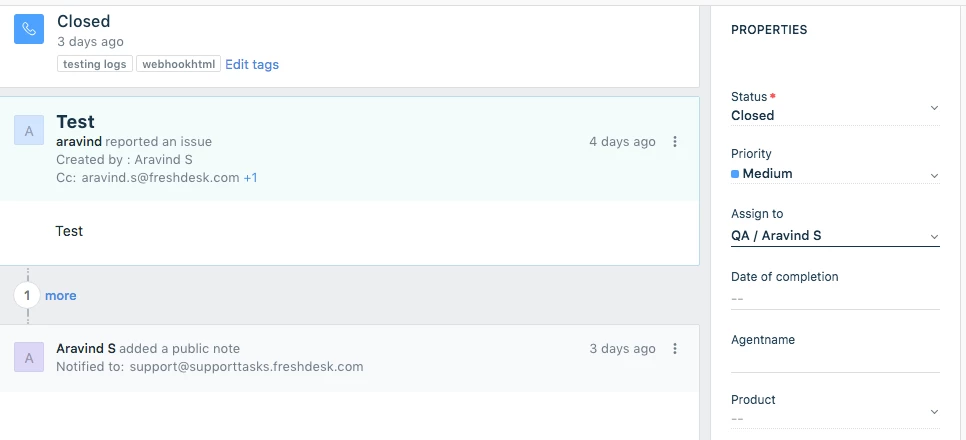
When you click on a active ticket, and have the "properties" window to the right... why can we see WHO it is assigned to without clicking on the arrow?  Yes, I can see the group, but I want to see who the agent is without clicking on it.

2 replies

aravind.sundararajan
Skilled Expert
Forum|alt.badge.img+12

Hello,


Sorry that I wasn't able to completely understand your question but I'd like to let you know that the ticket properties section looks a bit different from the Classic UI. Yes, we've a new interface named Mint where the group and agent fields have been combined into one.


Let me know if you're looking for something else.


Cheers!


  • Community Debut
  • July 6, 2018

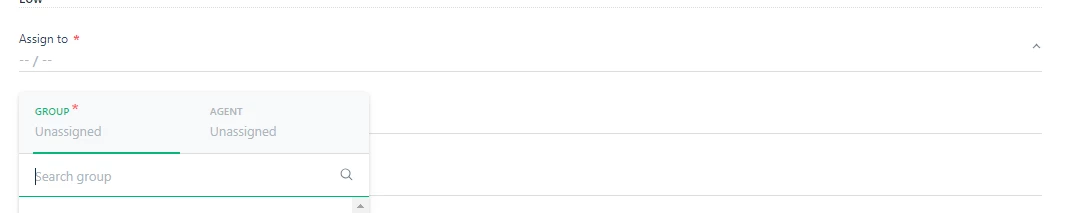
Is there an option to decouple the Group and Agent fields? 


My concern is largely with creating a new ticket. All other fields I can fill in without moving my hands from the keyboard, as they allow you to Tab between to select, and auto-fill when you start typing. In the Assign To field, it does not allow you to start typing, it requires you to use the mouse to select it, and then pops up a window for you to click an option with your mouse.


We create lots of internal tickets, and the extra time to go back and forth

between the keyboard and the mouse slows us down.


Thanks!


image