New Idea

Break a notification loop

  • December 19, 2022
  • 8 replies
  • 386 views

Forum|alt.badge.img

We received a request via email. It was turned into a ticket in our Freshdesk account. An auto New Ticket Notification email was sent back to the requester. But the requester email address is also linked to a ticket system similar to Freshdesk. They also sent back a new Ticket Notification to us. The notification email subject included the new ticket number in their system. A notification loop happened in this case. Hundreds of tickets were created. We have to disable the auto New Ticket Notification temporarily to break the loop.

Could you please make the auto New Ticket Notification function not to send notification email to the same requester email address within a few minutes or an hour for example?

8 replies

julia.a
Top Contributor ⭐
Forum|alt.badge.img+8
  • Top Contributor ⭐
  • December 22, 2022

We have already had a similar issue a few times in the past triggering thousands of new tickets!

We have Automations set up that send certain automatic messages to certain type of new tickets. I have excluded some of the most frequent phrases that are in these kind of auto-replies or out-of-office e-mails from customers from our Automations so that our automatic message to the customer is not being sent for those. But sometimes it still happens because I of course cannot predict what’s written in those customers’ auto-replies.

Why doesn’t Freshdesk flag identical tickets by the same e-mail address as Spam? This would solve both the problem with automatic messages coming from Automations as well as New Ticket Notifications.


julia.a
Top Contributor ⭐
Forum|alt.badge.img+8
  • Top Contributor ⭐
  • February 8, 2023

Related:


  • Community Debut
  • July 25, 2023

At one point I was suggested to use the “Automerge” app provided in the FreshDesk app store.  Below is what was suggested to me, but I found the process too complicated, I had to rework all my automations in FreshDesk so that “all matching rules” were run, instead of “first matching rule.”  

1. We have removed the "Conversations sync" feature from the Automerge app so that the secondary tickets' notes would not be pushed into the primary tickets. 


2. Since the Automerge app cannot fetch the ticket subject automatically, we are making use of the following workaround to pull the subject information into the automerge logic as well: 


·                     Create a ticket field called Subject_duplicate. 

·                     Make use of the automations that run on ticket creation to trigger webhooks and populate the subject line in this new field. {
    "custom_field": {
        "cf_subject_duplicate": "{{ticket.subject}}"
    }
}

·                     Use the Requester email and Subject_duplicate field in the Automerge app to merge tickets with the same subject line and requester email within a specified duration. 

3. Before enabling the automation to execute all matching conditions, which are required to populate the subject line in the ticket field, I'd suggest going through the existing list of automations so that enabling this condition wouldn't affect the general flow :) 


kendall23
Community Debut
  • Community Debut
  • August 1, 2023

Any update on this @freshdesk ?


Forum|alt.badge.img+5
  • Community Debut
  • August 3, 2023

Hi all,


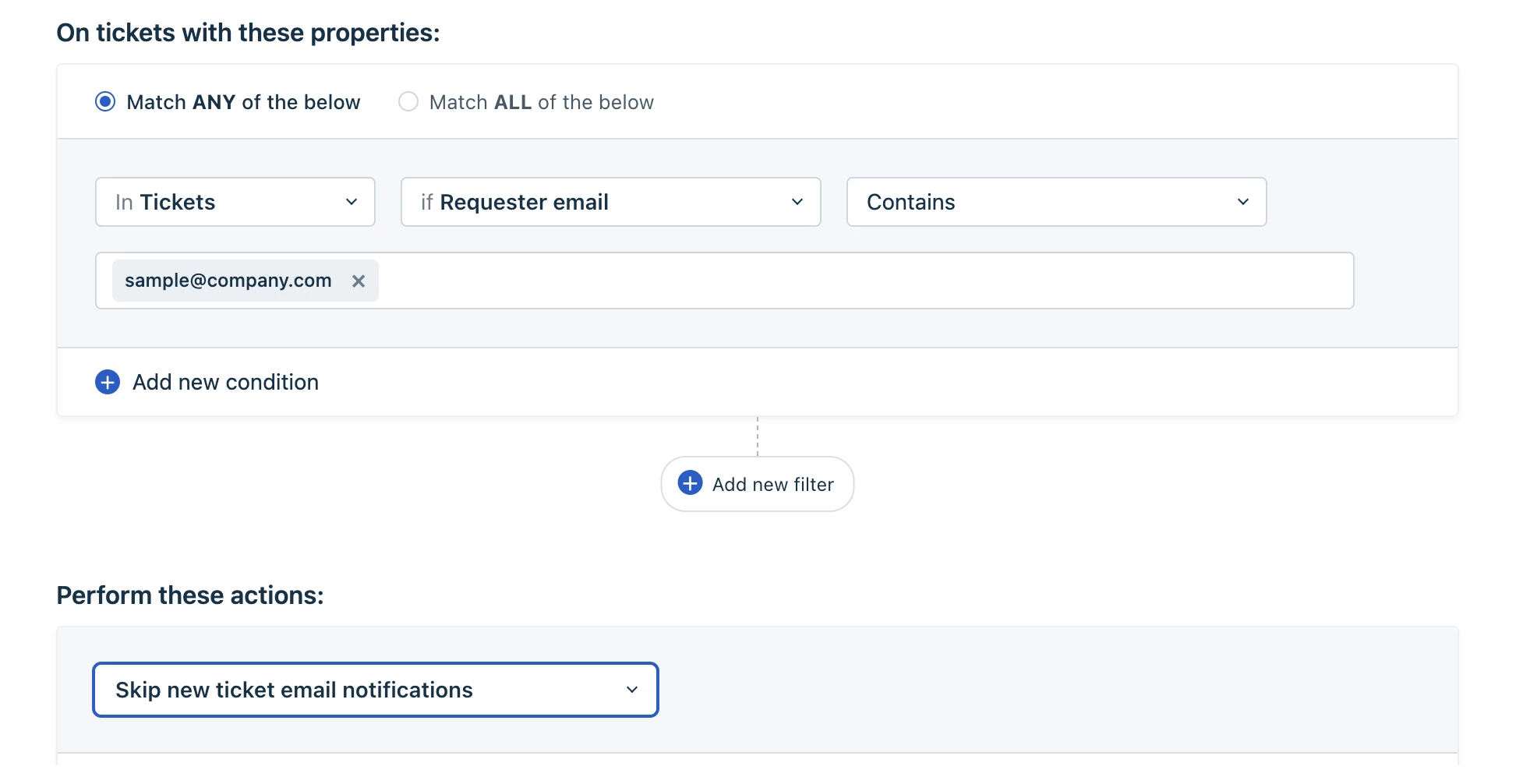
Would it help to set up a Ticket Creation automation rule under Admin->Automations->Ticket Creation->New rule to skip sending the default New Ticket notification to the specific customers? 


julia.a
Top Contributor ⭐
Forum|alt.badge.img+8
  • Top Contributor ⭐
  • August 3, 2023

Hi all,


Would it help to set up a Ticket Creation automation rule under Admin->Automations->Ticket Creation->New rule to skip sending the default New Ticket notification to the specific customers? 


Thanks for sharing!

This would only work once you have a notification loop problem with a certain e-mail address but doesn’t help to generally prevent this issue from happening.

Also for my case: We are not using the New Ticket notifications because we send different automatic replies depending on which channel a customer is reaching out and because Freshdesk’s language detection for contacts is incorrect a lot of times. We have set ups those automatic replies with Automations.


kendall23
Community Debut
  • Community Debut
  • August 4, 2023

Hi all,


Would it help to set up a Ticket Creation automation rule under Admin->Automations->Ticket Creation->New rule to skip sending the default New Ticket notification to the specific customers? 


Hi there! Thanks for sharing. We are trying to prevent the auto-responder loops from happening in the first place.


I know Gmail has a failsafe automatically baked in to their autoresponder settings. Here is what Google states for their vacation autoresponder:


“[The vacation reply] sends an automated reply to incoming messages. If a contact sends you several messages, this automated reply will be sent at most once every 4 days.


An option similar to this would be helpful in my case. 


Ctitchen
Community Debut
  • Community Debut
  • November 28, 2025

Has there been any progress with resolving this issue? We fairly regularly receive thousands of auto-replies