




I have a bunch of Inactive companies in my FreshService instance. I don’t want these to show up under Companies when I’m opening a ticket. No problem, right? I can do that with Business Rules, but I currently have 587 companies that start with zzzINACTIVE.
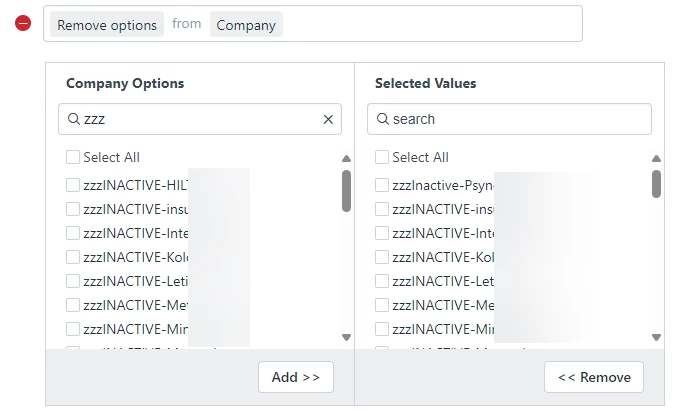
I try to hide them, but when I search for the string “zzz” I get a list of 30 companies (it stops at 30). I add those companies and then I want to select the next 30, but I can’t do that, because FreshService gives me the same list of 30 companies a second time.
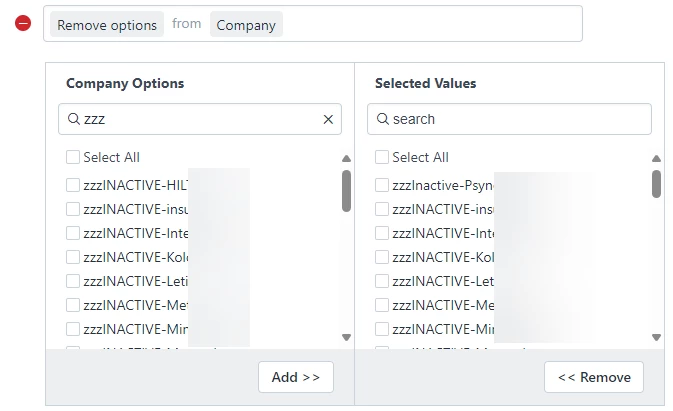
So, I figure I’ll have to save between each one - annoying, sure, but doable. So, I saved and activated and then went back in and did the same search for “zzz” and I got the same 30 companies. It doesn’t look like the search incorporates those companies that have already been selected - this effectively sets the limit of items I cannot include to 30.
The problem? I have 587 companies I don’t want to include as an option when creating a ticket, but I don’t have a choice. I can only hide 30 of them because that’s the max results shown when I search for the string. This leaves 557 companies available that I don’t want to be there.
What would be really great, is if I had the option to say “Don’t include items that match this string”. Instead of selecting individual items, I’d be able to create a rule to remove the options and it would save me a bunch of work.
