Closed for Voting

Category Icon

  • August 13, 2019
  • 7 replies
  • 144 views

I have a big button auto populating for all my categories on the home page and it pulls in the category name as well as the description. Is there a way to have an icon or image associated with each category?



7 replies

Forum|alt.badge.img+7
  • Community Manager
  • August 23, 2019

Hello Jim,


Are you talking about the categories in the knowledge base? Could you please give us some more information so that we can help find a solution?


dineshs
Contributor
Forum|alt.badge.img+3
  • Contributor
  • February 28, 2022

Hi Jim,

New feature rolled out in some of the portal.

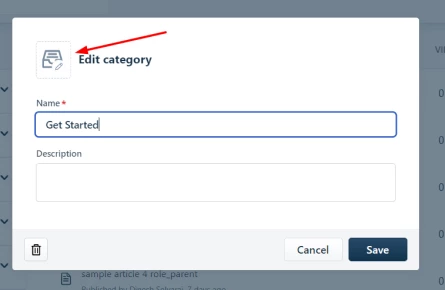
Using the backend option we can upload any logo or image.

We can upload the icon/images for each category or folder


Frontend portal we can use the liquid template code to get the icon/image.

{{category.icon}}


Sample code:

{% for category in portal.solution_categories %}
  {% if category.folders_count > 0 %}
    <img src"{{category.icon}}"> 
    <h3 class="heading">{{ category.name | link_to: category.url }}</h3>
  {% endif %}
{% endfor %}


Forum|alt.badge.img+1
  • Skilled Expert
  • March 24, 2022

This is great, exactly what i’m looking for, but, unfortunately, that doesn’t work for me.

I added an icon to the category via the add icon tool at the KB Category level, but when i try to call it, via the code example, nothing renders. Did i do something wrong?


dineshs
Contributor
Forum|alt.badge.img+3
  • Contributor
  • March 24, 2022

@johnindallas Can you share the code and portal URL?


Forum|alt.badge.img+1
  • Skilled Expert
  • March 24, 2022

I got it!!! My apologies!! Thank you guys!!!


Forum|alt.badge.img+1
  • Skilled Expert
  • March 24, 2022

If you guys only knew how monumental such accomplishments like this are to those of us who do not code!!! this was a huge hurdle!!


Forum|alt.badge.img+1
  • Skilled Expert
  • March 25, 2022

This is how we did it.

  {% if category_list_enabled %}
    <h1 class="knowledge-base-title">{% translate portal.knowledge_base %}</h1>
    <ul class="row category-list clearfix" id="category-list">
      {% for category in portal.solution_categories %}
        {% if category.folders_count > 0 %}
          <li class="column column--sm-4 category-list-item" id="{{category.id}}">
           
            <a class="category-list-item__link" href="{{category.url}}">

/* the line below is what we added. then we styled it via css and made it 20% in size */
              <img src="{{category.icon}}" class="category-icon category_icon_img">
              <h2 class="h5 category-list-item__title">{{category.name}}</h2>
            </a>
          </li>
        {% endif %}
      {% endfor %}
    </ul>
  {% endif %}