

New Idea

Close button for emails in Freshservice.

Related products:Freshservice
  • November 13, 2023
  • 6 replies
  • 74 views

mbackwater42
Top Contributor ⭐
Forum|alt.badge.img+8

It would be nice to be able to embed a button (or even a URL link) in an email notification when a ticket is Resolved that lets the Requester change the status of the Incident to Closed. We created a Workflow to automatically notify the Requester when a ticket is Resolved, but they will need to go change the status on their own, and our user base is likely to not do things that take more than 1-2 clicks.

6 replies

mbackwater42
Top Contributor ⭐
Forum|alt.badge.img+8
  • Author
  • Top Contributor ⭐
  • November 13, 2023

Clarification: 

“...change the status of the Incident to Closed with just one click.”


zachary.king
Top Contributor ⭐
Forum|alt.badge.img+16
  • Top Contributor ⭐
  • November 13, 2023

@mbackwater42 If the issue is around having tickets that are marked resolved when you want them to actually have a status of closed, one thing we do is use a supervisor rule that closes any tickets that have been marked resolved for more than 3 hours. This way nothing sits stagnant as resolved for long in our freshservice instance, therefore bypassing any necessary interaction on behalf of the requester.


mbackwater42
Top Contributor ⭐
Forum|alt.badge.img+8
  • Author
  • Top Contributor ⭐
  • November 13, 2023

@mbackwater42 If the issue is around having tickets that are marked resolved when you want them to actually have a status of closed, one thing we do is use a supervisor rule that closes any tickets that have been marked resolved for more than 3 hours. This way nothing sits stagnant as resolved for long in our freshservice instance, therefore bypassing any necessary interaction on behalf of the requester.

The Workflow we have in place will close the tickets after three days, sending the Requester a notification email each day. I would like to put a button or URL link in that email so the Requester just has to click on one thing to mark the ticket as Closed. It’s not a big deal to us if the tickets stay in Resolved status for a few days, but it would encourage more users to disposition their own tickets instead of relying on automation (or helpdesk intervention). 


Forum|alt.badge.img+11
  • Skilled Expert
  • November 14, 2023

Hi @mbackwater42 

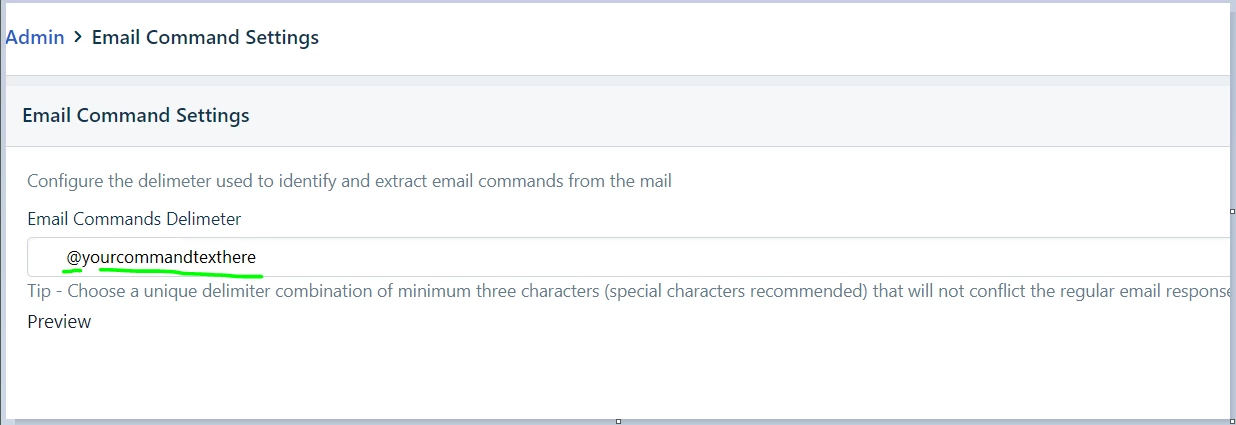
FS does allow you to send emails from Outlook with embedded code to take an action on a ticket but it may be restricted to agents tho.  

Email Command Settings

Maybe you could create a button that would add the email command in tiny white text on the Requester’s reply?


zachary.king
Top Contributor ⭐
Forum|alt.badge.img+16
  • Top Contributor ⭐
  • November 15, 2023

Hi @mbackwater42 

FS does allow you to send emails from Outlook with embedded code to take an action on a ticket but it may be restricted to agents tho.  

Email Command Settings

Maybe you could create a button that would add the email command in tiny white text on the Requester’s reply?

Email commands are really powerful but unfortunately the user who sends the reply that contains the email commands must have an agent license to perform the action associated to the command. Wouldn’t work for requesters who send in email commands. Good thought though @BrynCYDEF, could’ve been sneaky about it lol


Forum|alt.badge.img+11
  • Skilled Expert
  • November 15, 2023

Lol - IKR - love being sneaky and making users’ lives easier without them even realizing it.

@zachary.king , your point does make me wonder if you could wrap the email command with code that would trick FS into thinking that an agent sent it?