

New Idea

Comment/notes node in Workflow Automator

Related products:Freshservice
  • November 1, 2023
  • 4 replies
  • 33 views

christian.mentor
Skilled Expert
Forum|alt.badge.img+6

It would be extremely helpful to add a node that lets you leave notes or comments in the automator to add contexts to the workflow steps.

Currently, we have to host a separate document somewhere else that explains what a Workflow is doing and why it’s configured the way it is, but having that information in the Workflow could make updating/troubleshooting workflows easier for someone who wasn’t the original author.


4 replies

afautley
Top Contributor ⭐
Forum|alt.badge.img+11
  • Top Contributor ⭐
  • November 2, 2023

I like this Idea. but rather than creating a second node just for information, would it better to add a description box to the node itself enabling you to have just one node and then that description is linked to that node then??


christian.mentor
Skilled Expert
Forum|alt.badge.img+6

I like this Idea. but rather than creating a second node just for information, would it better to add a description box to the node itself enabling you to have just one node and then that description is linked to that node then??


That would helpful as well, but there may be use cases where you might want to add notes that do not pertain to an existing node.


afautley
Top Contributor ⭐
Forum|alt.badge.img+11
  • Top Contributor ⭐
  • November 2, 2023

ahh I see, notes for the whole workflow… a section for “workflow notes” on the whole workflow would be good. maybe in the same area as title and description box is??


christian.mentor
Skilled Expert
Forum|alt.badge.img+6

ahh I see, notes for the whole workflow… a section for “workflow notes” on the whole workflow would be good. maybe in the same area as title and description box is??


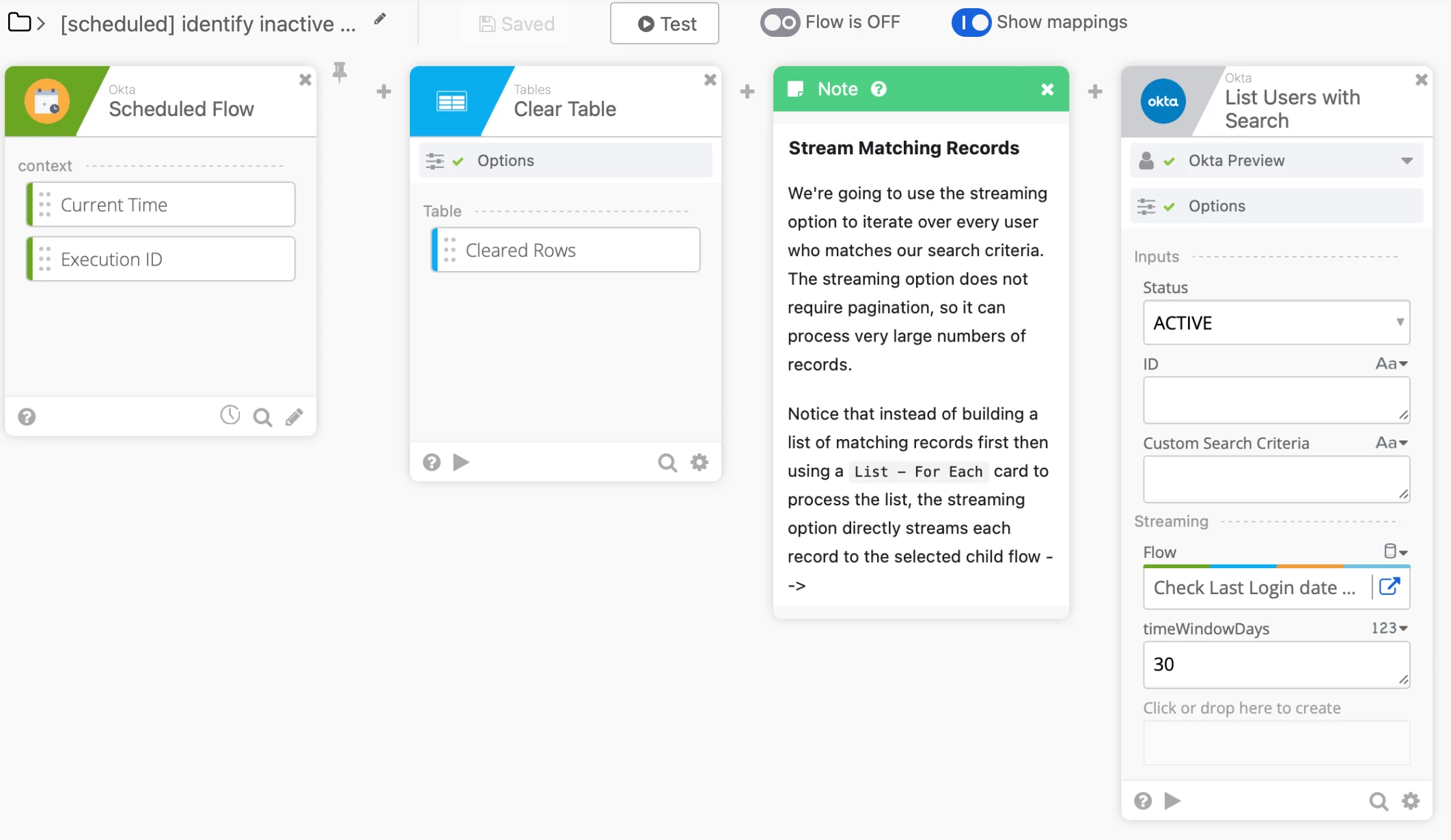
Not quite — just a standalone comment/note node. Here’s an example from Okta’s workflow module:

Okta workflow’s Note card

Added bonus: if the nodes on the Workflow Automator could be rearrange with drag-and-drop, that would be :chefs-kiss: