Closed for Voting

Create New Ticket also should send email

Related products:Freshdesk
  • July 31, 2012
  • 69 replies
  • 114 views

I think when we create a new ticket in FreshDesk, it should also send the email to the requester sort of like we're creating an outbound email.


69 replies

  • Contributor
  • December 3, 2012
There should be some difference between helpdesk initiated outbound email and new ticket created behalf of the customer.

If an agent initiates an outbound email, the message to the customer should be only the "Description" field (or maybe a completely different "Outbound email" field?) - the subject line can have the proper ticket id for proper reply matching. In this case, the communications with the customer does not differ from any other traditional email message. The main use case here is to get possible customer replies automatically to helpdesk.

If an agent creates a new ticket behalf the customer, the customer should receive a new ticket notice - this message may not include the original ticket description. This is the behavior as now.

A suggestion for implementation: Agent's "new ticket" view could include one extra choice with three options:
* Notify customer (=send the notification = current workflow)
* Send as an outbound email (=supress the notification, send the ticket description as is)
* Do not notify customer (=supress the notification, do not send anything)

The last option would work in use cases where we just want to record a customer's issue "incognito". Most likely the ticket is closed right away.

I think that by default should doesn't send email (like a phone call request). If i flag a check box I can send notification to the customer like "Send notification to customer", unflagged by default


  • Contributor
  • December 3, 2012
In many cases our admin department needs to send a email to a costumer (even if we got the wrong email adres, not assigned to client account).
This ticket should send just like a email and with the status awaiting costumer reply its just another ticket, but send out by an agent.

Right now the costumer (or receiver) gets an email with ticket is created. But what if its not a costumer? And who would reply or check what it is if the costumer didnt sign in his/her account for a long time.
I think its to confusing for some costumers. It would be better to have it send just like an email.

 We come from OTRS and we have outbound mail or phone call

Sometimes agents need to directly send and email to a customer but creating a new ticket no mail is sending, because by default that's a "phone source" ticket
I must forward or reply to customer after the creation, but this creates double similar entry in my ticket history
I can only activate new ticket email notification for customer, but it's not the same.


 Like workaround a create a scenario that send an email to requester with ticket description


I agree with this, also coming from OTRS and I will be missing the "email ticket" action. Will be trying Alessio's workaround though.


  • Contributor
  • September 27, 2013

Hi Guys


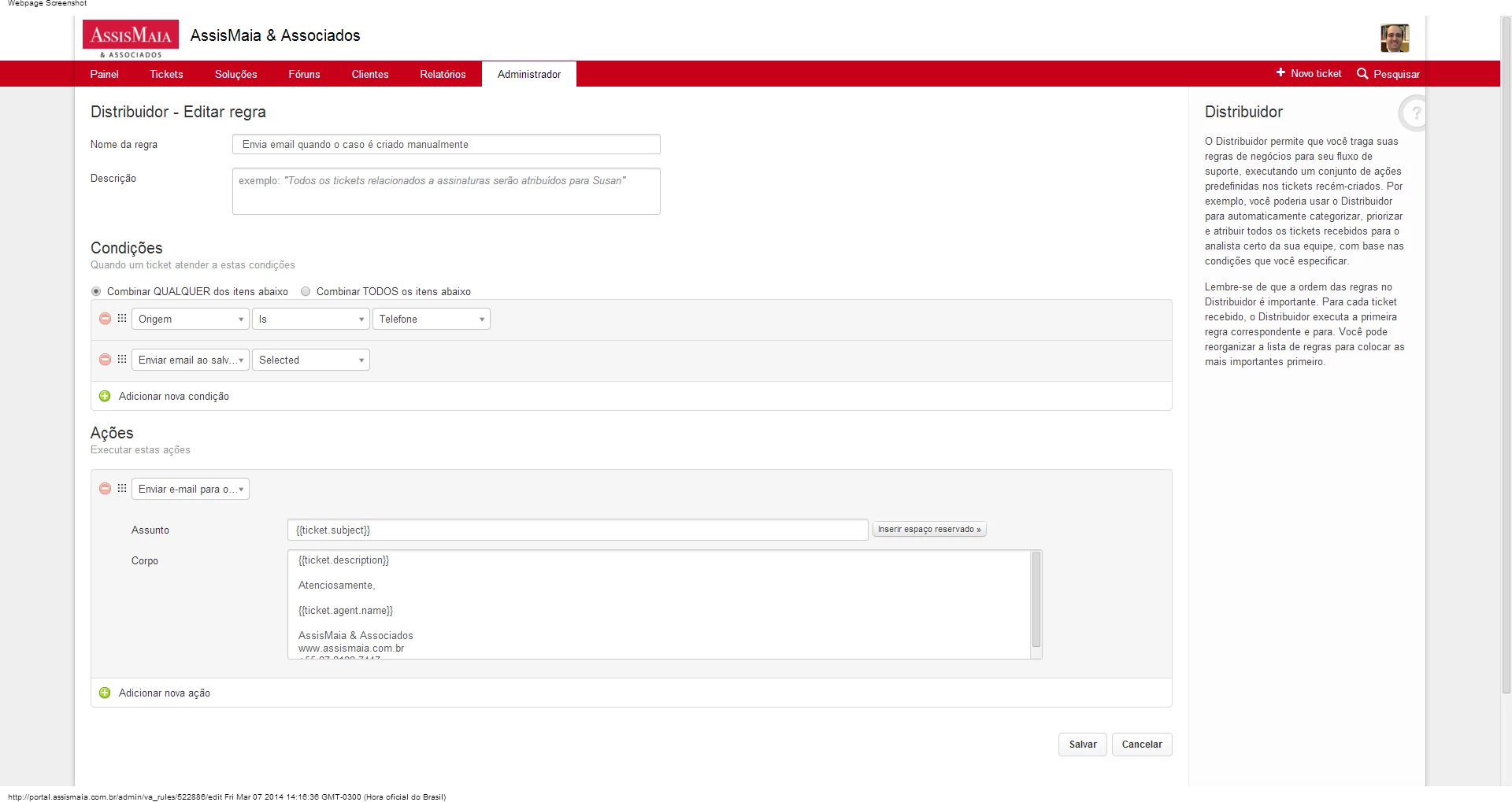
For now, we will not be adding a COMPOSE option or Create New Email in Freshdesk, but you can make use of Dispatch'r to trigger a New EMail to Customer, since now we even support Subject line in Send Email action of all the Automations


regards
Vijay


  • Community Debut
  • November 29, 2013

Hi Vijay,


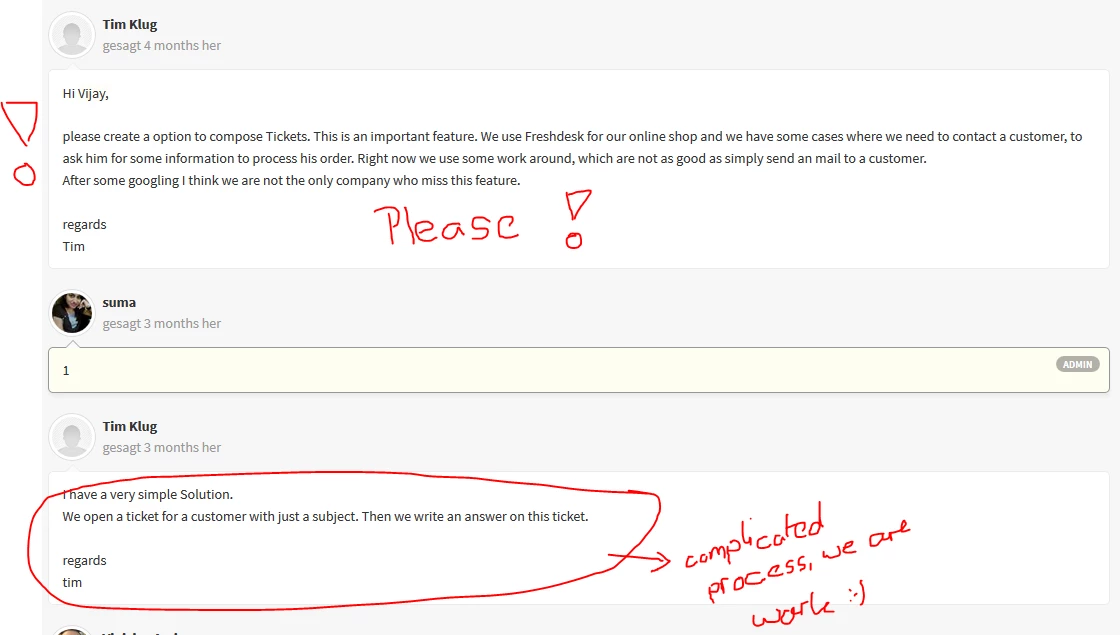
please create a option to compose Tickets. This is an important feature. We use Freshdesk for our online shop and we have some cases where we need to contact a customer, to ask him for some information to process his order. Right now we use some work around, which are not as good as simply send an mail to a customer.

After some googling I think we are not the only company who miss this feature.


regards

Tim


  • Community Debut
  • December 19, 2013
1

  • Community Debut
  • December 19, 2013

I have a very simple Solution.

We open a ticket for a customer with just a subject. Then we write an answer on this ticket.


regards

tim


  • Contributor
  • February 15, 2014

One more vote for that!


  • Community Debut
  • February 28, 2014

We did not know this was not a feature or will ever be a feature.  The assumption that service desk tickets only originate from the customer is very uninformed on business operations.  About one third of our customer contacts are started from the company side.  For example, a product ordered is out of stock. Or we found an error in the shipping address and need to confirm with the customer.


The feature should allow you to send an email to the customer and the body of the email is used to create a new ticket to track and manage the correspondence.  


Since this feature will not be present, I guess I need to resume my search for a support tool and leave freshdesk.  What a shame. You have everything I needed, but this one super critical piece.  


What a shame you don't listen to your customer's needs.


  • Contributor
  • March 5, 2014

Hi, everyone,


My suggestion is that besides the "save" button there should be a "save and send" button.


What I do while there is no such option is:


I created a check box field named "send email after creating the ticket" and a Dispatcher rule to notify the requestor.


It1s working fine for us!


  • Community Debut
  • March 6, 2014

Vinicius:


I tested your approach.  Here is what happens. 

  1. Agent opens a new ticket with information/questions for a customer.
  2. Customer receives notification that we have received their request and we will get back to them shortly
  3. Customer receives notification that a ticket is outstanding for their review

Now lets look at this from a customer perspective:

  1. I just received notification I submitted a request. I did not submit anything. Must be spam or the company doesn't know what they are doing.
  2. I just received another email telling me to click on a link to read the message. This is definitely spam and the messages gets deleted. Now customer thinks my correspondences are spam. 
From a customer experience method, this does not work. This method destroys the trust a customer has in my brand. And the customer hits the spam button. Now I am fighting with email providers that my sending domain is not a spam sender. Whitelist/Blacklist issues.

What is needed is the ability to enter the text and have a formatted email sent to the customer. The email should be the message entered into the ticket. This directly communicates with the customer. It also opens the ticket.  

Anything less is a poor customer experience. Anything less is a recipe for disaster. 

jeff

  • Contributor
  • March 7, 2014

Jeff,


I agree with you: Freshdesk should have a "save and send" feature.


But what I did is a bit different... and maybe it won't work for you or others.


The first thing is that I do not use the default notification for new tickets.


Once this is disabled, I created a Dispatcher rule.


So, if the "send email after creating the case" checkbox is checked, Freshdesk will send a message to the customer with the description of the ticket as the body of the email.


Hope that helps!


download_14198.png

  • Community Debut
  • March 21, 2014

Please vote!!! The workarround (avoidance solution) its not for a Business...


We have the same Problem, from "Tim Klug"


printscreen_-_forum-freshdesk_14351.png

  • Community Debut
  • May 14, 2014

 I'm using a solution similar to what Vinicius suggested - but added the ticket number to the subject in order to avoid that user's reply creates a new ticket and a notification email to him. This is the way I solved this problem using dispathc'r and it is working fine for me.
1. Created a new value for the type field (let's call it "Outbound email")
2. In dispatch'r created a rule as follow
2a. Condition: type is "Outbound email" (or wahtever was chose at step1)
2b. set Actions as: Skip New Ticket Email Notification + Send email to Requester. Subject of the email set to: [#{{ticket.id}}] - {{ticket.subject}}. Content of the email set to
{{ticket.description}}
When I need to open a ticket and send email - I just need to select type "Outbound email"


This way user gets the content of the ticket and does not receive any ticket creation email.
Once user replies, the response is attached to the ticket (for this to work you need to have [#{{ticket.id}}] in the email subject).
I think this solves most of the cases.


  • Contributor
  • December 2, 2014

I am horrified that a Customer Service Platform would not allow you to contact a customer.  Freshdesk are you for real?  Maybe looking at switching to another product after discovering this.


  • Contributor
  • December 3, 2014

+1


After carefully considering all the replies in this topic, it is clear to us that there are two use cases

1) One is when an Agent is creating ticket on behalf of a customer

     - The requester would want notification about the ticket - (similar to a requester who emailed a ticket).

     - This notification too can be suppressed by a Dispatch'r rule - "Skip notification" when source is "Phone"

2) Ability for agents to initiate a ticket and send it to the customer

     - A simple mail with the subject and description entered by the agent will be sent to the customer

     - Customer's reply will be added to the ticket thread


The first one simple is set up. We will be taking up the second one - "compose feature" soon. 

I am changing the status of this topic to planned


  • Community Debut
  • December 19, 2014

I completely agree with Jeff Cocking. This is a serious omission by FreshDesk. We do lots of proactive support. Naturally this means we send them a message when we see a problem.


It does not make sense to first send a customer a notice that we have received their ticket, when they did not post a ticket. It is confusing, unprofessional, and perceived as spam. We would like to switch from our current help desk system to FreshDesk, but this issue seems to be a showstopper. 


I see from Janani's post that this use case is now in the "planned" phase. What is the time frame?


  • Community Debut
  • January 14, 2015

Hi, 

Any news on #2 "Ability for agents to initiate a ticket and send it to the customer"?


It is very clumsy to try and do proactive customer support without this functionality.


  • Community Debut
  • January 16, 2015

Dispatcher is doing the job on this for me.


I created a Dispatcher rule which is triggered based on the subject of ACTION REQUIRED, and then send an email with the details of the ticket. 

Replies to that email sent are treated as replies to the corresponding ticket, so it works perfectly. 


  • Community Debut
  • January 17, 2015

Hi Eamonn,

Thanks for the tip. I needed a unique subject line, so I could not use your method for the condition. Instead I made the condition based on a special category setting. That is not great because now I can't use category in the way it was intended. But I can deal with that.


The bigger problem is that creating the ticket first causes a "ticket received" message to be sent out. So now the prospect is getting two messages, one of them confusing, instead of the one proactive support email that was intended.


Have you found a way to suppress sending the "ticket received" message?


  • Community Debut
  • January 17, 2015

Hey Tim, 


Just offhand, I would suggest you disable the "ticket received" email for requestors/customers - there is one for customers and one for agents.

You can find this option in the Admin / Email notifications section. 


So that should stop the email, but maybe you needed this notification for the tickets not initiated by you. If that is the case, I would suggest going back to the dispatcher and creating a second rule. This rule will be the opposite of the one you have already created. So where rule 1 was category = X, rule 2 would be category != X. Set the trigger to send an email with "ticket received" content and you should be set. Now I haven't done this second part, but I don't see why it wouldn't work.