Closed for Voting

Custom Form Fields per Products

Related products:Freshdesk
  • June 23, 2017
  • 4 replies
  • 34 views

 Hello,

why custom fields form ticket cannot be set "per product" ?

was more fast and easy way to add strange code every page


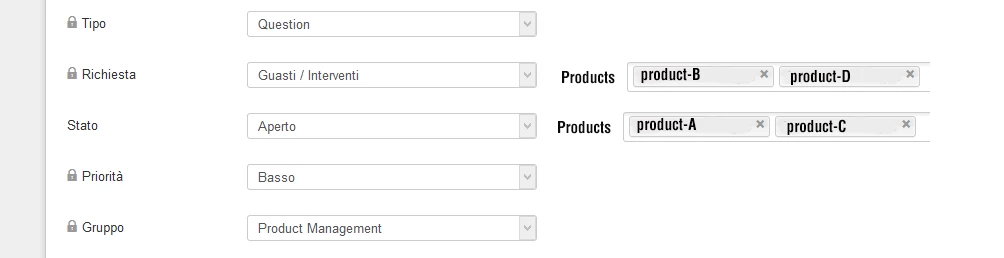
as you can see on image, you can choise if field is visible/editable per products


Thanks


4 replies

  • Author
  • Contributor
  • June 23, 2017

image


  • Author
  • Contributor
  • September 8, 2017
Hi, any comments or advice for customize the fields for different products?
Thanks


aravind.sundararajan
Skilled Expert
Forum|alt.badge.img+12

Hi Alessandro,


Though the option to customise the fields per product isn't available by default, we can still customise the ticket forms per product using the portal customisation feature available from the Estate plan onwards. 


Step 1 : Create all ticket fields irrespective of the products under Admin -> Ticket fields section 


Step 2 : Navigate to Admin -> Portals -> Choose the product portal and then navigate to Customise portal -> Portal pages -> New ticket section 


Step 3 : Add the following code in the page to hide the fields that you wouldn't want them to show up on this portal.


<script type ="text/javascript">
jQuery("#helpdesk_ticket_custom_field_asd_248005").parent().parent().hide();
</script>


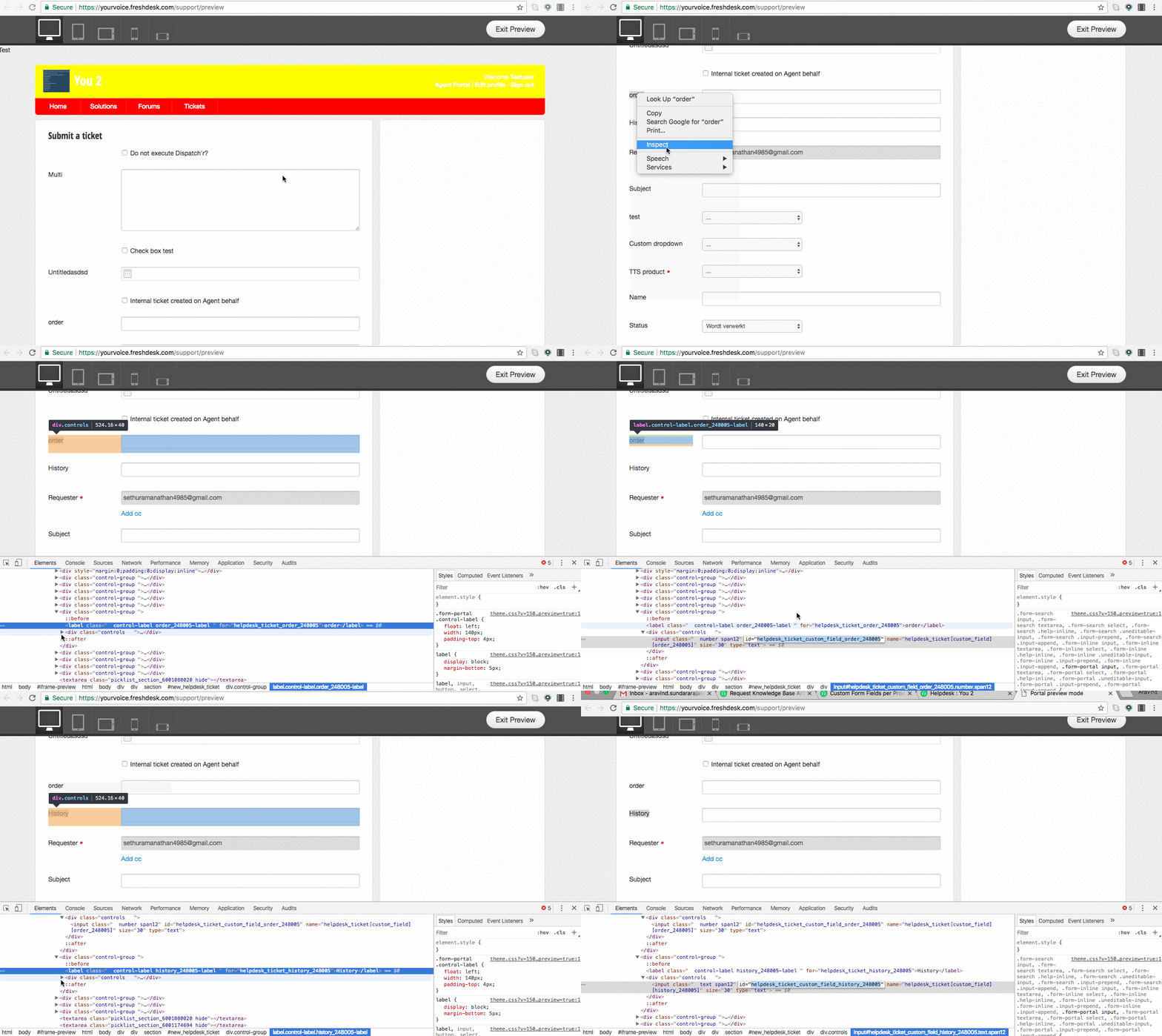
Here, #helpdesk_ticket_custom_field_asd_248005 is the custom ticket field that shouldn't show up on this portal. Please watch the GIF below to identify how you can obtain the field IDs from your portal.


image


Similarly, you can copy-paste the code and hide fields for each portal.


Cheers!


aravind.sundararajan
Skilled Expert
Forum|alt.badge.img+12