Closed for Voting

Customizable pop-up notification when opening ticket for a specific contact or company

Related products:Freshdesk
  • October 7, 2016
  • 3 replies
  • 59 views

We have specific customers that we want our agents to be careful with, so we are looking for a way to have a pop-up notification appear whenever a ticket is opened that has these specific customers or companies as the requesters.


We have added notes to the company account, but those are rarely looked at by agents when they're doing the regular resolution of their tickets (since we don't need to reference the company or contact details in any kind of depth when resolving their tickets).


Is there a custom app or another proposed feature that would allow for these kinds of notifications?


Thank you!

3 replies

  • Community Debut
  • October 11, 2016

I agree, we need someway to manage bad payers and customers with support on hold.


  • Contributor
  • October 13, 2016
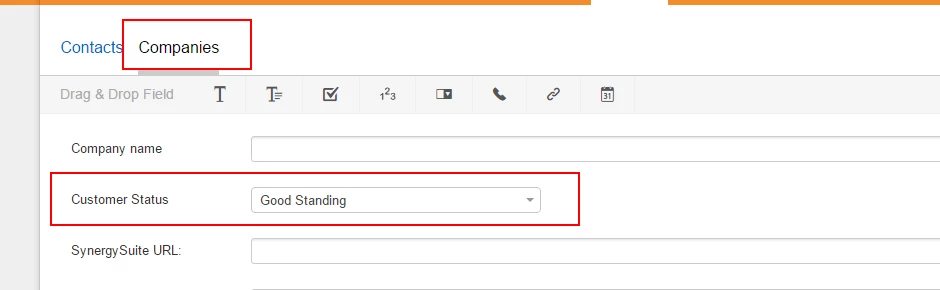
I created a custom field at the company level with a dropdown for selecting "Good standing" "Bad Standing" and "Pending Contract".  I then created a small bit of jQuery in the Custom App area to add the field to the sidebar in the Company area and used some styling there to make them stand out.

It's not a pop-up window, but it's fairly obvious with a red background and white type.

This is the code that I have in that custom app, if you are interested:
<div id="customer-status" title="Customer Status">
  <div class="content"> 
  <h5 class="cust-status">{{ticket.company.company_status}}</h5>

  </div>
</div>
<div class="contact-phone">
 
    <div>{{ticket.company.company_phone}}</div>
  
</div>
<script>
jQuery( "h5.cust-status:contains('Bad')" ).css( {"color": "white","background-color":"red", "padding":"5px"} );
  jQuery( "h5.cust-status:contains('Good')" ).css( {"color": "green"} );
jQuery( "h5.cust-status:contains('Pending')" ).css( {"color": "white","background-color":"blue", "padding":"5px"} );
</script>
<script type="text/javascript">
  jQuery(document).on("ticket_view_loaded",function(event,data){
    jQuery('div#customer-status').insertAfter('.user-company-name');
    jQuery('div.contact-phone').insertAfter('.user-company-name');
  });
</script>
<style type="text/css">
  div#customer-status div.content {
    padding: 0;
  }
  div#customer-status div.content h5 {
    font-size: 12px;
  }
</style>


  • Community Debut
  • October 13, 2016

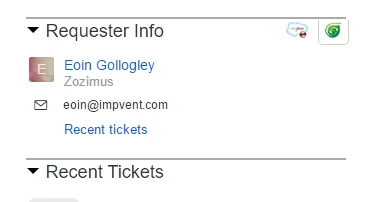
Thanks @SlavelleI added this as a customer app, and created the custom drop down list at the company level. However this drop down box doesnt appear at the ticket level. How did you do that?


blob1476377887259.png


blob1476377862694.png