Closed for Voting

Customize CSS for Feedback Widget Form

Related products:Freshdesk
  • April 15, 2016
  • 25 replies
  • 74 views

I would like to be able to customise the appearance of the feedback form widget to make it consistent with the styling of the support portal and also remove the unfortunate scrollbar on the iframe.


This cannot be done easily as the content is within an iFrame so we cannot target it with CSS from our customization area.


Can you please advise on best practices here.


Cheers

25 replies

sajesh.krishnadas
Contributor
Forum|alt.badge.img+6

Hi Mike,


We understand that you would like to match the feedback widget with the look and feel of your brand (between your portal looks amazing - neat and clean). Unfortunately, we do not have any extensive customization option on the widget today but we have plans to revamp the widget and bring in customization capabilities. We will keep you posted about any progress and reach out to you for any feedback once we get our hands on it. Thanks!


  • Community Debut
  • June 30, 2016

We started using Freshdesk a few weeks ago and also would love the feature to change the CSS of the "Feedback widget". Is there an ETA?


  • Community Debut
  • September 10, 2016

Looking forward to the revamped version of Feedback Widget! It would be much appreciated also if you give us the option to change the button text from "Send Feedback" to something else. This will reduce the confusion as to what kind of form a customer submits, e.g. a support ticket instead of a feedback ticket. :)


sajesh.krishnadas
Contributor
Forum|alt.badge.img+6

We pushed some design changes for the widget last week to keep it intuitive and modern. Next, we are working on bringing in the ability to customize the button on the widget. We will make sure to keep you all posted about any further updates here. 


  • Community Debut
  • September 17, 2016

Beyond the confusing Feedback message of the current button, it would be nice to be able to change the colors of the widget and instead of the webpage being whited out it would better to have it blacked out which is how lightboxes work and would look much more elegant and normal, right now it just looks like something went terribly wrong.


sajesh.krishnadas
Contributor
Forum|alt.badge.img+6

With our recent product updates, we have added the option to change the text of the submit button in your feedback widget. Kindly go to Admin -> Feedback Widget and add the required text under 'Form Submit Button' to customize the button. Once saved, copy the updated code and use the same in your website. 


Cheers!


  • Community Debut
  • November 10, 2016

Is it possible to have tickets assigned via widget be pre-assigned to a specific group/team? Otherwise our tickets created via popup seem to get stuck in limbo.


Hi Sajesh,


Just being able to update the text in the button really isn't enough. If we want it to have a clean and consistent look, we need to be able to modify fonts and colours as well. Can you please give us an update as to when we will be able to modify the CSS of this widget? Thanks!


Hi there,


Is there perhaps an update on this? 


I'd like to use the form widget, but the current icons / styling puts me completely off. Is there no CSS API which could be accessed through the script tags which are used to initialize the form on a website - or any other way to have more power to customize the form?


aravind.sundararajan
Skilled Expert
Forum|alt.badge.img+12

@Ephraim: You'd be able to pre-populate fields in the widget and also disable them from being edited by the user. You can read more about this here. Alternatively, you can also create a Dispatchr' rule and set the group value based on the source condition -> Source is Feedback widget.

@Brandon The widget revamp is a project that's in progress. Will share more updates as we move along with the development.


Cheers!


Hello, I'm new here and can't believe that this critical issue is still unresolved after three years?


Freshdesk team, please help!


aravind.sundararajan
Skilled Expert
Forum|alt.badge.img+12

@Jeffrey We haven't pushed a lot of updates to the widget but that's changing this year. We're reimagining the feedback widget and you can expect an announcement soon on the new widget experience in Freshdesk. I'll keep you posted on the updates.


Cheers!


  • Community Debut
  • February 12, 2019

"This year" is very broad, what is the expected timeline for a feature that has been requested three years ago and was said to have been in the works?


aravind.sundararajan
Skilled Expert
Forum|alt.badge.img+12

@Connor, We're trying to get the BETA out by the end of this month. Would you like to see what we have in store for the new widget? We can setup a 30 min call and walk you through the new widget design.


Cheers!


  • Community Debut
  • February 12, 2019

A call isn't necessary just wanted to know the actual timetable. Will the Beta be available to use or will it only be open to select people?


aravind.sundararajan
Skilled Expert
Forum|alt.badge.img+12

@Connor, It'll be available only to select users (I'll add you to the list of people who will get the early access to the new widget). As far as the timeline is concerned, we're working to get the BETA version out by the end of this month.


Cheers!


  • Community Debut
  • February 12, 2019

you can add us too! thanks


  • Community Debut
  • March 1, 2019

I am facing the same issue of colour and style consistency with the feedback widget. Is there a timeline for allowing us to customise the feedback widget?


  • Community Debut
  • March 18, 2019

Any update on this?


  • Community Debut
  • May 16, 2019

I am facing the same issue - any update on this? 


  • Community Debut
  • May 27, 2019

Any update on this? We also want to get rid of the standard feedback widget styling.


aravind.sundararajan
Skilled Expert
Forum|alt.badge.img+12

Folks,


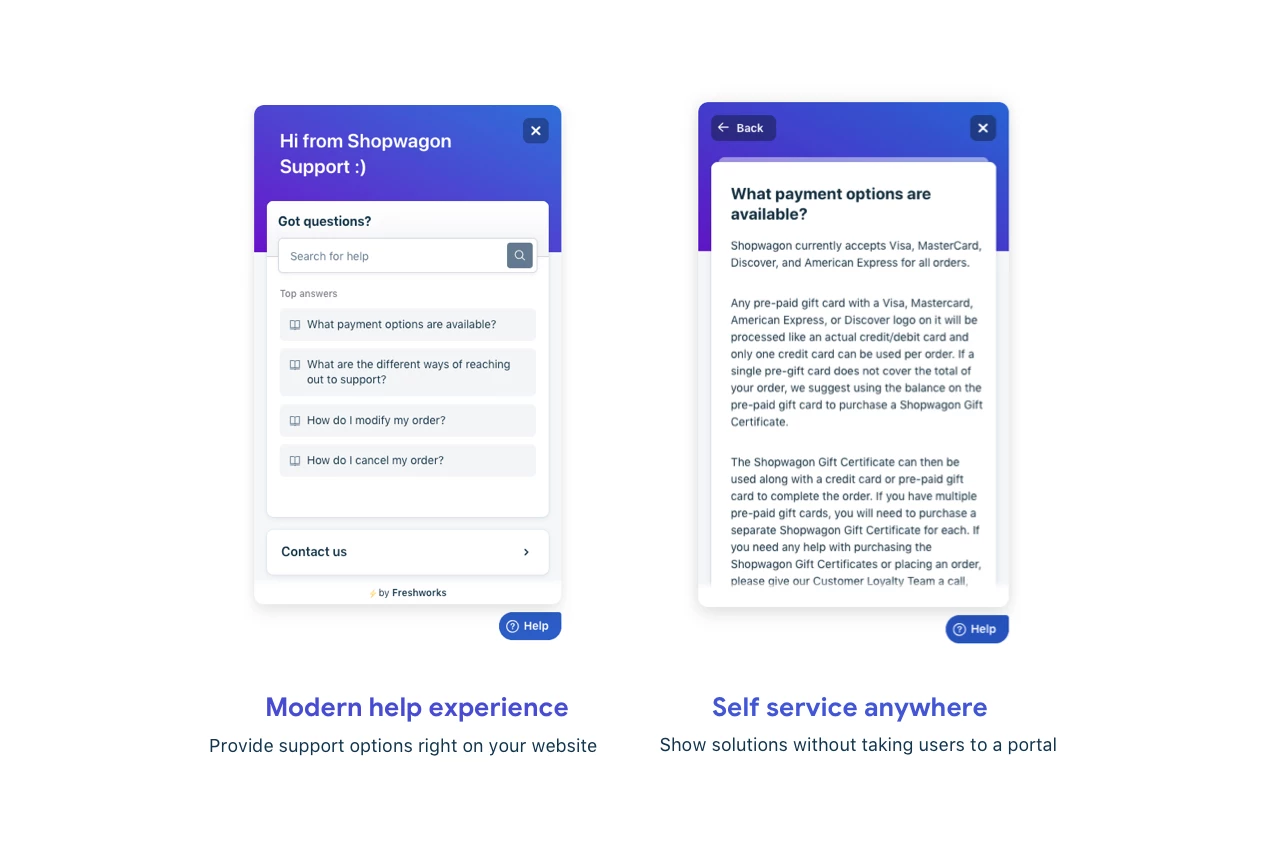
We've the new help widget BETA up for grabs here. Here's a sneak peek on how the widget looks like:


Cheers!


  • Community Debut
  • October 17, 2019

Hi, i can see people have been asking for this several times now. We have implemented this feedback widget on our financing system. It's ok, that it's possible to change colors of the header and button. But i really wish it was possible to apply some custom CSS. It's not possible since the widget is embedded in a iframe. I would really like to change the font apply custom styling to the input field, so they match the rest of the system.


Is that something that is coming in the future? I can see people have been asking for this for 4 years now :/ 


I want to apply some custom CSS to the widget.  As I see people have been asking for this for 4 years.


Any changes?


Hello, 


Good day :) 


Using the new help widget from Freshdesk, you can customize its color, background, and the position on the screen and prefill values using the Prefill API. 


Useful links for the Helpwidget:


https://developers.freshdesk.com/widget-api/


https://support.freshdesk.com/support/solutions/folders/50000000009


Hope this helps!

Cheers