Closed

Dashboard user

Related products:Freshservice
  • Jan 26, 2015 6:33 PM UTC
  • 10 replies
  • 67 views

Forum|alt.badge.img+5

Hi,


I want to display the dashboard on a monitor in the office but dont want to use a normal Agent logon for security reasons but also don't want to use one of our paid agent licences, it would be good to have a way to display just the dashboard but with a free view only licence.


Regards


Laurence

10 replies

  • Contributor
  • Jan 26, 2015 6:41 PM UTC

This is what I need.  I just had one of my guys submit a request for this exact thing.


I'm guessing that when FreshPlugs get released, we can do something like this, but that's a WAG with a side order of hoping.


  • Community Debut
  • May 23, 2017 1:08 PM UTC

Yes,I too would like to do this. We use SSO with Azure AD, so don't want to have these logins being used for dashboards. It would also create a requirement to change passwords on the dashboard periodicly as well.


I agree. Allocating a paid login to this task seems like an overkill. I would also like to see a free license for display/output.


  • Community Debut
  • Jul 28, 2017 11:18 AM UTC

I gave up waiting on this and ended up tailoring a powershell script to retrieve the details (via API) I was interested in for display on our PRTG dashboard. Not pretty, but better than a complete absence of helpdesk data on our screens.


  • Contributor
  • Jul 30, 2017 12:05 AM UTC

You willing to share that script perhaps? ;)


  • Community Debut
  • Aug 1, 2017 8:13 AM UTC

Here you go.


You will need to add your own Helpdesk URL, API Key & 'View' values.


I created views for 'All Open Tickets' & 'All Pending Tickets'

# This script queries a 'View' from a Freshservice Helpdesk using the API and passes it to PRTG.
# The Script should be stored in the custom sensors directory of the PRTG installattion
# Typically c:\Program Files (x86)\PRTG Network Monitor\Custom Sensors\EXE\
# View number from URL must be passed as a paramater
# eg for https://SAMPLE.freshservice.com/helpdesk/tickets/view/249389 ; use 249389
# Initial code adapted from work by John Berry - https://support.freshservice.com/support/discussions/topics/312085
param($view)
#$view = '999999' #Uncomment for testing
$APIKey = 'XXXXXXXXXXXXXXXXX' 
$helpdeskURL = 'https://SAMPLE.freshservice.com'
$encodedCredentials = [Convert]::ToBase64String([Text.Encoding]::ASCII.GetBytes(("{0}:{1}" -f $APIKey,$null))) 
$HTTPHeaders = @{} 
$HTTPHeaders.Add('Authorization', ("Basic {0}" -f $encodedCredentials)) 
$HTTPHeaders.Add('Content-Type', 'application/json') 

$URL = $helpdeskURL + '/helpdesk/tickets/view/' + $view + '?format=json'
#output for below line must be suppressed or it causes an error in PRTG
($Tickets = Invoke-WebRequest -Uri $URL -Headers $HTTPHeaders -UseBasicParsing | convertFrom-Json) >$null 2>&1

$result =  $Tickets.Count

write-host $result,":OK"


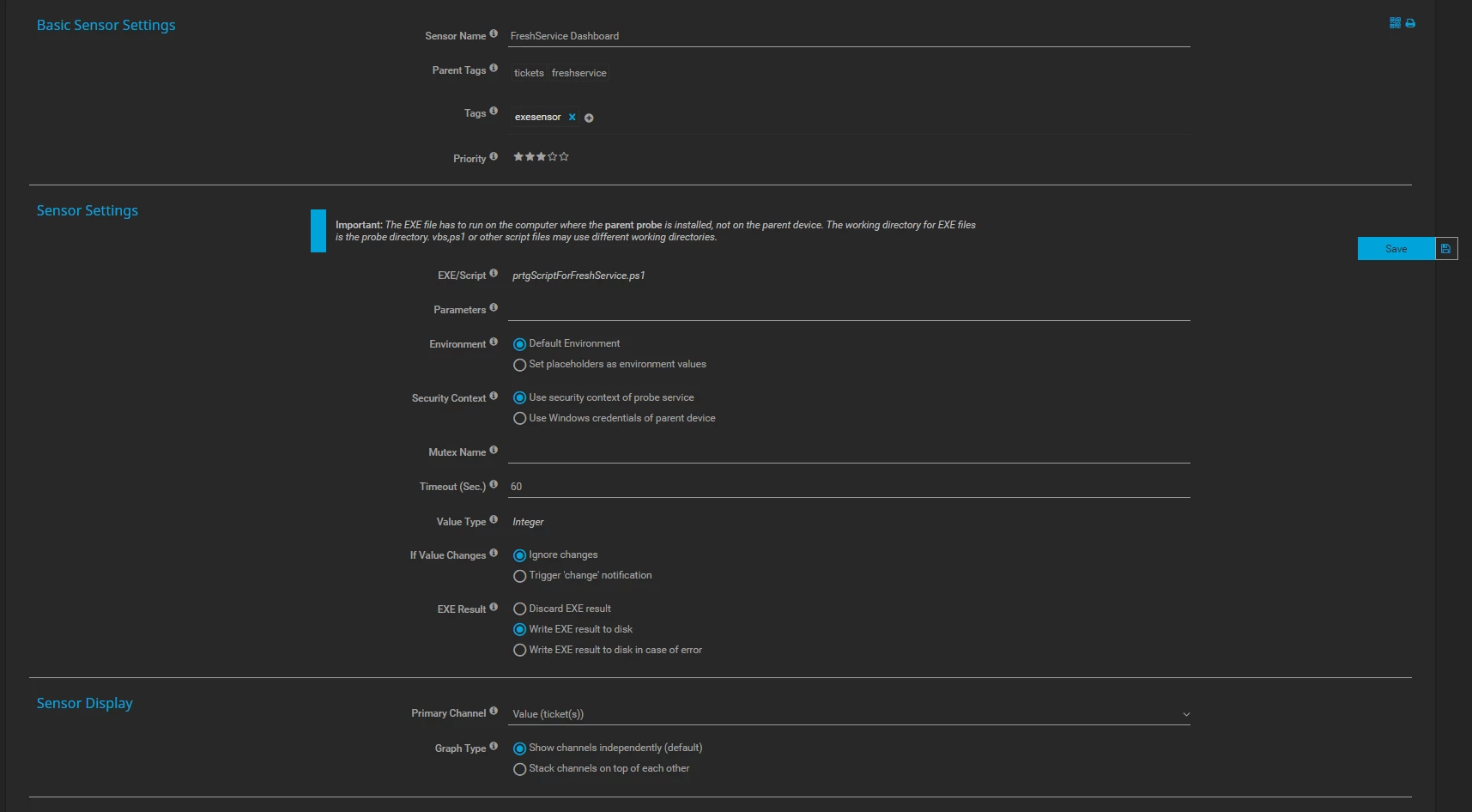
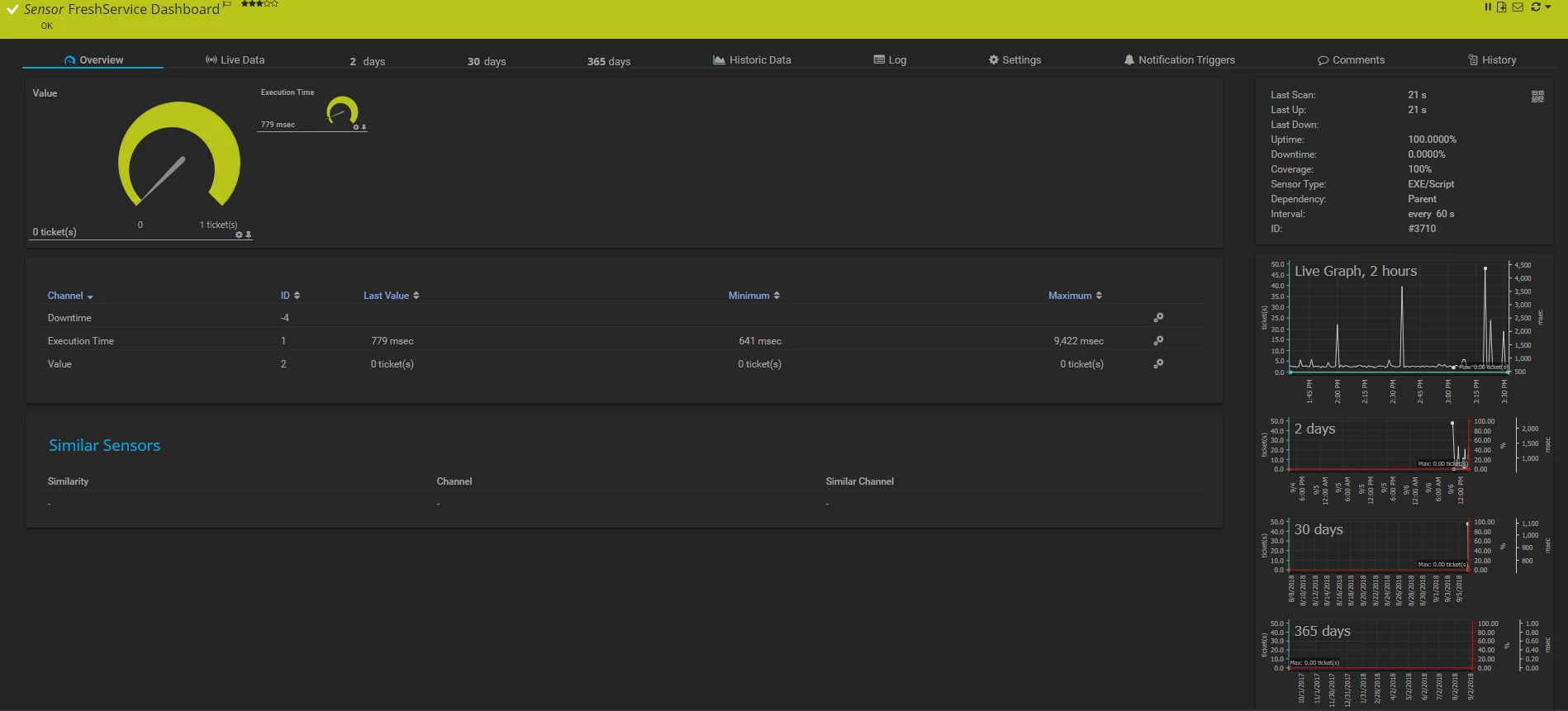
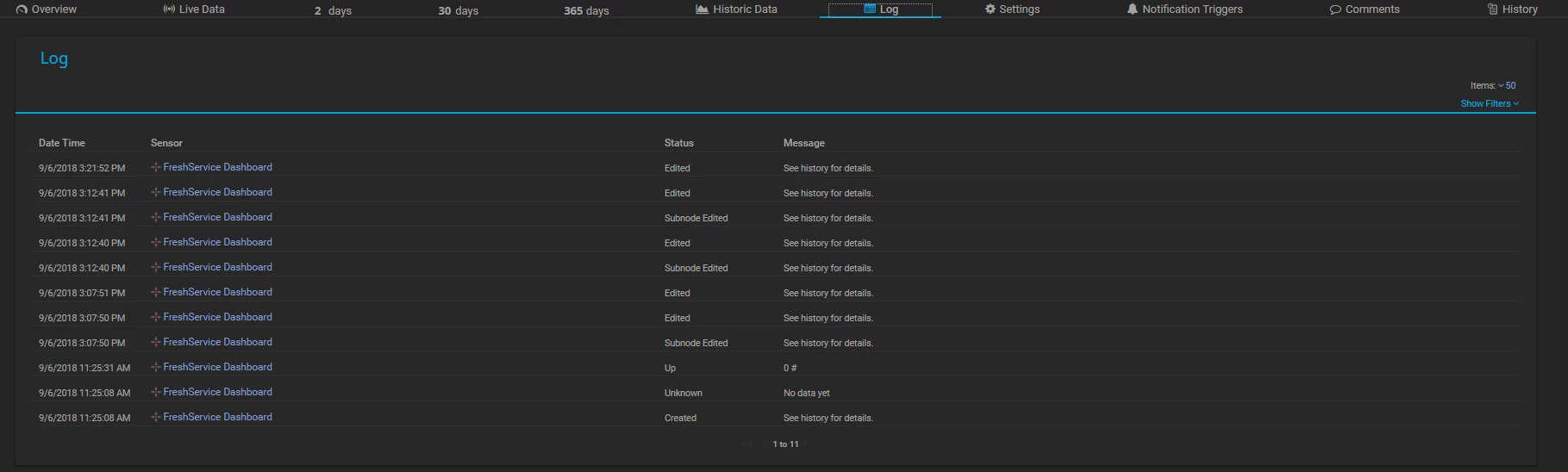
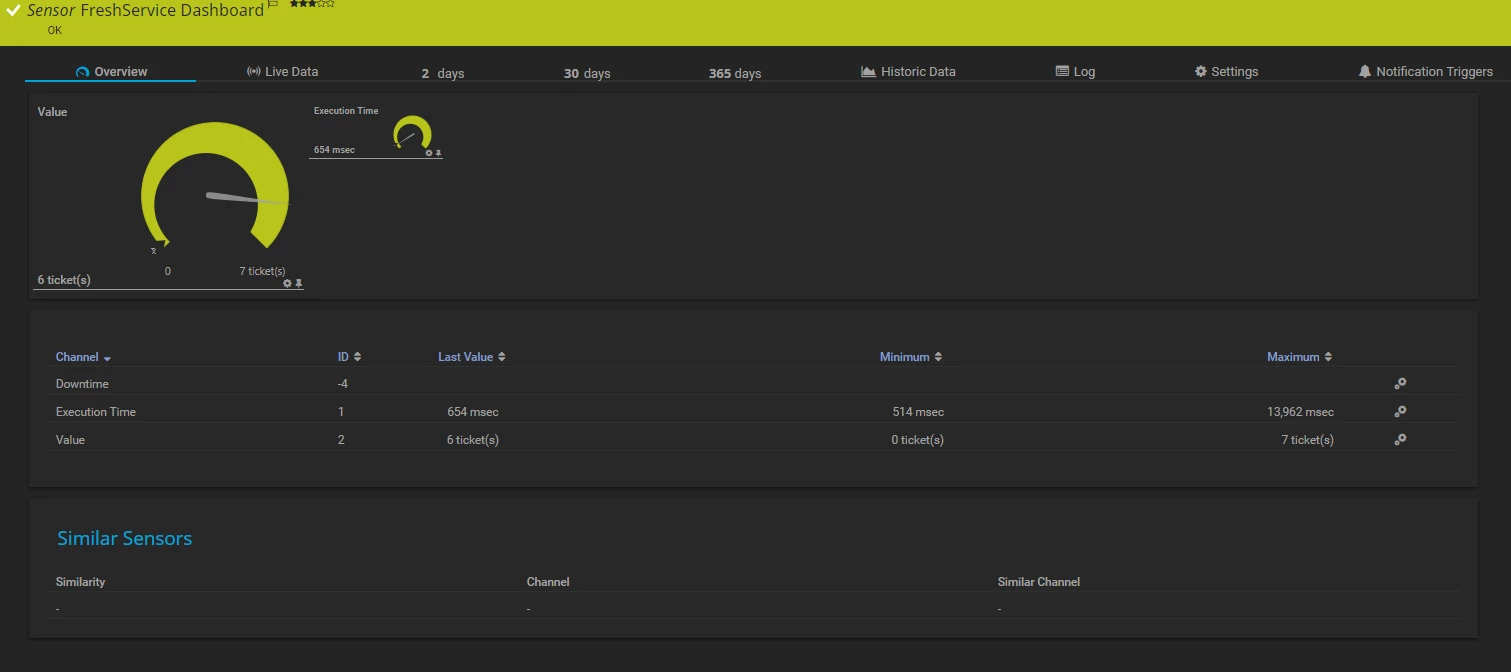
@adamI used your ps script and got the EXE sensor up in PRTG though it shows no ticket data. I stored it in the location you specified, only changed the $helpdeskURL, $view and $APIKey. I get the error below when running the ps script directly. I've attached pictures of the logs, settings and Sensor Overview. Could or anyone who has understanding give some insight please.


Invoke-WebRequest : The underlying connection was closed: An unexpected error occurred on a send.
At C:\Program Files (x86)\PRTG Network Monitor\Custom Sensors\EXE\prtgScriptForFreshService.ps1:18 char:13
+ ($Tickets = Invoke-WebRequest -Uri $URL -Headers $HTTPHeaders -UseBas ...
+             ~~~~~~~~~~~~~~~~~~~~~~~~~~~~~~~~~~~~~~~~~~~~~~~~~~~~~~~~~
    + CategoryInfo          : InvalidOperation: (System.Net.HttpWebRequest:HttpWebRequest) [Invoke-WebRequest], WebException
    + FullyQualifiedErrorId : WebCmdletWebResponseException,Microsoft.PowerShell.Commands.InvokeWebRequestCommand
 
0 :OK


settings_35335.pngoverview_35335.pnglogs_35335.png

  • Community Debut
  • Sep 10, 2018 9:05 AM UTC

Hi @Daniel I went to go check our PRTG and realised we haven't been getting a response since 2018-Mar-10, so I think something must be broken as I am getting the same error as you currently. A quick check online leads me to think that this error could be due to security settings in .Net, but I am not too sure. It could also be due to changes FreshService may have made.


A few notes (not that I think this will help as the error is with the Invoke-WebRequest command:

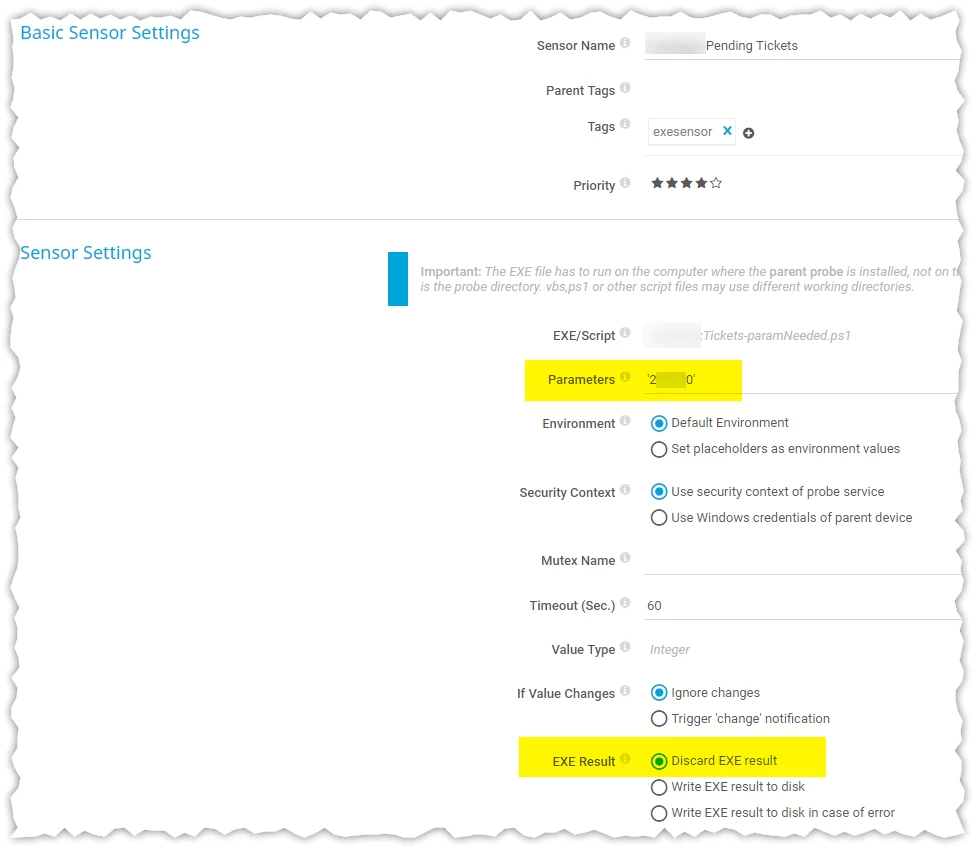
  • The $view parameter needs to be specified in your PRTG settings under 'Parameters' in Sensor Settings - see image below.
  • On my PRTG I had set 'EXE Result' to 'Discard Exe result'

However, the reason I never noticed is that we now use Power BI to monitor tickets. You could take a look at this thread where I posted some tips on how to get this working. Hope this helps!


image


  • Community Debut
  • Sep 10, 2018 9:45 AM UTC

Further to my last comment, I had a flash of inspiration and figured it must be due to FreshService moving to TLS 1.2. So we need to force our script to use that. Simply add this line directly below the line that reads $helpdeskURL = 'https://SAMPLE.freshservice.com'

[Net.ServicePointManager]::SecurityProtocol = [Net.SecurityProtocolType]::Tls12

The whole script should now be as below

# This script queries a 'View' from a Freshservice Helpdesk using the API and passes it to PRTG.
# The Script should be stored in the custom sensors directory of the PRTG installattion
# Typically c:\Program Files (x86)\PRTG Network Monitor\Custom Sensors\EXE\
# View number from URL must be passed as a paramater
# eg for https://SAMPLE.freshservice.com/helpdesk/tickets/view/249389 ; use 249389
# Initial code adapted from work by John Berry - https://support.freshservice.com/support/discussions/topics/312085
param($view)
#$view = '999999' #Uncomment for testing
$APIKey = 'XXXXXXXXXXXXXXXXX' 
$helpdeskURL = 'https://SAMPLE.freshservice.com'
[Net.ServicePointManager]::SecurityProtocol = [Net.SecurityProtocolType]::Tls12
$encodedCredentials = [Convert]::ToBase64String([Text.Encoding]::ASCII.GetBytes(("{0}:{1}" -f $APIKey,$null))) 
$HTTPHeaders = @{} 
$HTTPHeaders.Add('Authorization', ("Basic {0}" -f $encodedCredentials)) 
$HTTPHeaders.Add('Content-Type', 'application/json') 

$URL = $helpdeskURL + '/helpdesk/tickets/view/' + $view + '?format=json'
#output for below line must be suppressed or it causes an error in PRTG
($Tickets = Invoke-WebRequest -Uri $URL -Headers $HTTPHeaders -UseBasicParsing | convertFrom-Json) >$null 2>&1

$result =  $Tickets.Count

write-host $result,":OK"

Please also check my comment from earlier today as you may need to add your 'view' to the 'parameter' setting in PRTG Sensor settings.


@Adam


That worked! Thank you so much.

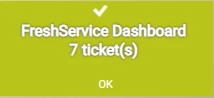
sensor_35388.pngmapsstatus_35388.png