Closed for Voting

Date picker custom field

Related products:Freshdesk
  • March 15, 2013
  • 3 replies
  • 28 views

 Hi, we realize that Freshdesk doesn't have any "Date" custom field.

It would be great if you can implement that.

Usually, customers doesn't fill properly date fields, unless they are forced to select a specific value within a calendar style frame.

Regards

3 replies

annapoorna.venketaraman
Skilled Expert
Forum|alt.badge.img+8

Hey,


Thank you for writing to us in our Forums. 


I totally understand the use case and have passed this feature request to our Product Management already. 


But we do not have plans to implement this right away. Might take a while. 


Will keep you updated.


Thanks again and please keep such amazing requirements coming. 


Annapoorna 


Hello Everyone,


We have rolled out the ability to add date fields to ticket forms for all plans.

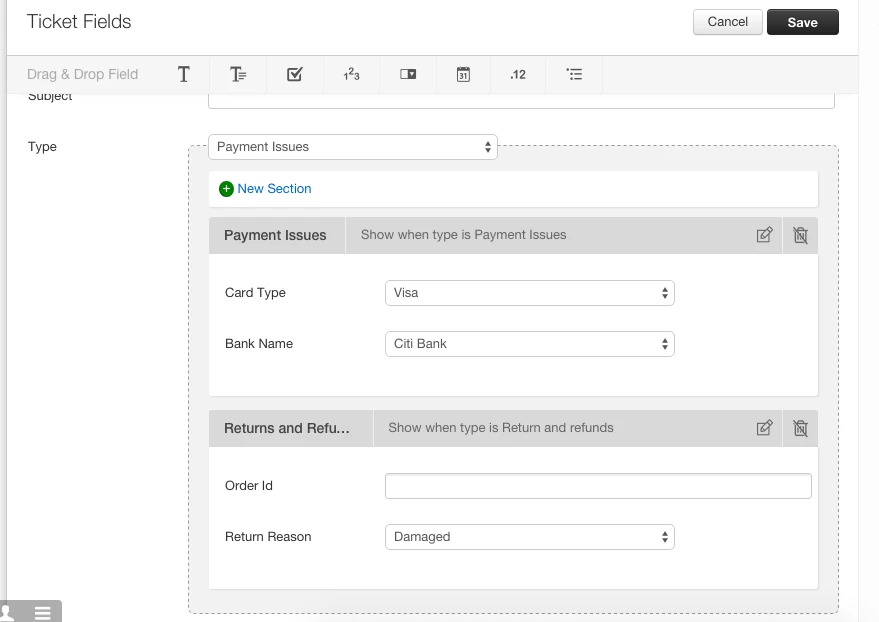
To include date field in your ticket form, please go to Admin> Ticket Fields. You will see a calendar/ date picker icon on the top bar.


Drag and drop the field to add it to the ticket form. 

Note: A maximum of 10 date fields can be added to the form. 


On a similar note, we have also released another feature called dynamic forms. This will give you the ability to show/hide fields based on the "type" selected by the customer. For example, in an ecommerce scenario, when the type is chosen as "Replacement", a section with a field called "Reason" can open up that will collect the reason why customer needs a replacement for the item. You can read more about dynamic forms in this article.


As always, thanks much for the detailed use-cases and patience while we built this! 

We would love to hear your feedback. Please feel free to post your comments.


Thanks,

Janani


  • Contributor
  • October 29, 2015

T H A N K   Y O U ! ! !