New Idea

Enhancement of Conversation Label in Analytics

Related products:Freshchat
  • February 22, 2023
  • 2 replies
  • 60 views

AyotolaCarry1st
Apprentice
Forum|alt.badge.img+1

Turns out when checking Conversation Label reports on Freshchat, you can’t view the tickets or chats received under each label. You can only view the numbers received. While number is important, it’s also helpful to be able to view the trend of conversation or issues reported under each label.


It would be helpful if we can implement it just the way it looks for Freshdesk under Ticket Volume Trends whereby you can filter by Type and view the tickets received under each type.  


2 replies

Jebas
Contributor
Forum|alt.badge.img+7
  • Contributor
  • February 22, 2023

Hey @AyotolaCarry1st ,

Greetings from Freshworks Community!

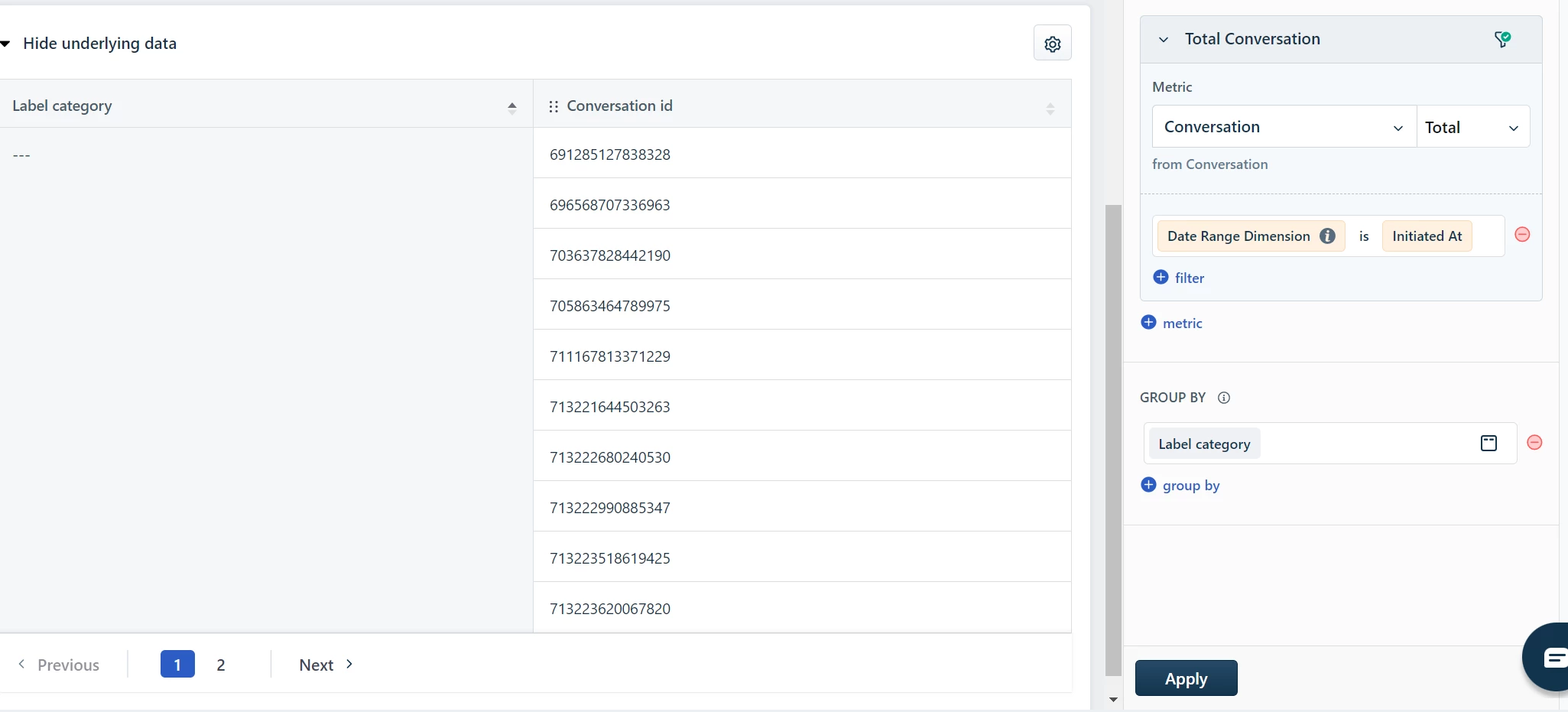
I understand your usecase. It is achievable in Freshchat Analytics. Please open the Underlying data of that widget and you can add “Conversation ID” as a Column by clicking on the Gear Icon that we can see.

using the Conversation ID, you can open the particular respective chats.

I hope this helps. Please do reply back to this thread if you have any queries.

Regards,
Jebas D.


AyotolaCarry1st
Apprentice
Forum|alt.badge.img+1

Hi Jebas,

This doesn’t help much.

If 1 conversation label has 50 conversations and I can only view the conversation ID. Imagine how tedious it would be to copy and search for each conversation ID at a time. It’s a different thing if the Conversation ID is clickable, at least that would reduce the manual labour. I need the details of the conversation not the ID of the conversation