Future Consideration

Expand approval cancellation to Changes

Related products:Freshservice
  • Jun 5, 2024 4:09 PM UTC
  • 10 replies
  • 183 views

Medic1334
Top Contributor ⭐
Forum|alt.badge.img+9

We’ve added a custom status to our changes called Cancelled. This is typically used when a change is proposed but there’s enough concerns raised during CAB that the ticket is cancelled altogether and will be brought back to CAB at a later time. If there are approvals pending, a super admin must cancel the approvals. 

To mitigate CAB members getting pummeled with approval requests, we currently run a scheduled automator that checks for an approval status of requested and change status = cancelled, then raises a ticket via API for our admin team to manually cancel the approvals. In looking at the API documentation, it appears that approvals can be cancelled on tickets, but this same functionality doesnt exist for changes. Adding this functionality would allow users to be able to automatically cancel approvals (cant be event based since an approval flow would be “stuck” waiting for a decision).


10 replies

Medic1334
Top Contributor ⭐
Forum|alt.badge.img+9
  • Author
  • Top Contributor ⭐
  • Mar 7, 2025 9:30 PM UTC

Shameless plug to ​@Daniel Söderlund ​@mbutler 

I recently found this is a native action in the tickets automator module, but changes have no way to update the status of inidividual approvals or cancel all approvals via the API or in the UI currently :(

Perhaps this can get some traction; should be fairly straightforward considering it exists on the ticket module already!


Forum|alt.badge.img+3
  • Contributor
  • Mar 10, 2025 1:39 PM UTC

Very good idea and this is definitely needed. The other quick way of cancelling approvals is to close a Change and reopen it, this is more of a nuclear method I tell our change admins to do if they need to cancel approvals from the mobile app in a hurry. They have been warned about the extra emails that will go out if they do that but this is what we have at the moment that works currently. 


co.michael.fairclough
Community Debut

Frustratingly the most efficient method I have found is to simply “reject” the change - this cancel’s other pending approvals.

Unfortunately this also skews the rejection KPI’s so additional work is needed to identify which changes were in fact cancelled and which were genuinely rejected.

Please please please add this to your roadmap - although it would be an improvement, I see this as a broken item that needs fixing, as I would expect this behaviour to already exist across modules - not just in tickets.


Hubert.Panszczyk
Top Contributor ⭐
Forum|alt.badge.img+7

Hi guys 🙂
I know this is quite an old topic, but it is still marked as a “New Idea”. It’s possible this was implemented and announced in the patch notes, but I must have missed it. It can currently be done using a workflow. I can send you the details if needed.


co.michael.fairclough
Community Debut

Hi guys 🙂
I know this is quite an old topic, but it is still marked as a “New Idea”. It’s possible this was implemented and announced in the patch notes, but I must have missed it. It can currently be done using a workflow. I can send you the details if needed.


Yes please post the solution for all to view.

Many Thanks


Medic1334
Top Contributor ⭐
Forum|alt.badge.img+9
  • Author
  • Top Contributor ⭐
  • Sep 10, 2026 1:43 PM UTC

Looks like they added an API endpoint to be able to cancel the entire approval group.
https://api.freshservice.com/#cancel_change_approval_groups

You’d need to grab the list of approval groups from the ticket, then do a loop against them with that endpoint is my guess. Was not announced I believe.


Hubert.Panszczyk
Top Contributor ⭐
Forum|alt.badge.img+7


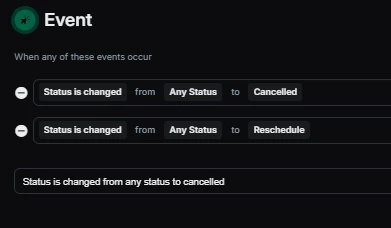
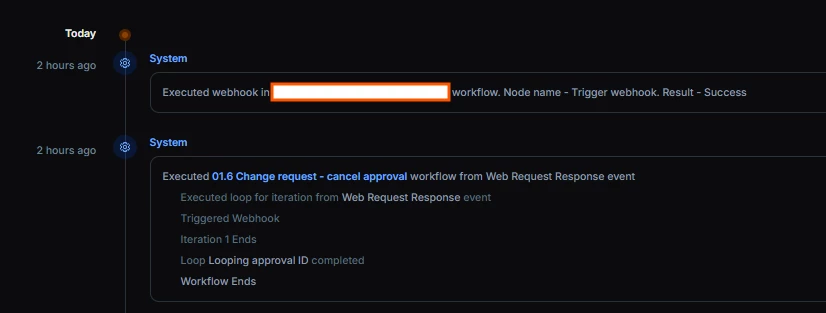
  1. Trigger
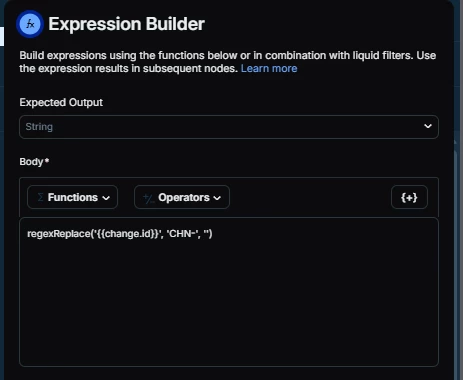
  2. get change ID

    regexReplace('{{change.id}}', 'CHN-', '')
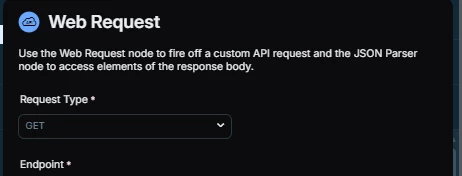
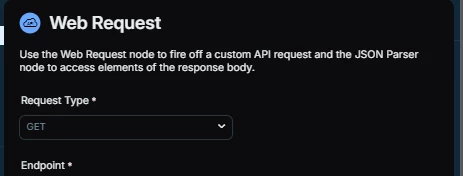
  3. Web Request Get
    Endpoint 
    https://DOMAIN.freshservice.com/api/v2/changes/{{E1.result}}/approvals
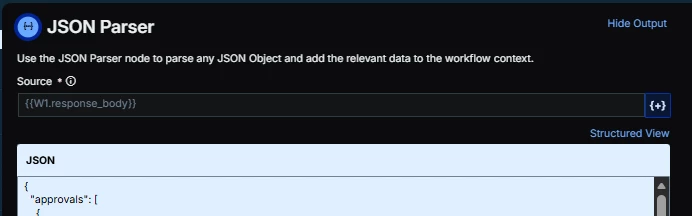
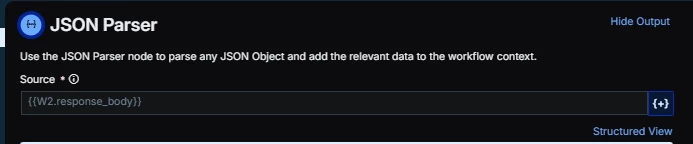
  4. Json to get placeholders
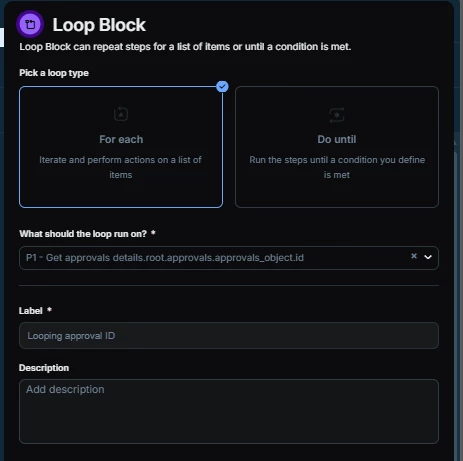
  5. Loop - Approval ID from Json parser
  6. Inside Loop - Web Request GET

    Endpoint 
    https://DOMAIN.freshservice.com/api/v2/changes/{{E1.result}}/approvals/{{L4.[L4.counter].data}}
  7. Inside Loop - Json
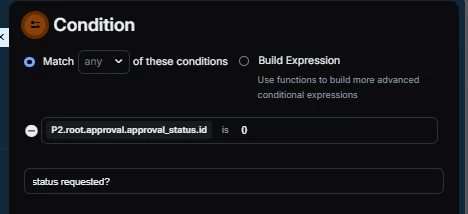
  8. Condition - approval status - awaiting approval?
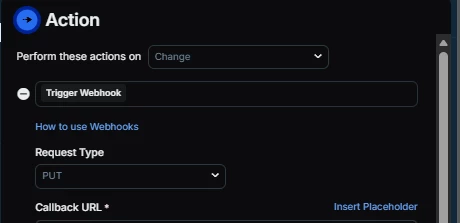
  9. Action - Trigger Webhook - PUT
    Endpoint 
    https://DOMAIN.freshservice.com/api/v2/changes/{{E1.result}}/approvals/{{L4.[L4.counter].data}}

    Encoding JSON - Advanced 
     

    {
      "approval_status": {
        "id": 3
      }
    }


And that’s everything. Just remember to use an API that has permission to cancel approvals in the Change. 


​​​​​​​


Medic1334
Top Contributor ⭐
Forum|alt.badge.img+9
  • Author
  • Top Contributor ⭐
  • Sep 10, 2026 2:07 PM UTC

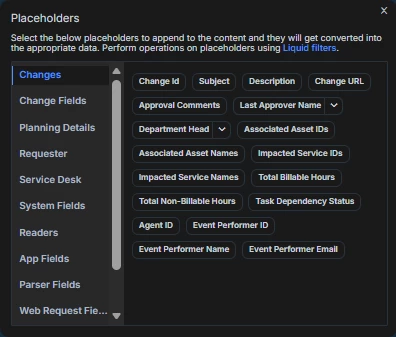
Instead of parsing out the change ID number, you can just use the placeholder {{change.id_numeric}}.  Same for Ticket.id (ticket.id_numeric). Save a step :)


Hubert.Panszczyk
Top Contributor ⭐
Forum|alt.badge.img+7

Instead of parsing out the change ID number, you can just use the placeholder {{change.id_numeric}}.  Same for Ticket.id (ticket.id_numeric). Save a step :)


Easter egg in the placeholders? 😄 In the tickets, the numeric placeholder is listed normally.


Daniel Söderlund
Top Contributor ⭐
Forum|alt.badge.img+14

Instead of parsing out the change ID number, you can just use the placeholder {{change.id_numeric}}.  Same for Ticket.id (ticket.id_numeric). Save a step :)


Easter egg in the placeholders? 😄 In the tickets, the numeric placeholder is listed normally.


There are some Easter eggs yes