Closed for Voting

Export "Type" in CSV format

Related products:Freshdesk
  • November 7, 2012
  • 10 replies
  • 32 views

At the moment if you want to do any serious analysis of performance you need to export data from Freshdesk to a CSV file (BTW would be nice to have Excel too...). If you want to analyse by ticket type (Question, Problem, Incident, etc.) you have to first filter by type and then export the result.

It would be SO much easier just to include ticket type as another data item that can be exported, I can't see why this is missing at present.

Thanks

Tim

10 replies

  • Community Debut
  • November 8, 2012
I agree that type should be available as an exported field.

  • Contributor
  • November 9, 2012
Already added to the priority list and will be available in couple of weeks

regards
Vijay

  • Community Debut
  • January 4, 2017

What's new since 4 years ? :)


aravind.sundararajan
Skilled Expert
Forum|alt.badge.img+12

Hello Nil,


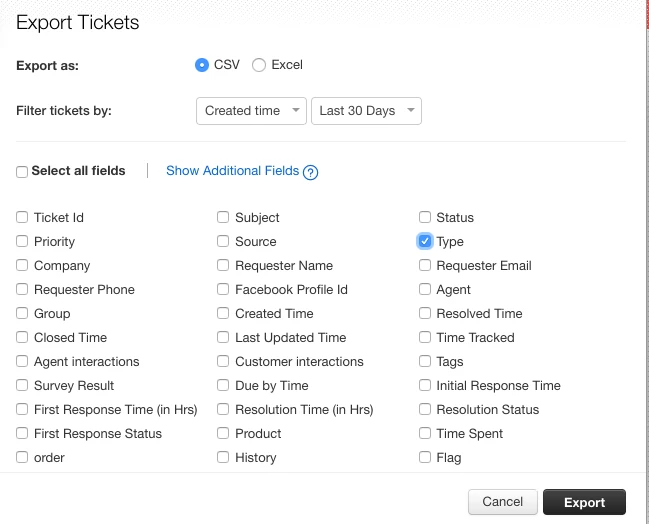
Sorry that we haven't updated the thread for a while. The type field has been a part of the ticket export for quite sometime now. 

image


Cheers!


  • Community Debut
  • January 11, 2017

Can we set this up to automatically generate a CSV file on schedule basis? And to send it to a FTP server? We would like to have this information to be used in an external analysis server.


Thanks, 


I would also like this available using a schedule similar the built in reports. We run analysis on the csv exports because a number of system fields are not available using the webhook api. e.g. resolotion status.


  • Apprentice
  • February 13, 2018

Hello,

is there a data range limit for the export?

I tried many times to export the tickets created between 01.01.2015 and 31.12.2017 but I received the tickets of the latest 30 days only.


Forum|alt.badge.img+7
If you look on the screenshot above, you see "filter tickets by...". The last option there allows you to set a range.


Forum|alt.badge.img+7
Just one addition. The export continues with the selection made on the ticket screen. So make sure this is "all tickets", without a date.


aravind.sundararajan
Skilled Expert
Forum|alt.badge.img+12

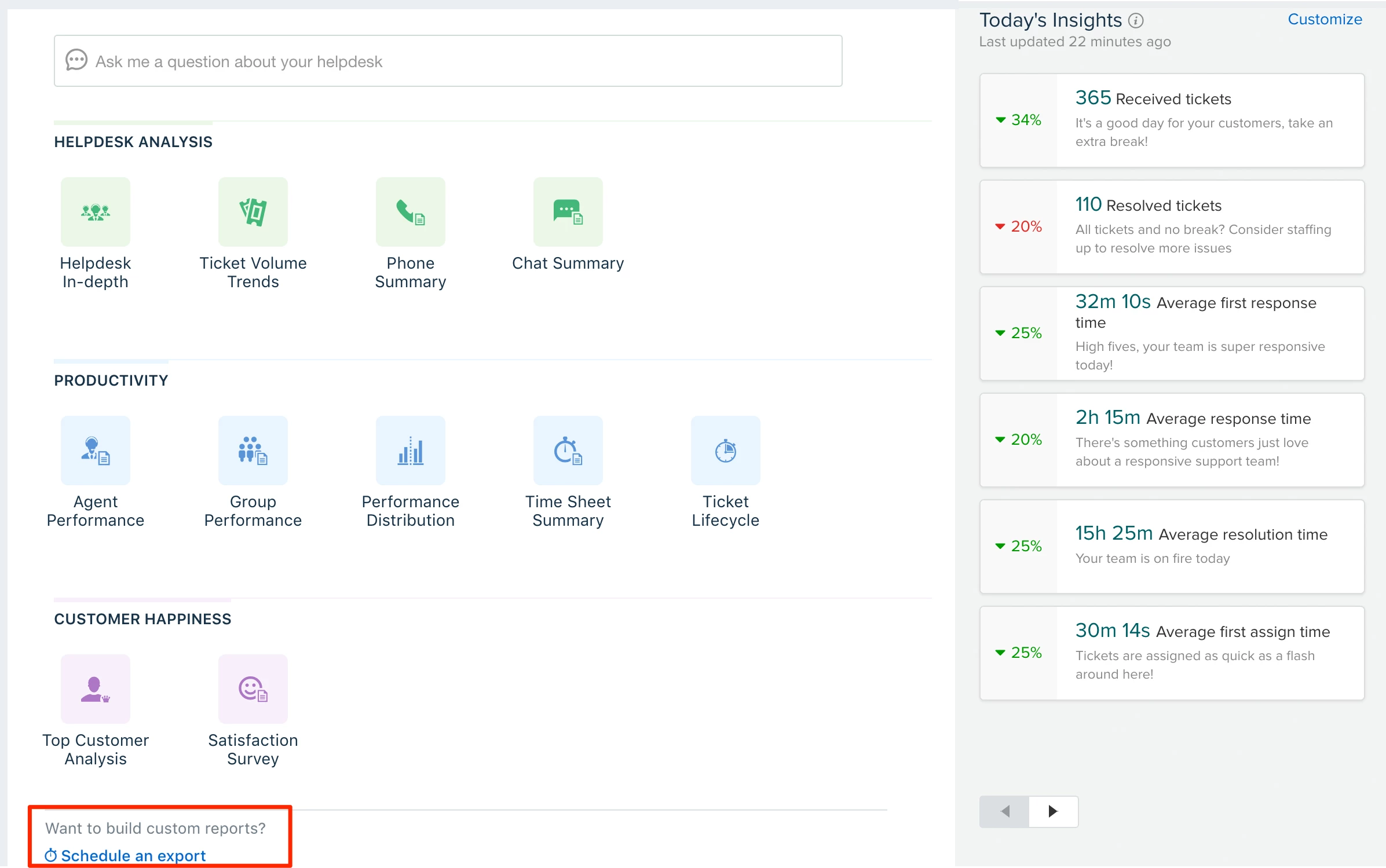
@Talha: You can use the ticket properties export to automatically schedule the export in either CSV or JSON format. You can find this option in the reports tab if you've subscribed to the Estate plan.


Cheers!