There are many use cases for using the data source feature of a drop-down selector field inside a service request. Currently however, they are too permissive/expansive for our data privacy and simplicity needs.
- For example, I would like a requester to be able to select a colleague/subordinate from the “requester” data source to make the process more accurate and faster for everyone. But, we only have the choice of a filtering by requester group or other ‘hard coded’ attribute like department. This means If I want to restrict staff in HR to only being able to select a colleague, I’d have to make an SR per department and make them department specific.
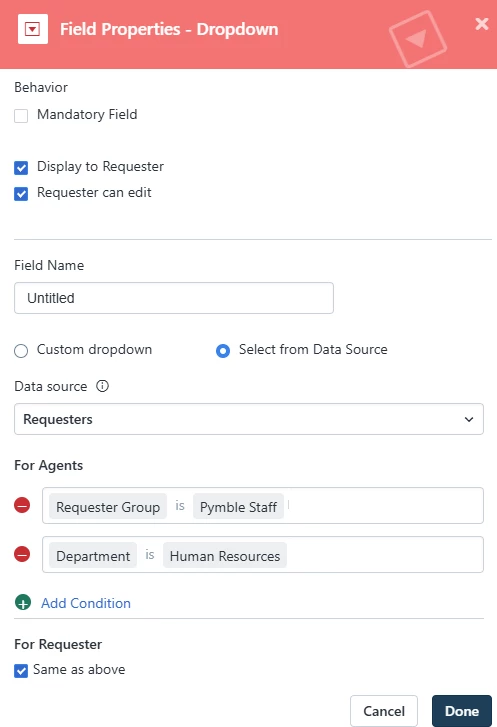
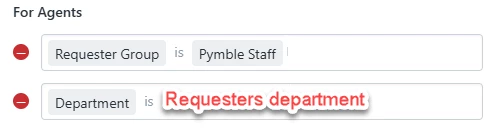
I think we should have the ability to add dynamic filtering that works in the requester’s context.
e.g. the below would let us have 1 form for all staff that shows only the relevant colleagues to them.
- We are also wanting our parents to only being able to select their child when doing an SR. Currently, if we use the requester group = Students…. they can choose (and see the email address) all our 2700 students. This is far too permissive and forces us instead to use a ‘dumb’ version where they have to type in their child’s name or email.
- Additionally, agents are often not selectable in these requester filters. We are using Freshservice as an ESM and have 110 agents across many different internal teams. It is not just IT staff as agents. We need agents to be selectable in these filters.
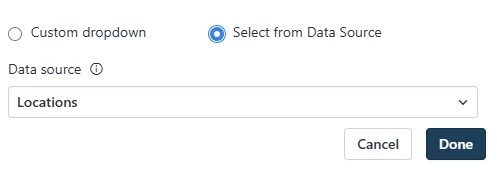
- Filtering is also needed for the data source “Locations”. We should be able to filter in/out locations so that people can only select relevant locations to the SR and not all.
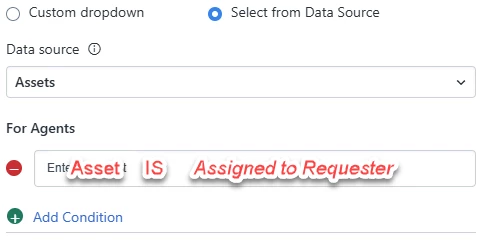
- And again, filtering is required in the assets data source. We should be able to add a user-context filter that only let’s them select from the assets assigned to them or their department etc. This way they can accurately select items that might need servicing.