Implemented : Idea is live

FreshDesk Analytics - Sorting, Date Range

Related products:Freshdesk
  • October 15, 2021
  • 7 replies
  • 175 views

jusellis
Apprentice
Forum|alt.badge.img+1

I’d like to see a feature that allowed me to sort metrics by either ascending or descending order.
Right now, it defaults to ascending order but I want the biggest problems to be at the top and work down.
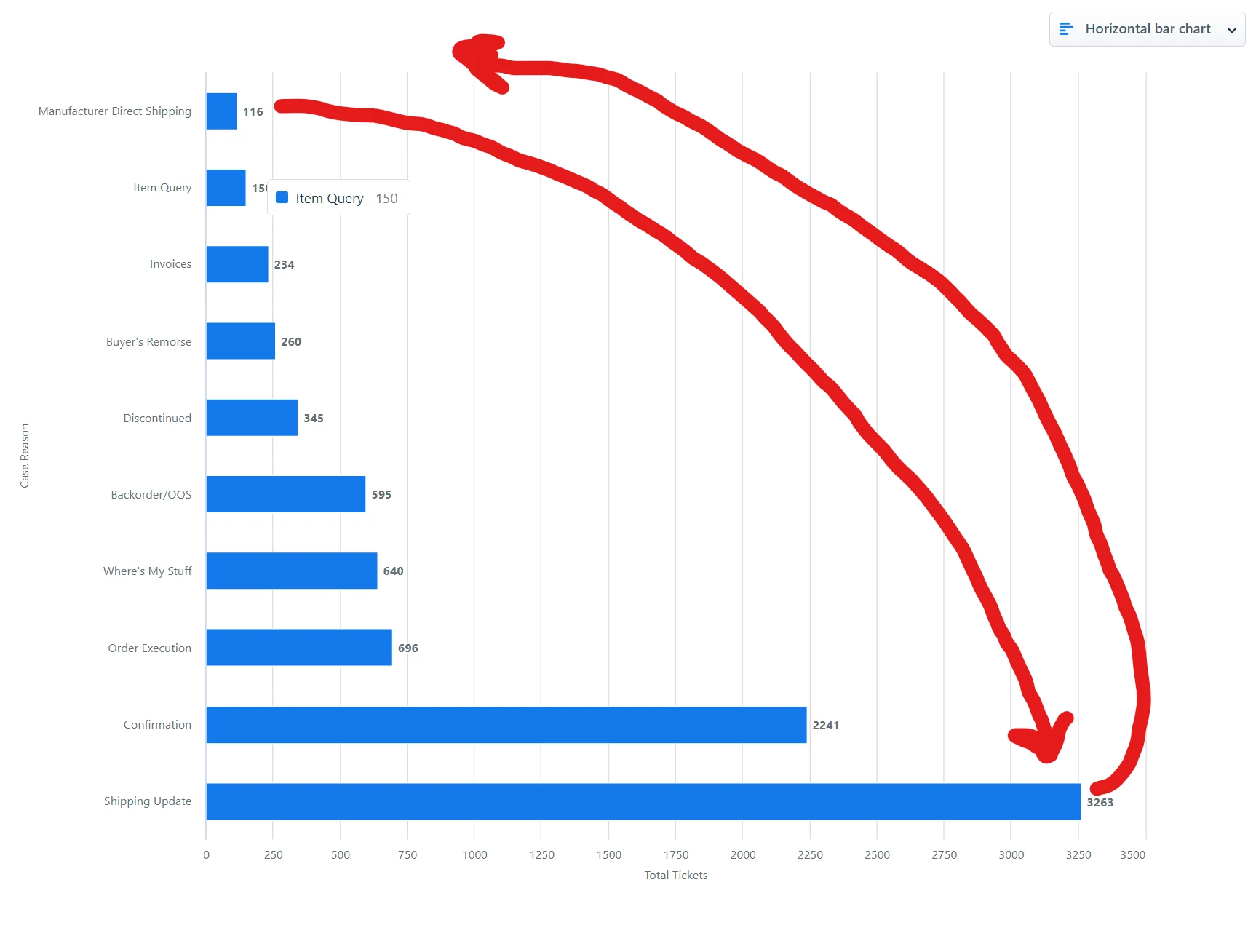
I submitted a ticket because I wasn’t able to figure out how to do it and then found out it’s just not a feature that’s available. I’d like to be able to manipulate these charts more by both name and number and sort order/direction as well as the ranking that already exists.


 

April 19, 2024

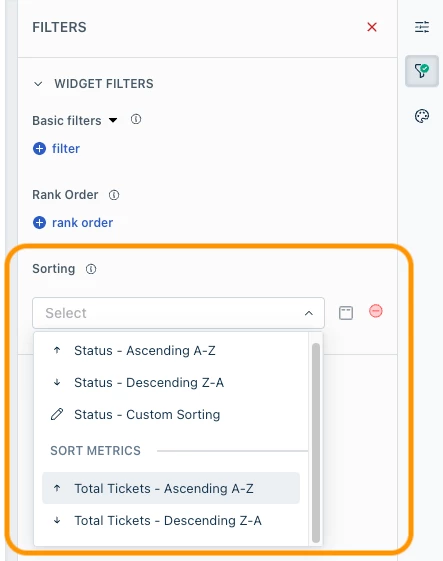
@jusellis There’s indeed a sort option called Sorting that lets you sort the items in ascending, descending, or custom order. It also allows sorting by metrics or attributes. Even though this capability is available in the Analytics platform, it’s not available in the Freshdesk product. Request you to please log a ticket or get in touch with the support team to enable this in the product.


7 replies

jusellis
Apprentice
Forum|alt.badge.img+1
  • Author
  • Apprentice
  • October 15, 2021

You can ignore the date range part of the title - apparently, I can’t edit this after I hit submit and I meant to delete that because while I was messing around with it I figured out the date range issue I had. :laughing:


Forum|alt.badge.img+7
  • Top Contributor ⭐
  • March 20, 2023

Interesting in the sorting as well for analytics. Seems very limited currently.


Dominic Dilip
Community Debut
Forum|alt.badge.img+1
  • Community Debut
  • July 21, 2023

Hi Team,

Hope you are well,

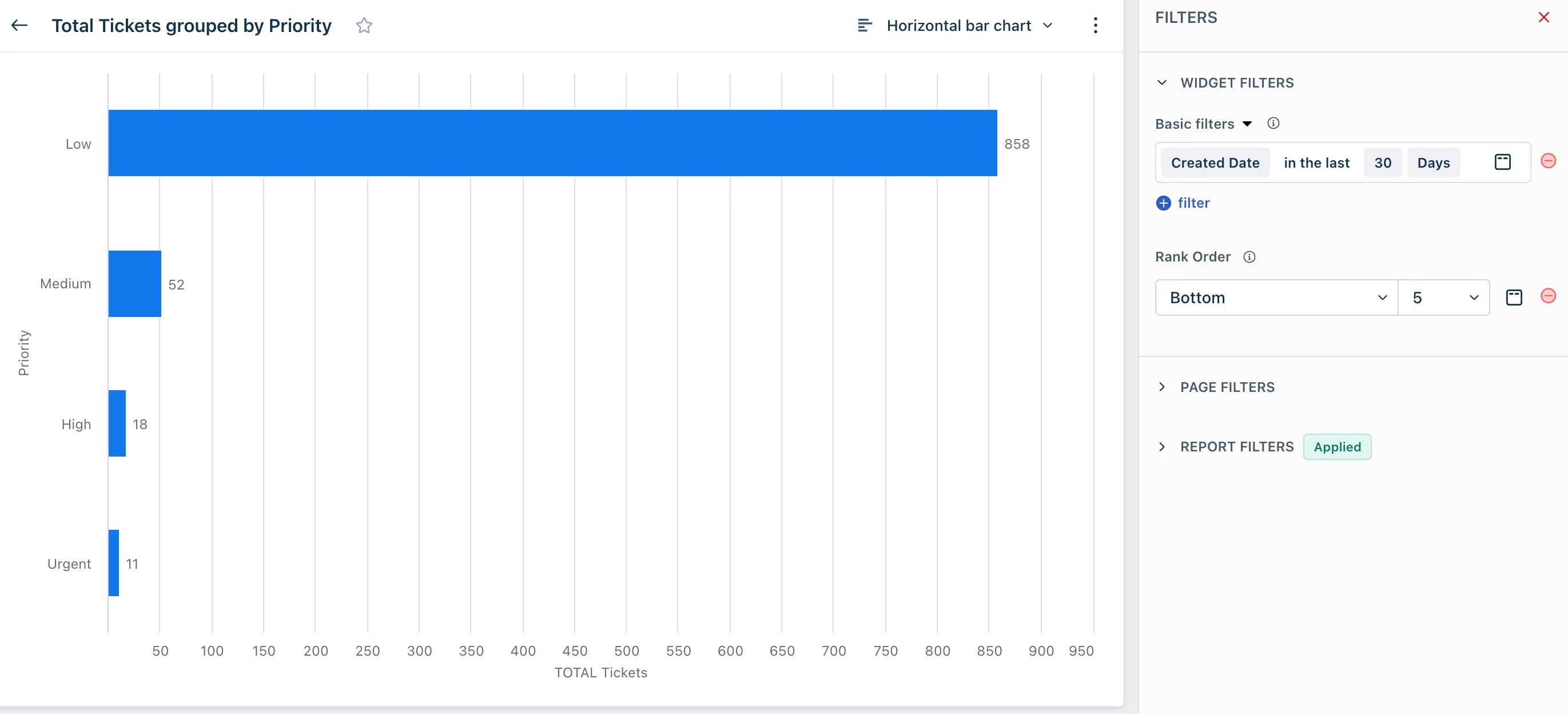
You would be able to sort the data using the ranking option .  Let me know if this is what you are looking for. 


Regards,

Dominic


Derek.S
Community Debut
  • Community Debut
  • August 2, 2023

Hi Team,

Hope you are well,

You would be able to sort the data using the ranking option .  Let me know if this is what you are looking for. 


Regards,

Dominic

This works for attributes that only have a few selections. For example, what you’re showing only has 4 items to show, and may work for up to 5-10, but does not work for attributes that have a large number of items in it (i.e. 30+) and will end up showing you the lowest selected items. A sorting filter would be very helpful.  


Amrit Mishra
Contributor
Forum|alt.badge.img+8
  • Contributor
  • April 19, 2024

@jusellis There’s indeed a sort option called Sorting that lets you sort the items in ascending, descending, or custom order. It also allows sorting by metrics or attributes. Even though this capability is available in the Analytics platform, it’s not available in the Freshdesk product. Request you to please log a ticket or get in touch with the support team to enable this in the product.


Amrit Mishra
Contributor
Forum|alt.badge.img+8
  • Contributor
  • November 21, 2024

@jusellis this feature is now available in Freshdesk for use. Please see the section ‘Sorting in widgets’ in the topic ‘Applying filters at a widget level in Analytics’.

Note: Currently, the custom sorting feature works for English language only.


Amrit Mishra
Contributor
Forum|alt.badge.img+8
  • Contributor
  • November 21, 2024
Closed for VotingImplemented : Idea is live