Closed for Voting

Freshdesk ticket detail page should show more information about linked JIRA issues

Related products:Freshdesk
  • October 16, 2013
  • 3 replies
  • 39 views

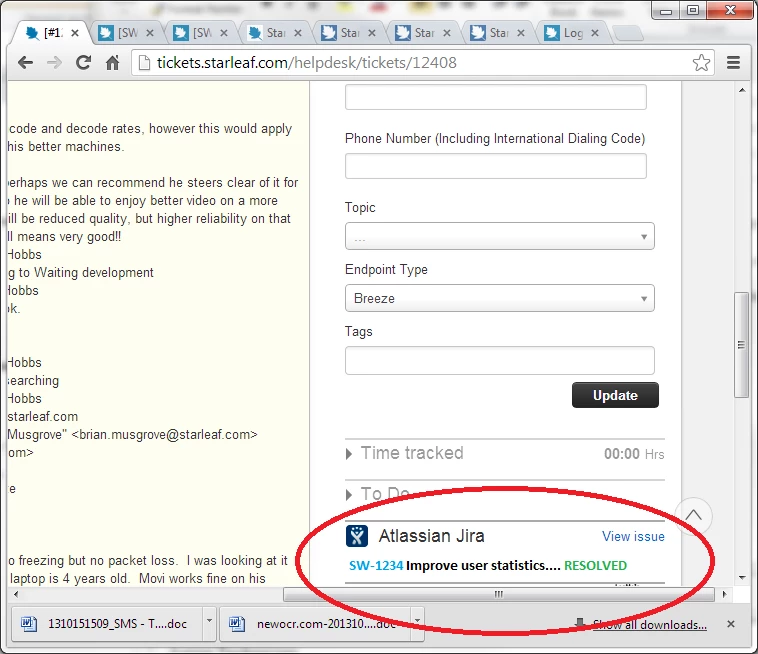
For Freshdesk accounts that use the JIRA plugin. At the moment, if you link a JIRA issue to a Freshdesk ticket, the only information you see about the issue on the ticket detail page is 'Atlassian JIRA - View issue' down at the lower right of the page. When you click on 'View issue' you get some JIRA detail in a square box in the middle of the screen. It would be much better if the JIRA detail (the issue number, title and status) was put on the main ticket detail page itself directly under the 'Atlassian JIRA' heading, and have the 'View issue' link go direct to the issue in JIRA in a new browser tab.


What we would like even better would be to have the JIRA issue number and status shown on the ticket listing pages, along with the Agent/Status/Priority info on the right.


The attached image is a mock-up of what we would like to see on the ticket detail page.

thanks

Abe
jira2_13072.png

3 replies

aravind.sundararajan
Skilled Expert
Forum|alt.badge.img+12

Hello,


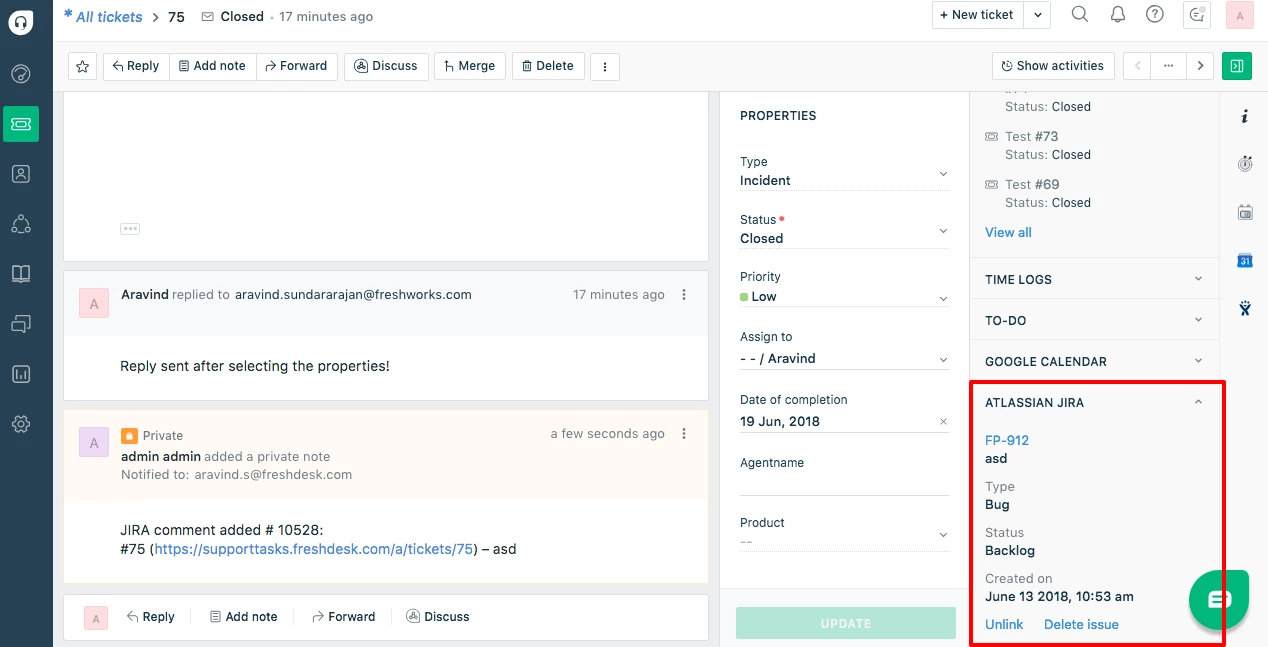
The Jira integration on Mint interface displays more contextual information about the linked issue. Here's a snapshot of the linked Jira issue on the ticket page:


save image


Cheers!


  • Community Debut
  • October 22, 2018

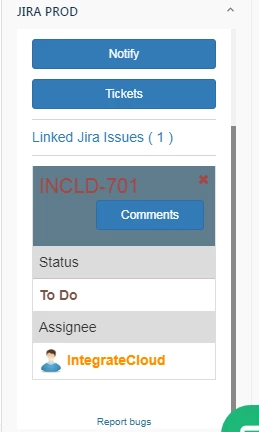
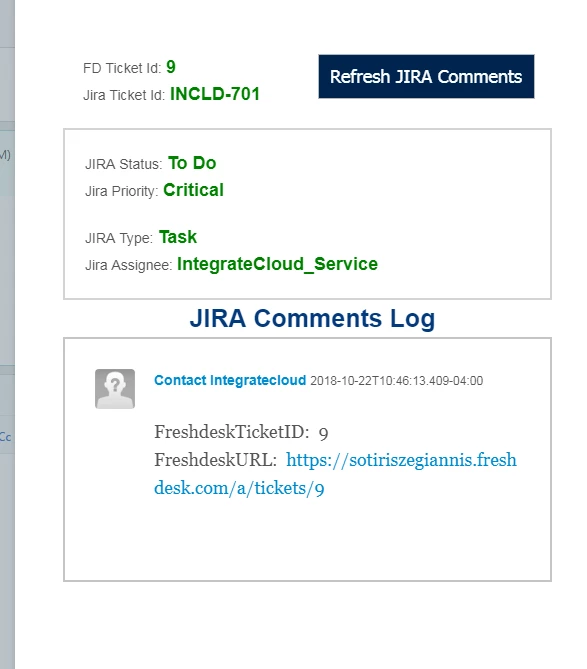
Our app shows you all the JIRA infomation.See this screenshots which also shows JIRA comments


image


image


aravind.sundararajan
Skilled Expert
Forum|alt.badge.img+12

@Abe, We've released a new version of the JIRA app on our marketplace. This app lets you to:


1. Connect multiple JIRA accounts to your Freshdesk account.

2. Connect multiple JIRA issues to a Freshdesk ticket and also connect a JIRA issue to multiple Freshdesk tickets.

3. Customize JIRA columns that need to be shown in Freshdesk once the ticket is linked with JIRA.

4. Define agent roles to allow or restrict agents from deleting JIRA issues from tickets.

5. Search for JIRA issues by the ‘subject’ fields as well as the issue number.


Cheers!