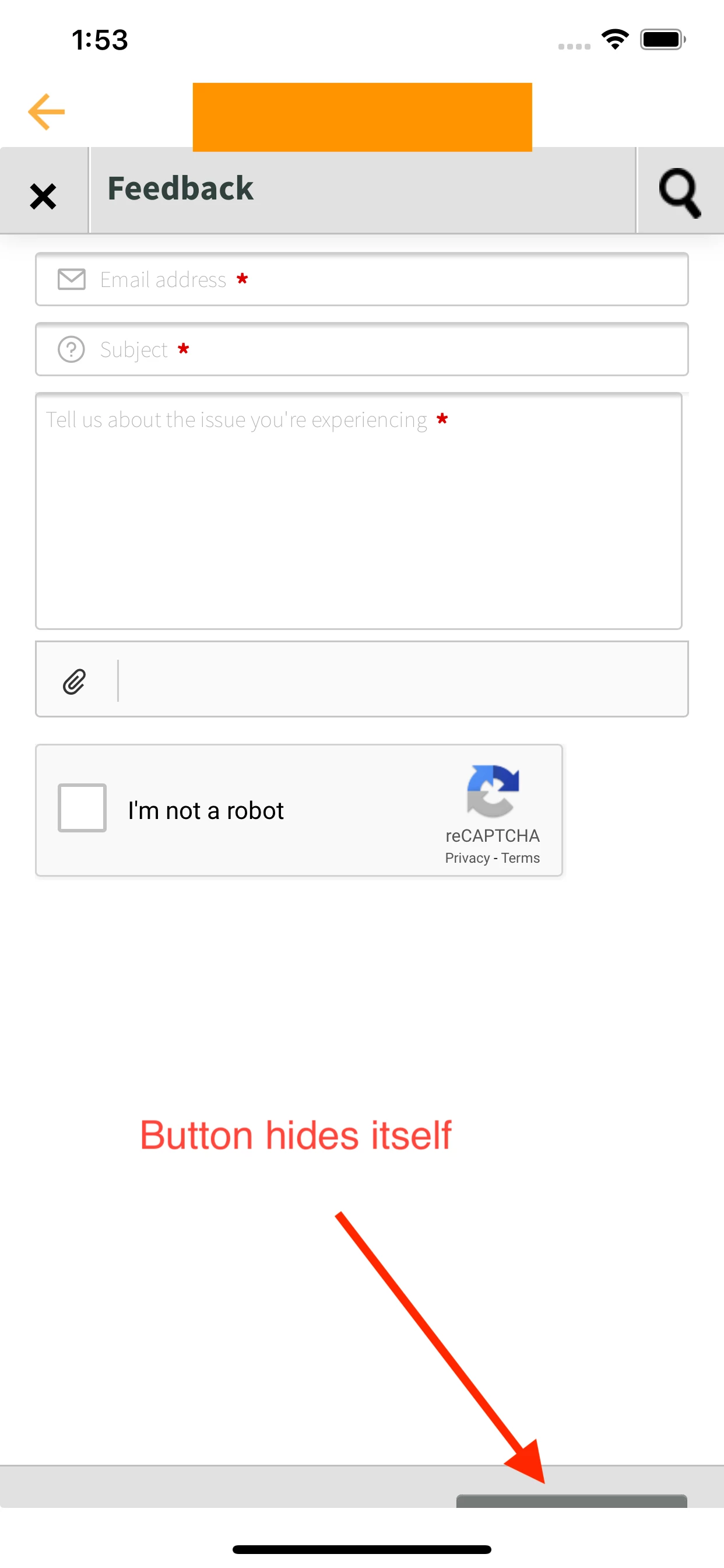
i am using freshdesk widget to get customer feedback in mobile application. But in mobile the bottom bottom send feedback is not properly visible. i have attached my screenshot for your help. I am trying to show it inside a webView in mobile. Could you please help me out for same?
<html>
<meta name="viewport" content="width=device-width, initial-scale=1.0" />
<script
type="text/javascript"
src="https://s3.amazonaws.com/assets.freshdesk.com/widget/freshwidget.js"
></script>
<script type="text/javascript">
FreshWidget.init("", {
queryString: "&widgetType=popup&formTitle=Feedback&captcha=yes",
utf8: "✓",
widgetType: "popup",
buttonType: "text",
buttonText: "Submit Feedback",
buttonColor: "white",
buttonBg: "#3B3B3B",
alignment: "3",
offset: "-1500px",
formHeight: "0px",
captcha: "yes",
url: "https://myCompanyURL",
});
</script>
<body onload="FreshWidget.show(); return false;"></body>
</html>