

Closed for Voting

Frustrated newbie: Adding contact manually...name not showing on user activation email

Related products:Freshdesk
  • February 15, 2020
  • 3 replies
  • 68 views

 Hope someone can help me as I'm going around in circles. I want my customers to have customer portals. SO I add the Contact Manually, and click on Send Activation Email.


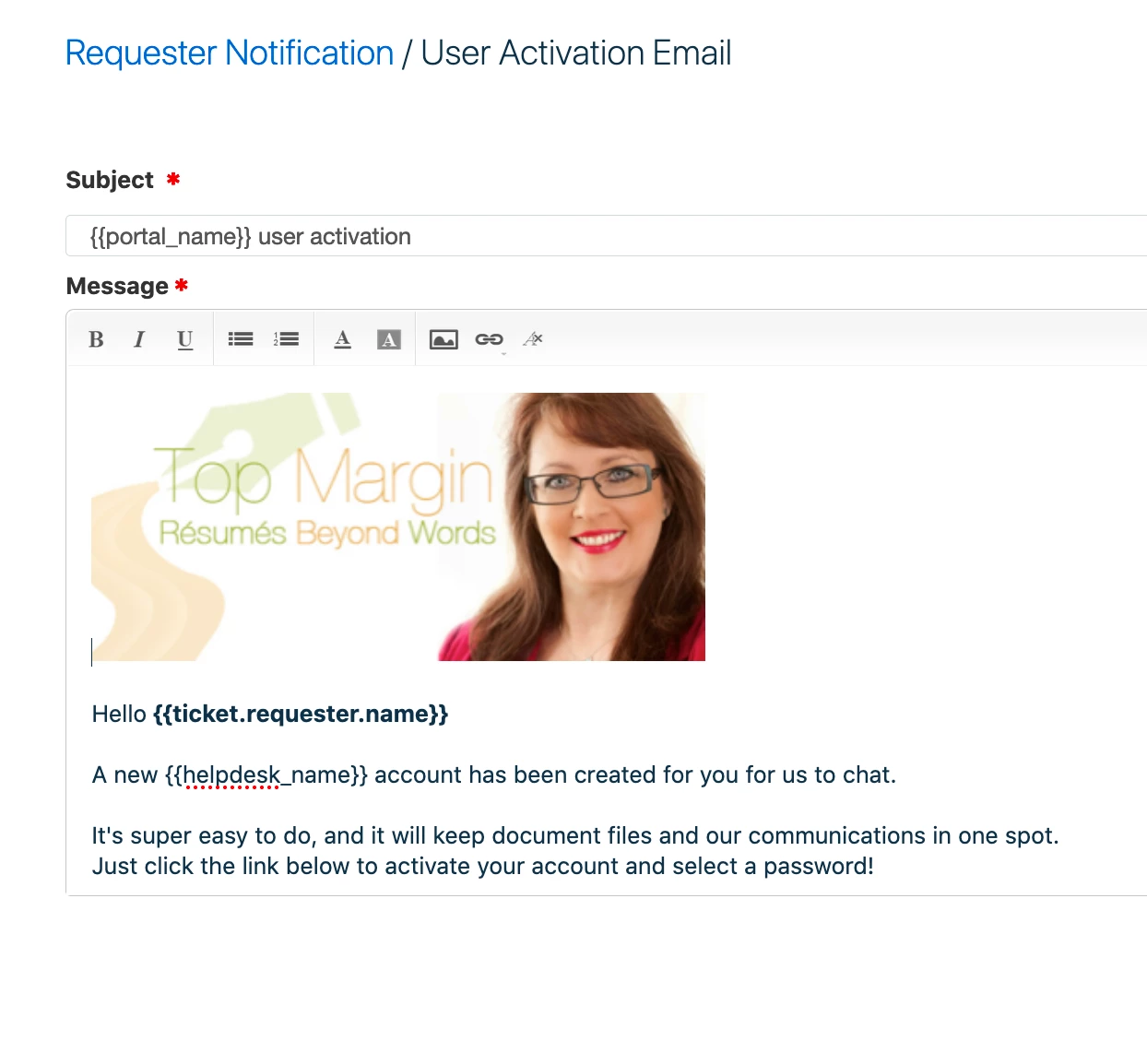
Despite putting in their full time and details, when the user activation email is received by the customer it just says "Hi"... not "Hi name".


I have edited the user activation email from the "insert placeholders" button (requestors) field and choose Requestor Name, but nothing ever comes out.


Also, when canned forms are sent, they say "Hey " Not "Hey Name "


So their name is not getting picked up but I just can't figure out what I'm doing wrong. It looks like it should be very easy!


Gayle
screenshot2020-02-15at4.55.10pm_46397.png

3 replies

Forum|alt.badge.img+7

Maybe I am not understanding the problem properly. But you say you are creating a contact manually. I assume in the contact screen, so there is no ticket linked to the contact. But then you add the placeholder "ticket.requester.name". But without a ticket that field will always be empty.

That would explain why you do not see a name. 


Forum|alt.badge.img+7

I replied to this about a week ago, but my response has not been included for some reason.

From your description I gather you are creating contacts directly (Contract, New), and not based on a ticket. That works fine. But in the email you have put the placeholder "ticket.requester.name". However, as there is no ticket, this placeholder does not make much sense. I would expect that to be the reason it is blank, so nothing is appearing in your email. I am aware the placeholder is listed under Requester, but it still points to information in the non-existent ticket.


Hello Gayle,


As mentioned by @Mark using the ticket requestor name placeholder would not work because it's a new contact and there will be no associated tickets for the same. However, you can use the following placeholder: {{contact.name}} to pull in the name of the contact.


Hope this helps!


Cheers!


