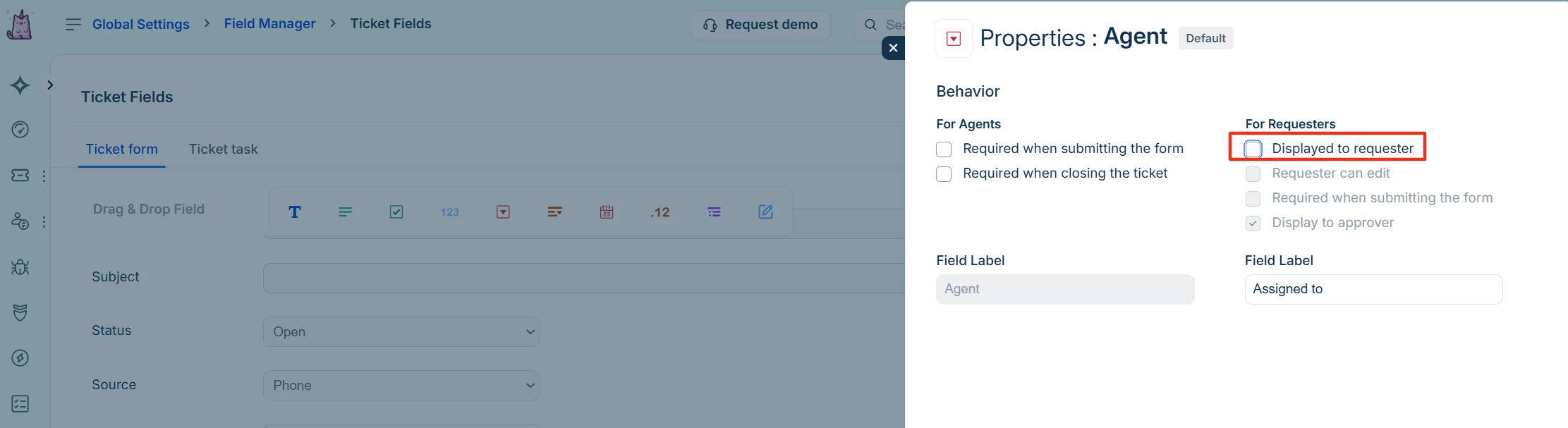
I don’t recall this being the case in the past, but we are now aware that requesters can see the Agent their ticket is assigned to. This is not appropriate for some of our business teams as they may have a shared responsibility or we might be using outsourced agents.
A bigger issue though is that requesters can also see the approval status including the person who is doing the approval. We recently had a person point out that “I can see my request was declined for reasons ABCXYZ by Jane Doe and we disagree etc etc”. This is the kind of thing I mean:
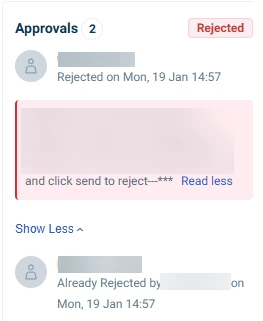
Fresh needs to provide an option for the workspace admins so that we can choose whether these are visible or not.
One of our clever techs has added this code to our custom style sheet and it has successfully hidden the approvals window.
.ticket-show-container .ticket-show-body .ticket-show-right-pane .item-approval-details {
    display: none !important
}