Closed for Voting

How about a "system status" area?

Related products:Freshdesk
  • June 29, 2012
  • 15 replies
  • 25 views

I'd envision something customizable with light - Green (ok), Yellow (impaired), Red (down), Blue (maintenance in progress) that show the status.
Something that an agent could quickly and easily go in and modify/update the status and it would be reflected on the home page.

15 replies

Already in works and hoping to get this out in the next couple of weeks :)

  • Community Debut
  • July 25, 2012
It would be great if my customers had the option to "monitor" the system status and receive an automated email notification whenever the system status changed.

  • Community Debut
  • November 20, 2012
Any progress on this?

  • Community Debut
  • November 26, 2012
I presume this is for us to record the status of our system so customers can see at a glance?

  • Apprentice
  • November 26, 2012
Any update on this?  Was to be out in the "next couple of weeks" back in June....

Would be nice for something like today's outage for email delivery.  Had to turn to Twitter for answers...

  • Author
  • Contributor
  • November 26, 2012
Yep, we're getting ready to start doing a lot of maintenance over the next couple months so I was hoping it would be out by now.

  • Community Debut
  • December 2, 2012
+1 , we need this feature

  • Contributor
  • December 13, 2012
+1  on this idea.  Our company definitely needs something like this.

  • Contributor
  • February 18, 2013

Is there an ETA on this feature? I would really like to see it implimented.


 Couple of weeks 8 month ago?


  • Community Debut
  • November 21, 2013

Is there a status update to this? This is a high need for us.


Please attach a API for this feature also, so you can get your system too sent notifications


  • Contributor
  • December 27, 2013

I think this feature was misunderstood. Vijay was talking about a status page for Freshdesk where our customers can check the status of the application. We have it up at status.freshdesk.com. I am modifying the feature request to reflect that.


  • Contributor
  • October 4, 2015

How about using a service that is independent of your infrastructure?


I can never load status.freshdesk.com.


I do not work for this company but Atlassian uses this:

https://www.status.io/


aravind.sundararajan
Skilled Expert
Forum|alt.badge.img+12

Hi,


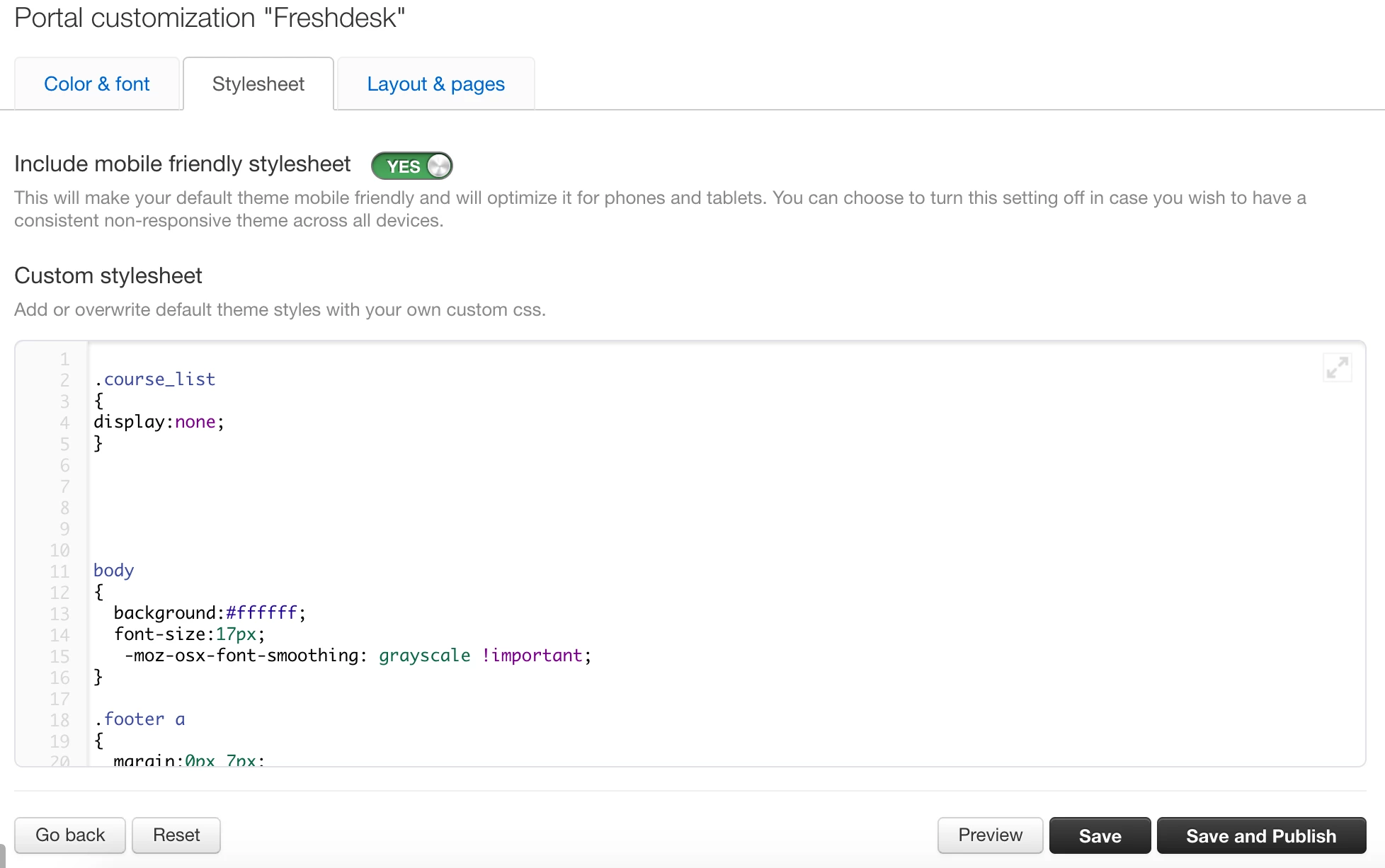
The portal status message can be setup using the portal customisation feature available on the Estate plan and upwards. Here's how you can leave a message on top of the portal for the users in case of downtimes :


Step 1 :  Paste the Below CSS Code under Portal Customisation in the style sheet tab.


CSS

 .notification .message
  {
    font-size:12px;
    font-family:arial;
    float:left;
  }
.notification {
padding: 10px;
background: #F5CECE;
color: #A14040;
border: 1px solid #A14040;
margin: 10px;
border-radius: 4px;
    display:none;
}  

  .notification:after {
    clear: both;
    content: '';
    display: block;
}

  .closenotification
  {
    font-size:13px;
    font-family:arial;
    float:right;
    cursor:pointer;
  }


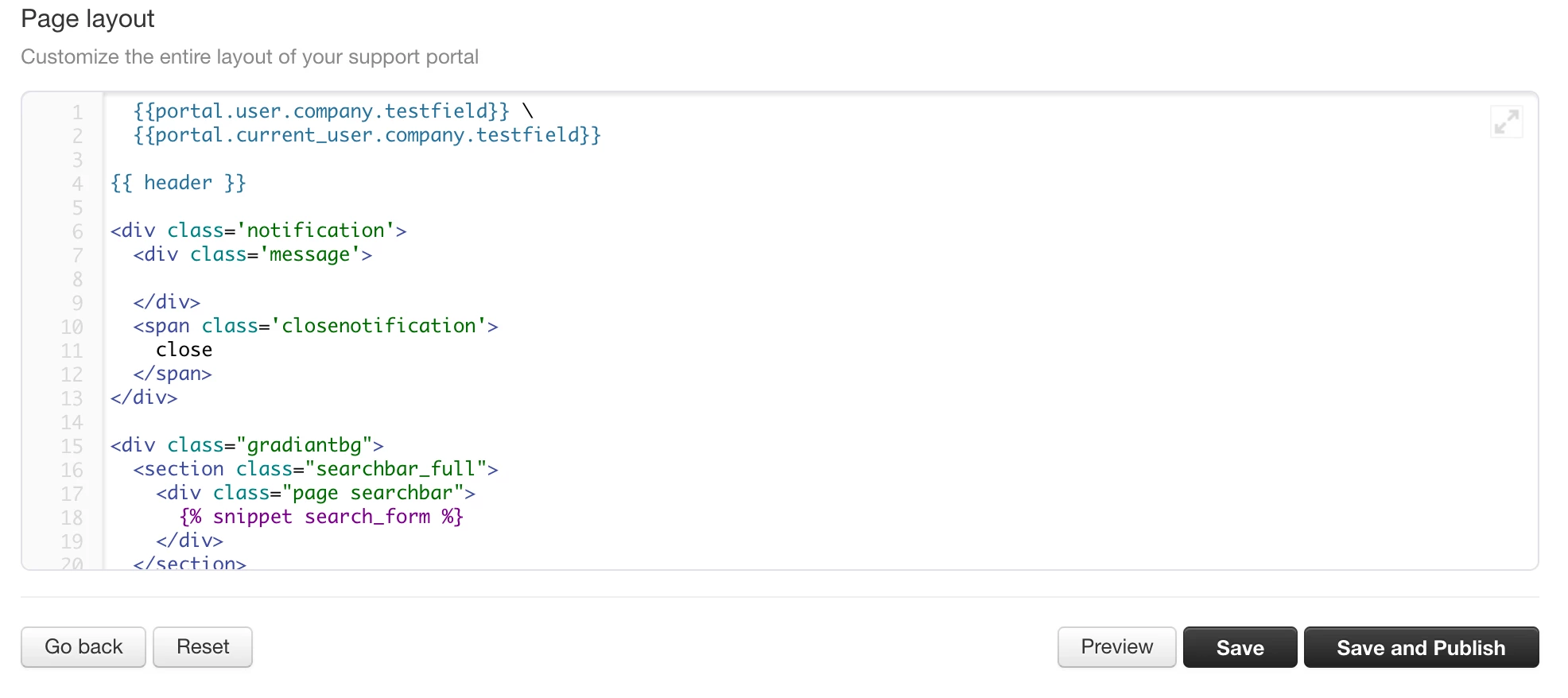
Step 2 : Paste the below code in the Layout Area under Layout & Pages Tab as shown in the screenshot  below after the line {{ header }}


HTML

<div class='notification'>
  <div class='message'>

  </div>
  <span class='closenotification'>
    close
  </span>
</div>


Step 3 : Paste the Script below in the same layout area at the end.


Js

<script>
  
  jQuery( document ).ready(function() {
    
    
    var closecheck =  readCookie("closenote");
  
    if(closecheck != "set"){

      displaynotification("Testing notificaton","25/02/2017"); //dd/mm/yyyy format
      
    }
    
    function displaynotification(message,date)
    {
     
      var parts = date.split('/');
      var date = new Date(parseInt(parts[2], 10),     // year
                          parseInt(parts[1], 10) - 1, // month, starts with 0
                          parseInt(parts[0], 10));    // day
      if (date < new Date()) { //|| localStorage.getItem("closed") == 0 ) {
        jQuery(".notification").hide();
       
      }
      else
      {
        jQuery(".notification").show();
        jQuery(".notification .message").text(message);
      }
  
    }
    
    jQuery(".closenotification").click(function(){
    
      jQuery(".notification").remove();
      createCookie("closenote","set",1);
      
    });
    
    
     function createCookie
Are you interested in learning more about how our services can help add value to your business? Check out our Professional Services - https://www.freshworks.com/professional-services/ to know more & get started.