

Closed for Voting

How to change article_list snippet

Related products:Freshdesk
  • June 12, 2020
  • 1 reply
  • 31 views

In the "Solutions home" template, I have this snippet: {{ folder | article_list:5 }}
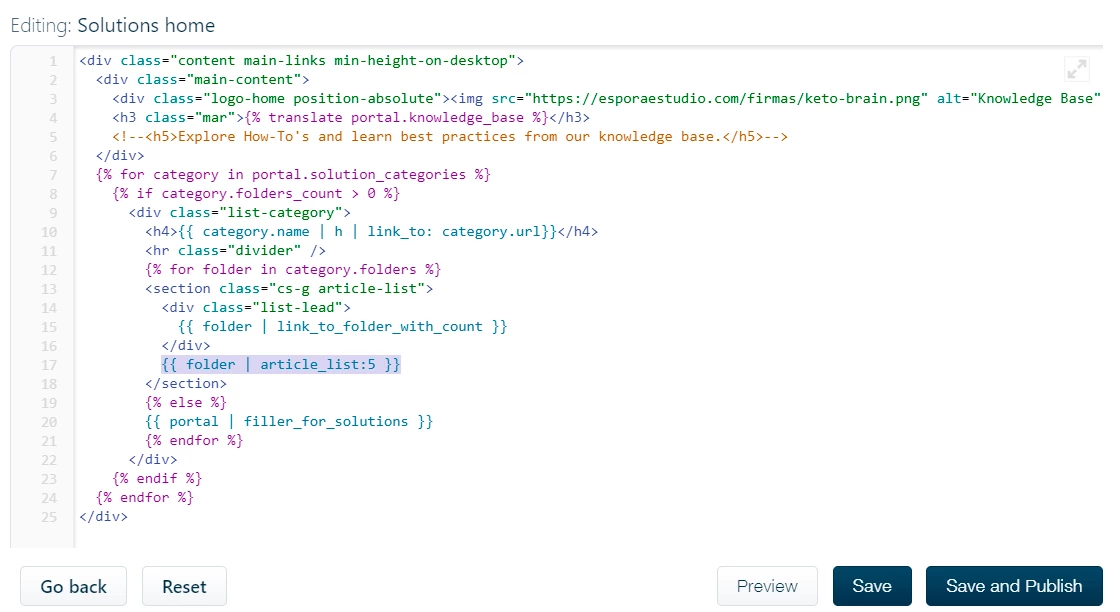

image


That, in the front end, shows a list (in an <ul> tag) of 5 articles titles. I need it to show the description too (something like  {{ article.body_plain | h || truncate:175 }}), but I don't know where to change it. 
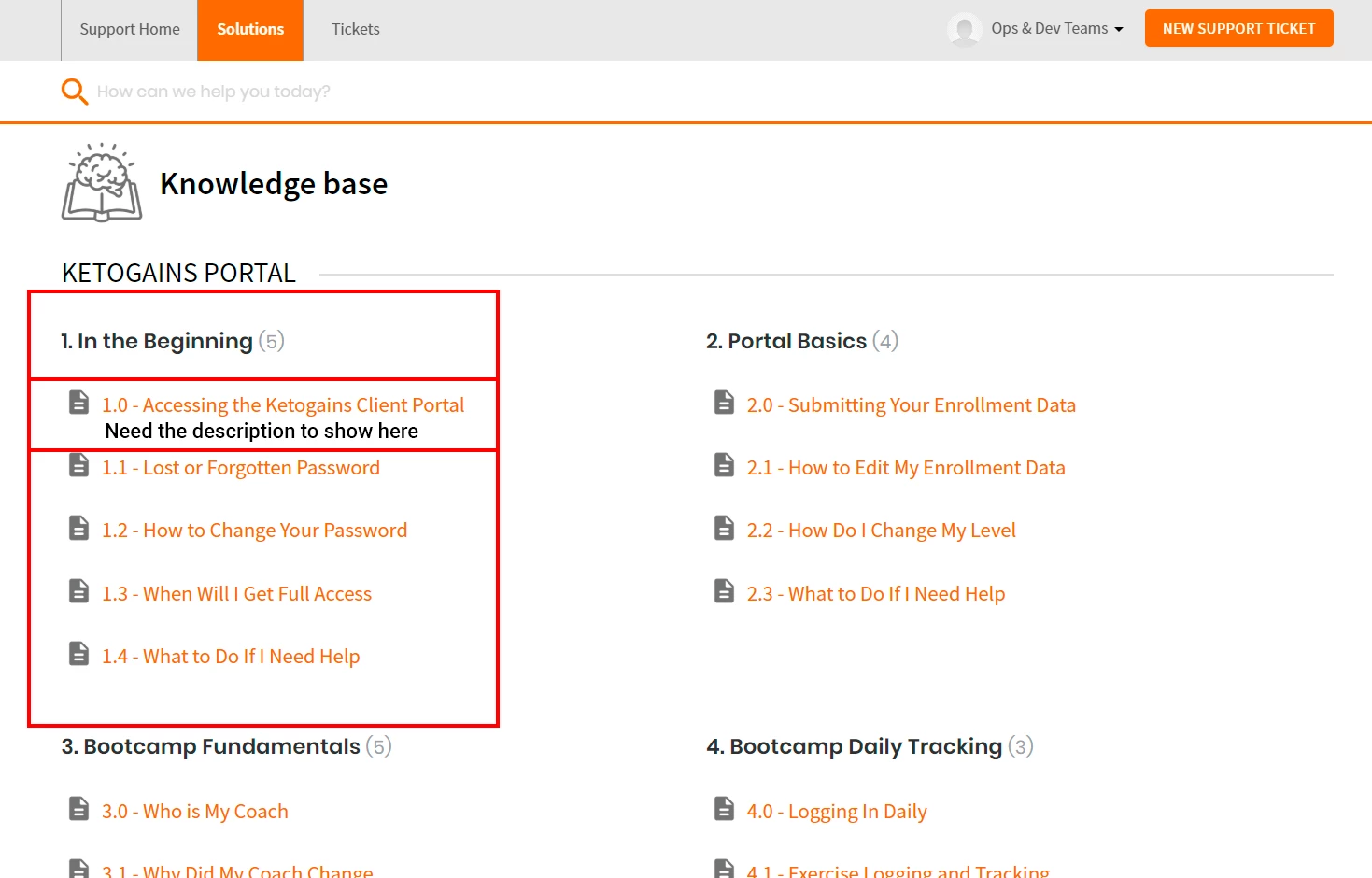
image


Thanks in avance for your help.


1 reply

you need to replace this code {{ folder | articles_list:5 }} to below code.

          <div class="c-row c-article-row">
            <i class="icon-article-table-row"></i>
            <div class="ellipsis article-title"> 
              <a href="{{ article.url }}" class="c-link">{{ article.title | h }}</a>
            </div>
            <div class="description-text">
              {{  article.body_plain | h | truncate:160 }}
            </div>
          </div>

if the code is not work so please contact us: info@helpdesktheme.com