Hello.
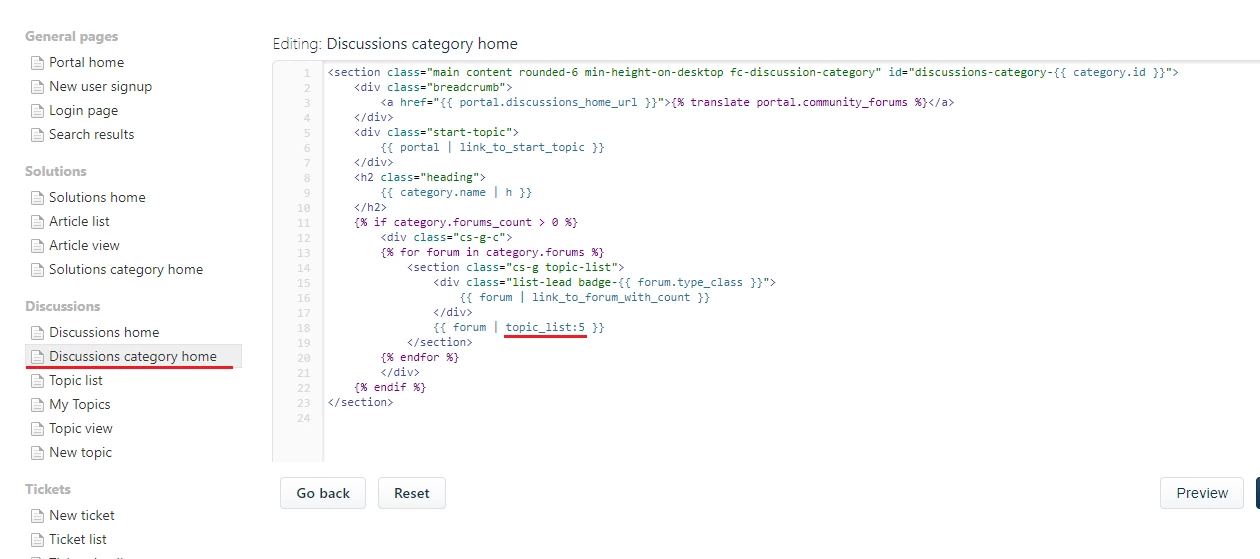
I need to change the topic_list part of the page, which lists for the desired number of topics the forum name, the "Posted by" and the "Last Reply" information. I want to include in this template the "first post body (not HTML)", so the template could be shown the following way:
Name of the topic
First post body
Posted by <author>, 7 days ago
Last Reply by <commenter>, 7 days ago
The only difference now is that I don't have the "First post body" line. If I had access to the first post it probably would be the {{ topic.first_post.body }} of each post like described in the liquid placeholders page. This is a topic list template, which is different from my "Topic list" page that is listed in the side panel of my Portal Pages (see the attached image).
Thank you.