Closed for Voting

Issue with the Signature in FreshService

Related products:Freshservice
  • October 27, 2021
  • 6 replies
  • 243 views

Forum|alt.badge.img+1

Hi,

We would like to see a better way of managing/importing signatures in the system (FreshService). Currently, we are having an issue with the signature & the logo that needs to be added. It should be a straightforward process similar to how we do in Outlook, importing/inserting images from a computer, changing the font size, and having multiple signatures. I think most companies would appreciate it.


6 replies

mohikhan
Community Debut
  • Community Debut
  • October 27, 2021

Hi,

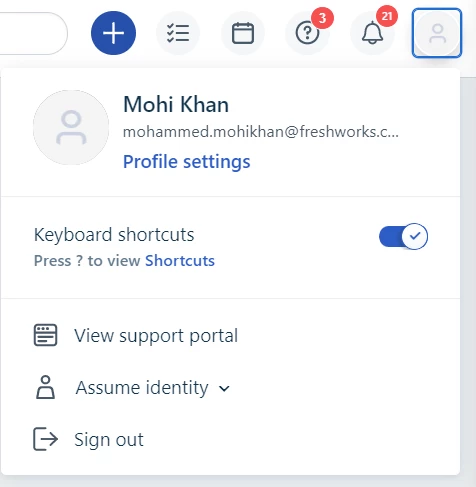
In Freshservice, every Agent can set their own signature under their User Profile settings. You can access the Profile settings from Top-right corner under your initial> Profile settings

Profile Settings


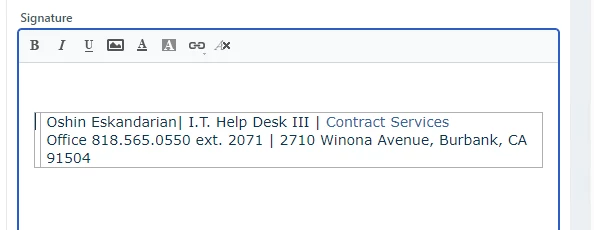
You can then choose to simply Copy+Paste from your email into the Signature section.

Alternatively, you can choose to set a default signature using placeholders that applies to all Agents in the ‘Agent Reply Template’ under Admin> Email notifications> Agent Reply Template.


Forum|alt.badge.img+1
  • Author
  • Contributor
  • October 27, 2021

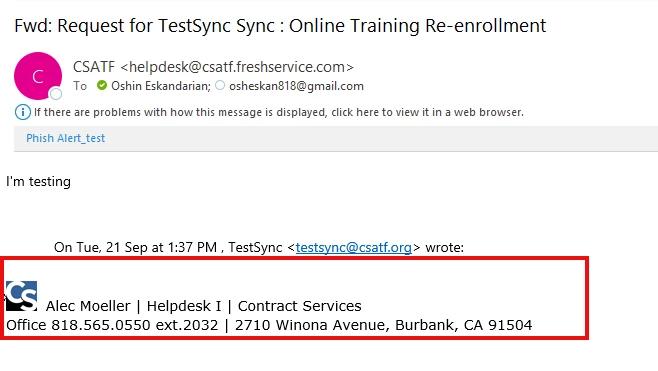
Thank you for getting back to me; we tried to copy + Paste, but our signature has a company logo, and it doesn't paste the logo. I'm not sure why there is no Insert image option available for the signature to add an image from my computer, not the URL.


VIGNESHKS
Contributor
Forum|alt.badge.img
  • Contributor
  • October 28, 2021

Hi @O_User I’m a freshservice app developer and I will develop an app for free to solve this problem.


Could you please specify the requirements?

  1. Like you do you use multiple signatures?
  2. You use it on a regular basis?
  3. Should any person in your organization import the signatures? Or is it role based?
  4. And if you have any specific requirements please  specifiy.

I'm happy to develop the app for free.


Forum|alt.badge.img+1
  • Author
  • Contributor
  • October 29, 2021

Hi Vigneshks,

Thank you for showing interest in this issue. The numbers below correspond to your question.

  1. I think multiple signatures will help us. I'm thinking something similar to Outlook signature; a user can have various signatures based on New message or Replies/forward, or even an email account.
  2. Correct, we use it regularly.
  3. I think any agent should be able to import their signature. The admin should be able to modify ( I think admins can edit the signature field)
  4. The existing signature field/box is missing the text formatting area/ribbon. I think you should be able to modify the font. 
  5. user should be able to import an image (like for company logo)
  6. FreshService only allows me to set the position to left, Right & None when I import an image. I think there should be a Center as well. 
  7. The most important feature that is lacking in the existing signature box is the copy + paste feature. You can't copy & paste like how you do in Windows. Would you please check my sample above? I used Copy + Paste or even used Ctrl+Shift+V, and that didn't help either.

I hope it helped, let me know if you have any questions.  


VIGNESHKS
Contributor
Forum|alt.badge.img
  • Contributor
  • November 1, 2021

Hi @O_User,


There already exists an app https://www.freshworks.com/apps/freshdesk/signature_management_app 

which will solve this issue.


Forum|alt.badge.img+1
  • Author
  • Contributor
  • November 1, 2021

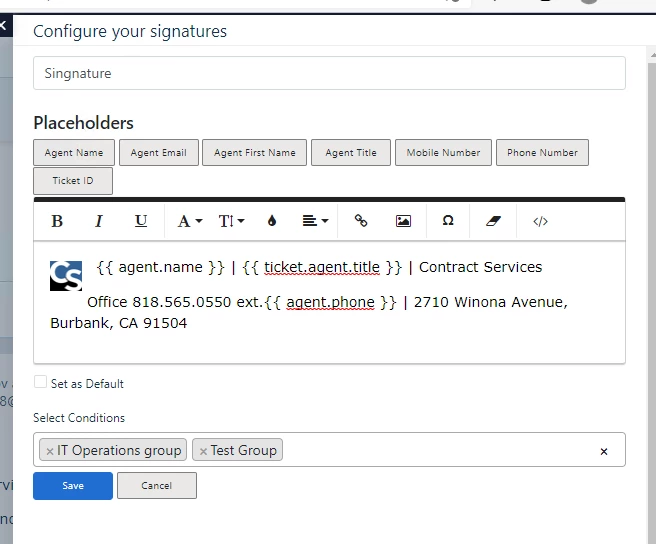
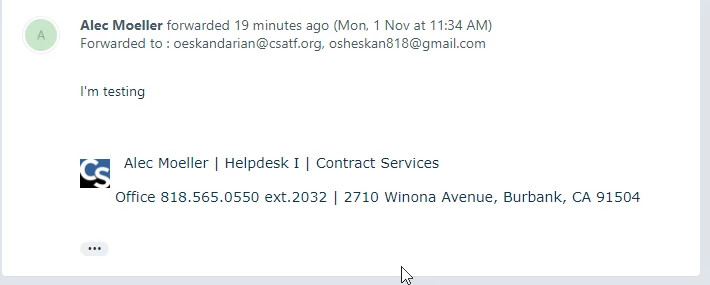
I installed the app; I liked managing the Signature and applying it to specific groups. Also, I liked how I could change the font size, move the logo, etc. But there is a formatting issue. Please see the attached pictures. As you can see, the Signature looks different on Outlook, or even it doesn’t display the logo on the browser. Do you know why it is happening?