Closed for Voting

Live update on ticket overview

Related products:Freshservice
  • April 9, 2015
  • 67 replies
  • 108 views

Show first post

67 replies

Hello everyone, 


Apologies for the late reply. Live updates on the ticket list view page and ticket detail view page when tickets are being created and updated is currently in development. I will keep you posted here on further updates. Thank you all for your valuable inputs! 


Deepikaa

Freshservice Product Management


Forum|alt.badge.img
  • Contributor
  • August 30, 2017
What is the ETA. Couple of weeks?

Forum|alt.badge.img
  • Contributor
  • September 8, 2017
Any update on ETA?

Forum|alt.badge.img
  • Contributor
  • October 10, 2017

Any update on this?


Hello Mike, 


The feature is in the final stages of development and will be rolled out by the end of this month. 


Deepikaa 

Freshservice Product Management


  • Community Debut
  • October 20, 2017

Thank you for the update.


Look forward to seeing this in action.


Forum|alt.badge.img
  • Contributor
  • October 20, 2017

Thank you for the update. We look forward to having this feature Nov 1. Again thank for updating us!


  • Contributor
  • October 27, 2017

Saw the new look this morning, thought that the Dashboard update thing would be incorporated, seems not !


Must be coming next week, right ?!


  • Community Debut
  • October 27, 2017

I do like the new look but sad that this request was not added.


When will it be released?


Forum|alt.badge.img
  • Contributor
  • October 31, 2017

Is this still going to be released this week?


Hello all, 


Live updates on the ticket list view page is on-track to be rolled-out this week!


Deepikaa 

Freshservice Product Management


  • Community Debut
  • October 31, 2017

Glad to hear!


Thank you for the update!


Forum|alt.badge.img
  • Contributor
  • November 1, 2017

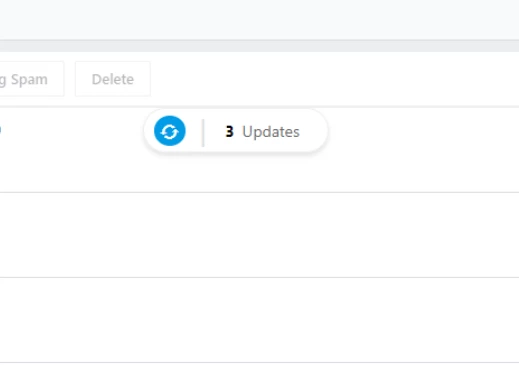
I believe I see the update? It's simply a popup that refreshes your view? Is this correct?

capture_29469.png

That's what I'm seeing, its helping I must admit.


Forum|alt.badge.img
  • Contributor
  • November 1, 2017

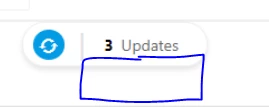
Yes, it's a great start! However, its causing issues when the ticket that is updated is not in the current ticket view. It's difficult to find the ticket that was just updated. Is there any way to provide a link to each newly updated ticket on the update popup to allow the tech to open the ticket in a new tab or windows?

capture_29473.png

Forum|alt.badge.img+6
  • Active Contributor
  • November 1, 2017

It refreshes your view? for me all it does is tells me that there's an update but I have to click the refresh icon for it to update. Not exactly what I would call automatic refresh, still requires a click which I could do and was doing with the browser refresh button. Maybe there's an option somewhere to prompt or update automatically and the default is prompt?


  • Community Debut
  • November 1, 2017

I agree with Phodgkinson. 


Not really a live update. A live update would be seeing a new ticket right on the screen. It is no different then what I am seeing now. 


Part of having a live update would be for a dashboard. I would like to be able to put it on a touch screen that we can see the number of cases increase and decrease and if we are on the ticket page a user would just see it show up. I know that this can be done by setting up a script to run to refresh the browser but if we are looking through a list or another user is scrolling then every time that it refreshes it goes back to the top.


This might be a set in the right direction but I don't believe that this is the answer just yet.


This is only helping the "Ticket List" only and not the "Ticket View" which is most important for agents.


1- The update should come through the "Ticket view" (when a ticket is open) as two agents may be working on a same ticket (or requester responds to the ticket while agent has the ticket open) and they will miss the update! This is very basic feature and I'm wondering why we should scream for this feature for almost two years!


2- The new update in the "Ticket list" will only show the first reply. If there are more replies the pop-up won't catch them.


Hope you get this fixed in "Ticket view" as well.


  • Community Debut
  • November 7, 2017

i can't see the new function!! 


  • Community Debut
  • December 8, 2017

We just went live today with Fresh Service. We too are looking for an automated solution to refresh all the tickets without having to manually click an icon to do so. Seems like a pretty simple coding request where a predetermined number of refresh seconds could be entered or just a standard 60 second refresh period..  


  • Contributor
  • December 11, 2017

  • Community Debut
  • December 12, 2017

Sadly this is not what we have been requesting.


The problem with an auto refresh is that if a user is looking at the list it will keep resting on him/her.


  • Community Debut
  • March 5, 2018

I was shocked to find this wasn't a default functionality. Honestly, seeing that it's a three-year old issue with no response makes me think that this solution doesn't really care about user responsiveness. It will certainly be a factor if we decide to upgrade.


Forum|alt.badge.img+3
  • Skilled Expert
  • March 6, 2018

Hello Rich, as you can see in the release notes of 30th October 2017, this feature has been implemented. But maybe it isn't implemented as you would like it. For us it suits our needs.


https://support.freshservice.com/support/discussions/topics/317792