Closed for Voting

Live update on ticket overview

Related products:Freshservice
  • April 9, 2015
  • 67 replies
  • 108 views

Show first post

67 replies

  • Community Debut
  • March 6, 2018

don't see anything like this


  • Community Debut
  • March 6, 2018

Thanks Peter. I'm not seeing that happen for me though. Is it a paid feature?


Forum|alt.badge.img+3
  • Skilled Expert
  • March 6, 2018

Hello Rich, I'm afraid I can't answer that question for you. Maybe someone else knows this.


  • Community Debut
  • March 6, 2018

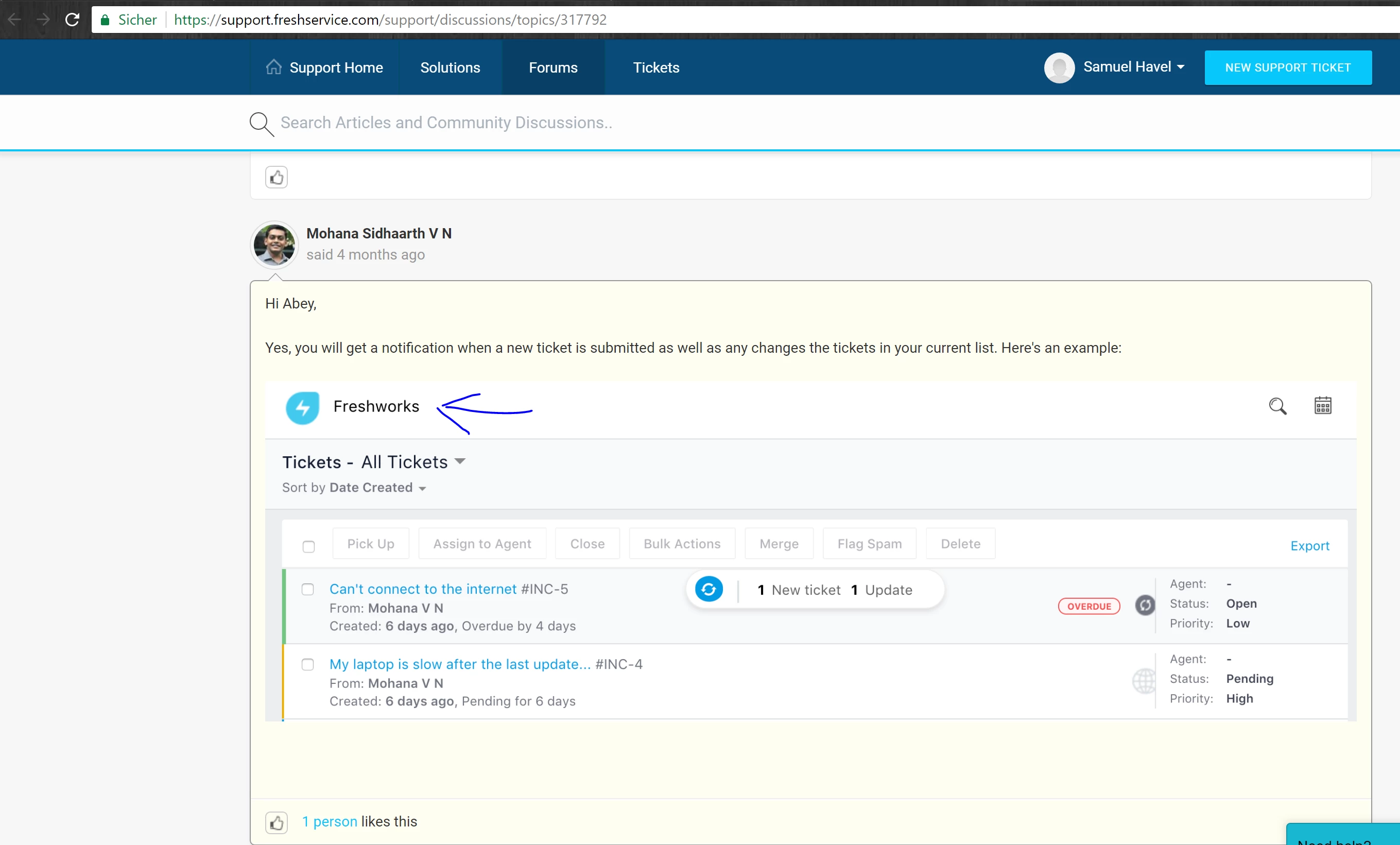
i think they made a mistake and only made this feature available for freshworks and not freshservice! On the Screenshot of Mohana u can see the frshworks logo and not freshservice!

fes_31230.png

  • Community Debut
  • March 7, 2018

I agree with Greg. This is far from live updates on tickets. you still have to manually press the "refresh" button. In general they've moved the initial problem to a button. 

What we want to have is an live dashboard. When a new ticket arrives in our helpdesk it will automatically refresh and put the new ticket on top. A simple request if you ask me (code wise). 


When we began with Freshservice almost three years ago, we've been promised a lot of simple features if you ask me. some features where implemented, but most features were just poorly developed. Just for the quick wins or something. We are considering the option to move away from Freshservice. (Estate plan with 6 agents).


Hello all,


We decided to not auto-refresh the ticket list view page when there is a ticket update/creation, and instead went with live updates on the ticket list view along with a refresh icon. This is because when agents are working on the list view (example - updating the status of a ticket or performing bulk actions on tickets etc from the list view), auto-refreshing this view would be intrusive for the agent. But as pointed out above, with this solution, although live updates gives us the count of tickets that are created/updated, it is difficult to quickly identify these tickets in the list view or access them.


We'll continue to update you here as we make progress on this feature. Thank you for all the inputs and please keep your feedback coming. 


Deepikaa 

Freshservice Product Management 


Hello Rich and Samuel,


Live updates on the Ticket list & detailed view is available as part of Blossom, Garden & Estate plans. Please let me know if you're facing any issues with this feature, we will will get in touch with you to resolve it. 


  • Community Debut
  • March 7, 2018
Ok thats why i cant see this feature, we are using the free Version!

  • Community Debut
  • March 7, 2018

@Deepika, thanks for the reply. I agree that a scrolling update would be annoying. Just having a notification pop up that there is a new ticket would suffice. And since we are currently on the free version, that explains why we don't have it.


All good. Thanks!


  • Contributor
  • April 2, 2018

I personally like the changes for refreshing that you have made. I agree where an auto refresh would get annoying. Having the notification bubble tell you what is new and giving you the option to update the page is great. Good job on this.


We often have two agents working on the same ticket and it is very frustrating. Using a system like this we shouldn't have to shout to colleagues that you are working on ticket XYZ or receive a call from the requester advising that they have had two responses.


Hi Lorraine,


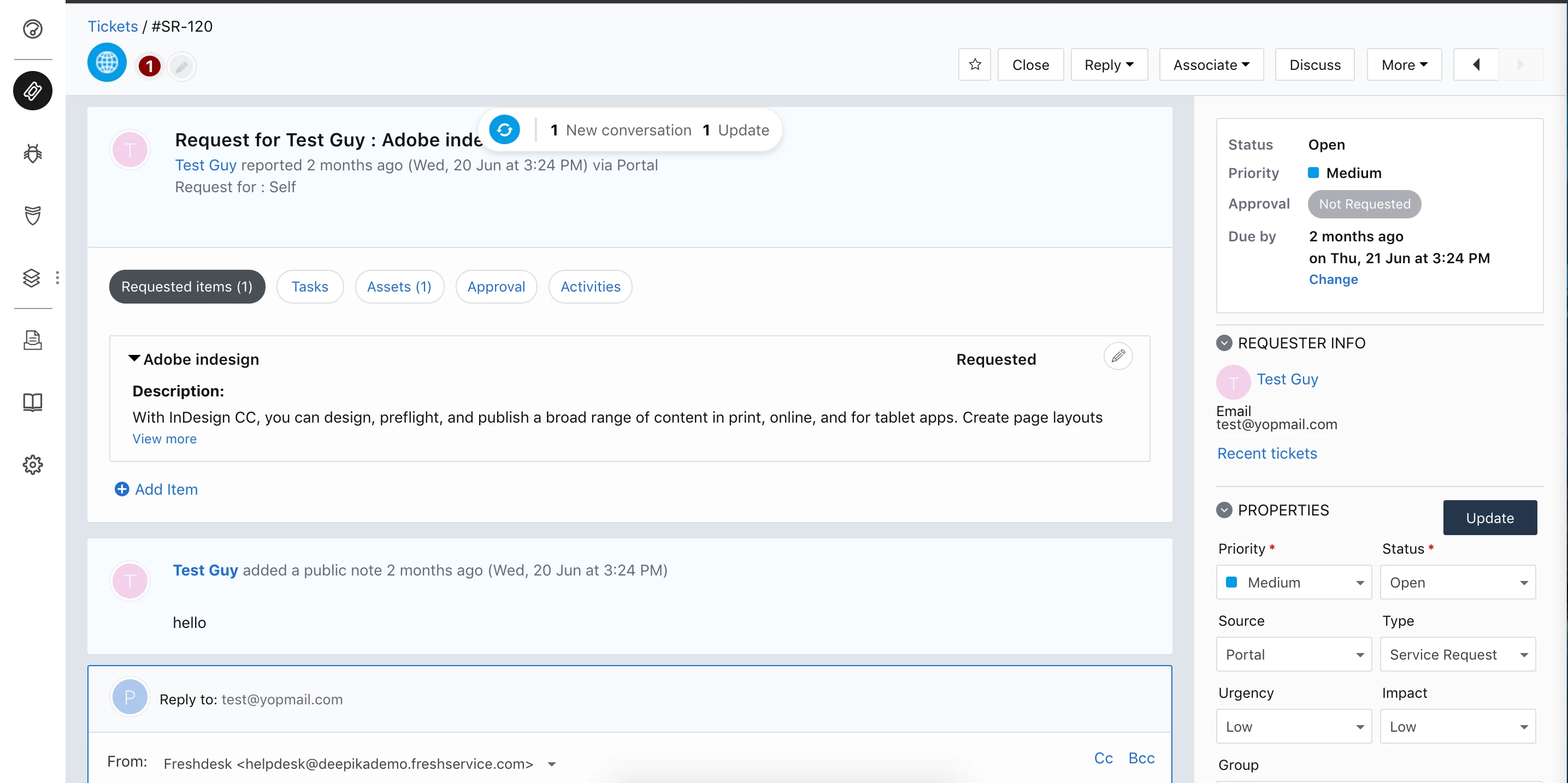
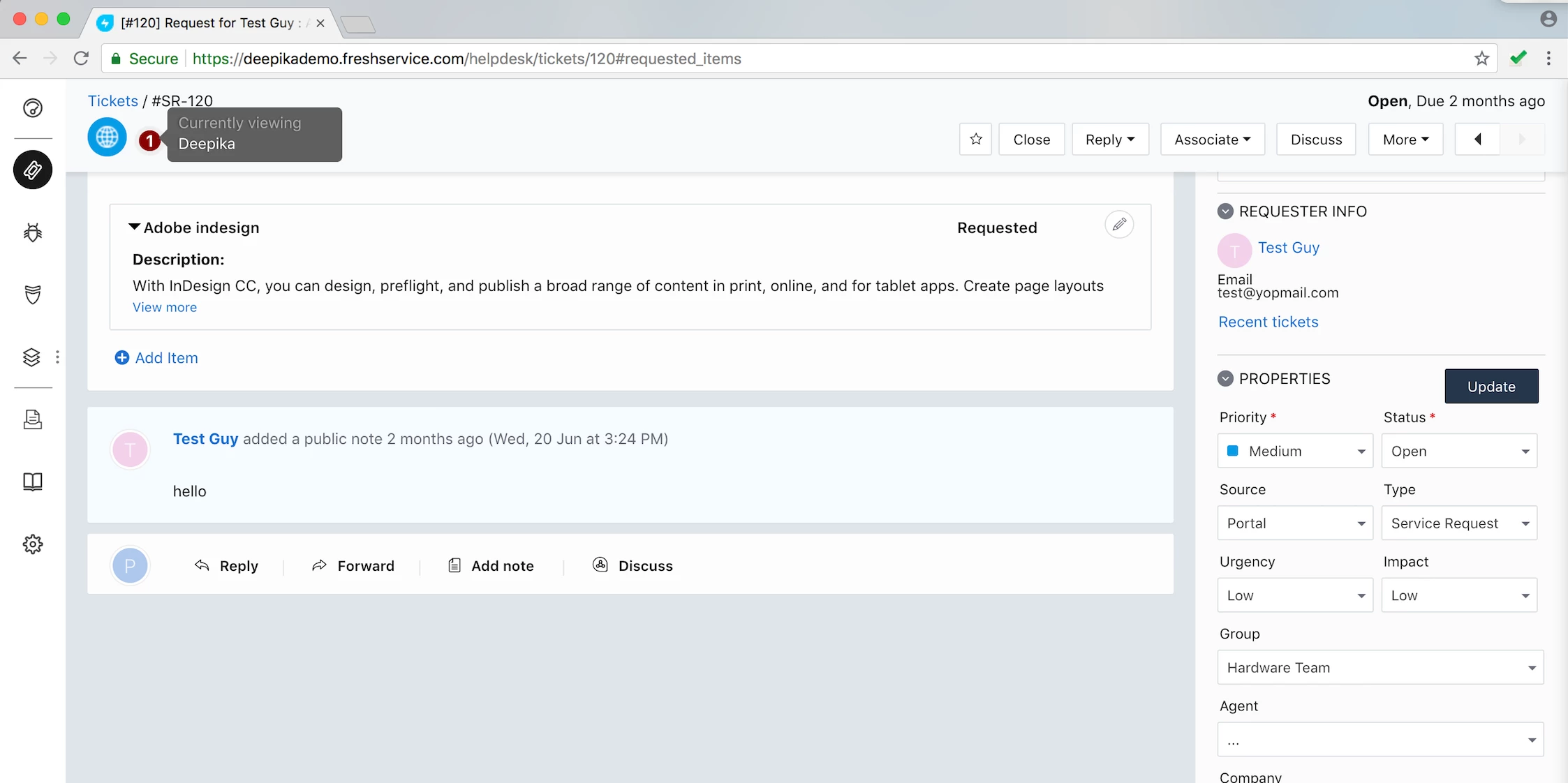
I believe the auto-refresh feature can solve for the usecase you've mentioned. Say agent A and B are both typing out a response on a ticket at the same time. If agent A sends out his response first, agent B will receive a live update that reads "1 New Conversation". Also, with the Agent Collision feature, Agent B will know which other agent(s) is currently viewing the ticket (attached screenshots for your reference). Let me know if this helps.  


Thank you for your response. We don't get anything like this, I have just tested this scenario with a colleague.


Sorry about that, Lorraine. We will get in touch with you to understand why you're unable to view live updates in your Freshservice account and resolve it as soon as possible. 


  • Apprentice
  • August 17, 2018

I also do not see the "Agent Collision feature" working on our IT HelpDesk either. I tested this with multiple agents in the same ticket at the same time and we do not see each other in the ticket.


We had the same problem with Freshservice, missing this basic feature is very frustrating. Unless if you upgrade your license, you won't get this feature added to your tenancy. Ask Freshservice to enable this feature for you (and I believe this should be a free feature included in all plans).


  • Community Debut
  • November 30, 2018

So no auto-refresh? We just switched from Quest KACE formally Dell KACE and the auto-refresh feature is not annoying it is a must if you work in an enterprise setting. I will script it myself if need be, but why not add something as simple as that? If you don't want it you should be able to leave it off, for those of us that do need/want it, we should have the ability to use it.