Hi,
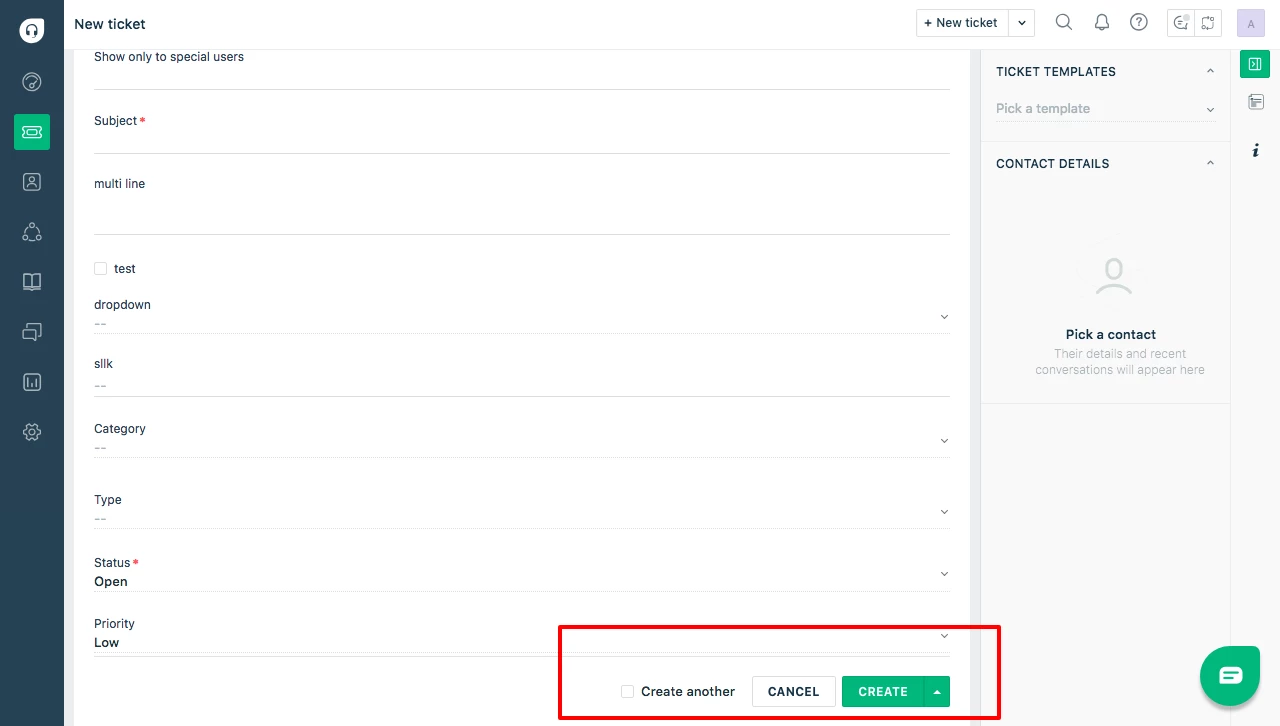
Currently there are many types of save button in the agent portal and this is confusing - for better usability it would make sense to only 2 buttons.
[Save] [Cancel]
This will cause much less confusion (the save and close button is often misunderstood as a "Save this button and close this window" button)
For adding lots of tickets on bulk I would suggest adding a checkbox under or beside the button that asks you if you would like to create another ticket after this one - as below.
[ Save ] [ Cancel ]
[ ] Create another ticket upon save
Save and close seems pointless as this can be done by setting the status to closed within the window. but if you needed to keep this action then, again this would be better dealt with as a Check Box.
[ Save ] [ Cancel ]
[ ] Create another ticket upon save
[ ] Automatically Close this ticket upon save
This provides a much less confusing interface for people and I would think make it easier for everyone.