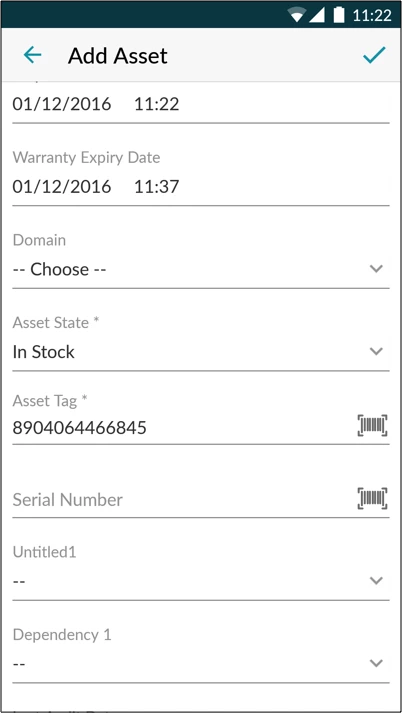
When using the Andriod mobile app to perform asset management it seems as though if you create a new asset using the Scan asset option this is auto-populating the asset tag field with the barcode scan which is fine. That said, the Serial number for most hardware is also a scanable barcode and the mobile app does not include this field. Without being able to enter the serial from a mobile device the process is a mess as would enter an asset using the mobile app, save the app on their phone, than edit the app using a computer to enter the serial when they could have just scanned it when scanning the asset code. We would like to be able to scan the serial within the mobile app.
Also, when entering assets via Scan Asset or Add new asset from tho mobile app you do not have an option to select Vedor. Since all of our assets have relationships to Products within the product catalog and we also use Vendors with Warranties any asset entered in using the mobile asset does not capture this information. Basically, its the same story, you enter them in with the mobile device than have to edit them all using the standard web and select Vendor so the Warranty information is set.