Closed for Voting

Observer Rules - Remove Tag

Related products:Freshdesk
  • September 1, 2014
  • 21 replies
  • 39 views

We would like to have an action available in the Observer Rules to remove a tag.


This would allow us to implement some workflows that are not currently possible.

21 replies

  • Contributor
  • January 13, 2017

Doesn't look like enough people need this feature, but it definitely be a huge help to us!


  • Contributor
  • January 13, 2017
Maybe provide some expamples of use cases and it can boost its need.

  • Contributor
  • January 13, 2017

In my case, we have a rule that adds a tag, "Waiting for 48 hours," when a ticket status has been "Waiting on customer" or "Waiting on 3rd party" for more than 48 hours. An email is sent to the assigned agent, reminding them to follow up. When the agent follows up with an email, another tag, "Followed Up" is added. If the client replies after the follow up, we would like the tags to be removed, so we can reset the cycle.


  • Contributor
  • January 13, 2017
Wouldn't removing the tags in this case make it hard for you to report on how many tickets that you had to remind agents of and follow up to?

  • Contributor
  • January 13, 2017

Adam - Seems like in this use case tags are being used to help with the automation process. If reporting needed to be done on these tickets, I'm sure simply applying a tracking tag could help with reporting. Although the ability to generate reports with tag data is currently not present. 


image


Tracking tag usage via the current layout is pretty pointless. 


Yeah makes sense for automated processes. But, as you said, reporting is useless for tags in its current set-up.


  • Contributor
  • January 16, 2017

We aren't really concerned with the reports at this point. We just want to be reminded to follow up, and have the cycle start over after we have followed up, and the client has responded.


aravind.sundararajan
Skilled Expert
Forum|alt.badge.img+12

@Alexand Adam,


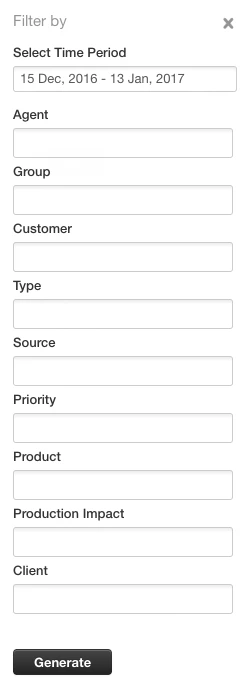
*Edited* Tags are now part of the report filters. Go ahead and customise your report data using the ticket tags :)


@Steveand Matthew,


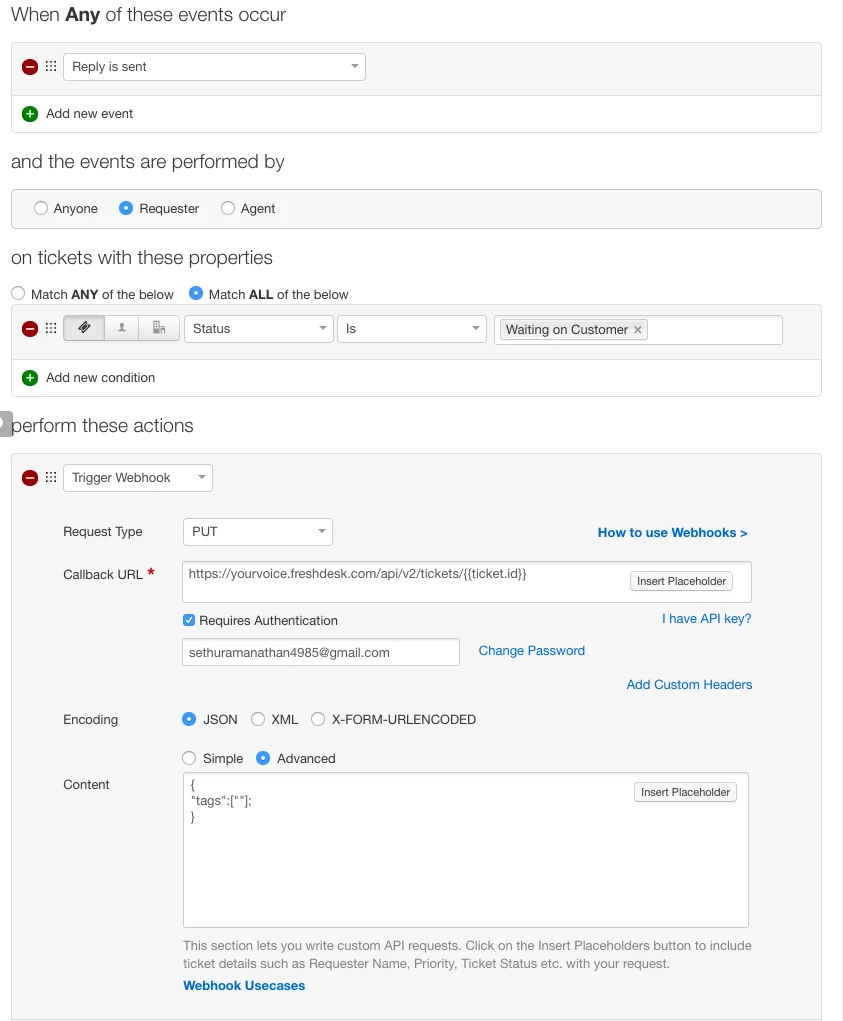
Though a default option to remove the tags on the ticket using automations isn't available, we can use the webhooks option in automations to trigger an API call to empty the tag array.


Here's a sample on how you can remove the tags using the Observer rule :


image


You will have to update the CALLBACK URL to include your helpdesk Url. Here's the syntax :


https://<yourcompany>.freshdesk.com/api/v2/tickets/{{ticket.id}}


Also, please update the User name and password accordingly .


Cheers!


  • Contributor
  • January 16, 2017

Thank you Arivand! This is a big help, and I guess I should brush up on the API.


aravind.sundararajan
Skilled Expert
Forum|alt.badge.img+12

Thank you so much,Steve :) Would definitely love to hear back from you in case if you need any further assistance with respect to API s. You can write to us at support@freshdesk.com for any support related queries :)


Cheers!


  • Contributor
  • October 8, 2018

I just tried this exactly as written, and the tags don't remove. Have there been any changes?


aravind.sundararajan
Skilled Expert
Forum|alt.badge.img+12

@Eli, Not sure why this method doesn't work for you. Can you please help me with your requirement so that we can probably see if there are any other options other than removing the tag via automations?


Also, can you please share a screenshot of the rule that you've configured to look into this further?


Cheers!


  • Contributor
  • October 8, 2018

image


  • Contributor
  • October 8, 2018

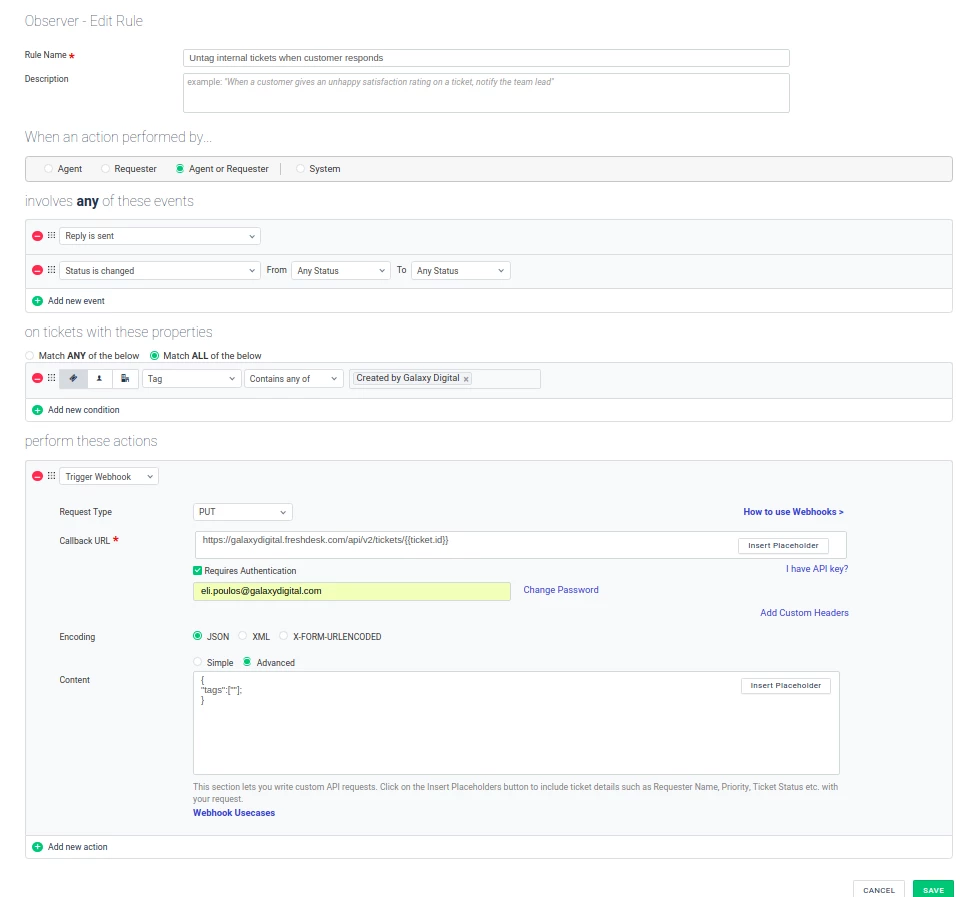
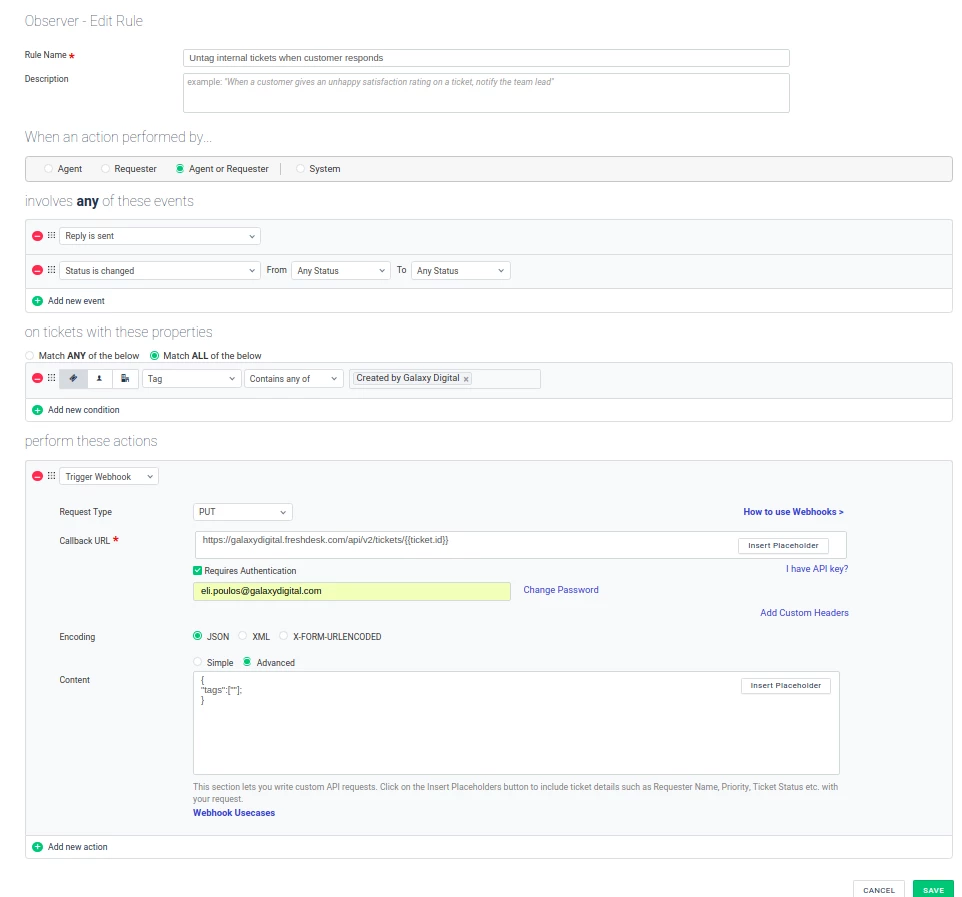
Here is my rule:

image


aravind.sundararajan
Skilled Expert
Forum|alt.badge.img+12

@Eli, I've managed to figure out why the rule stopped working. It no longer accepts empty strings as input and fails while trying to parse the parameter. Please replace the content in your webhook with this one:

{
"tags":[ ]
}


This should do the trick, I hope.


Cheers!


  • Contributor
  • October 9, 2018

It still doesn't remove the tag when I change the status or reply 


aravind.sundararajan
Skilled Expert
Forum|alt.badge.img+12

@Eli, Sending you an email about this issue. We shall get this sorted easily - not to worry :)


Cheers!


Forum|alt.badge.img+3
  • April 24, 2020

@aravind,
Would it also be possible to delete a specific tag if there are multiple?

our use-case is as follows:

We have an automation that adds a tag called "No tag" . This gets added when an agent doens't fill in an approved tag. They then get notified to add a tag which is approved by the Admins. If they do so. I would like to have an observer automation. delete the specific "no tag" leaving the other tags behind.


Hello Yvo,


Good day. 


We understand your requirement here. 


For now, the option to remove individual tags is not present. As Aravind mentioned, we can remove all the tags present in a ticket.

We'll keep your suggestions in mind and will take it up as a feature request. 


Cheers!


Agree with above, we use tags for automations and it would be really useful to be able to remove specific tags. Clearing the tag array isn't suitable for our purposes since other information would go missing.


hemanth.ramya
Community Manager
Forum|alt.badge.img+9
  • Community Manager
  • August 25, 2020

Hello Angelica!


Thank you for your thoughtful suggestion. We are happy to explore the possibilities of this feature being picked up. Please watch out for any updates to this request on our release notes


Cheers. :)