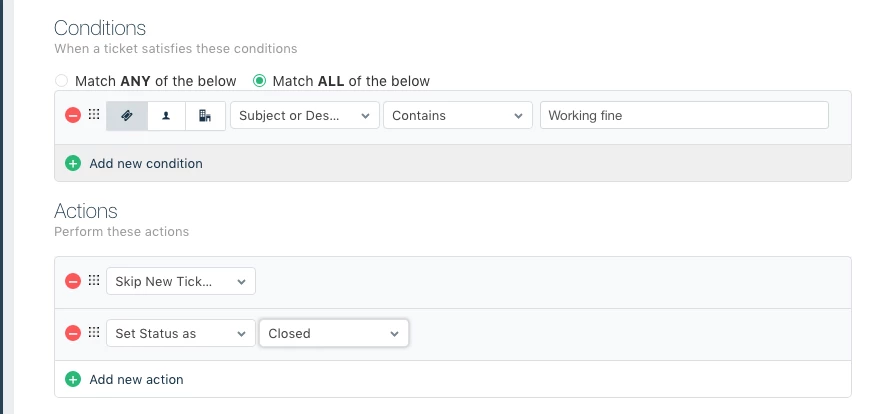
We would like to send all of our system generated emails into our helpdesk (backup status reports, WSUS reports etc.) but with an option to automatically mark as closed any which are just saying that everything's fine. I can achieve the latter with the subject matching in the observer rules, but I can't make it apply to a ticket being created, just to one being updated.
To avoid any ticket creation emails being sent back to the email addresses that generated the status reports and bounced I would also like an option to suppress any emails coming back out of Freshdesk where they match an observer rule, although a global list of email addresses not to respond to would work as well.
The reasoning behind sending all these status reports into a helpdesk is so that anything that fails automatically has a ticket waiting to be assigned to a team member (like a 'lite' version of System Center Ops Manager / Service Manager), but if someone has to manually close every ticket that is created due to an "everything's fine" email then it's going to work out less efficient, as well as skewing the statistics.