Closed for Voting

open app on link with android

Related products:Freshdesk
  • June 24, 2015
  • 5 replies
  • 29 views

Often I'm sent links to tickets via IM when I'm on my phone. Is there any way to have the freshdesk app open the ticket rather than my browser? Other apps handle HTTPS links with regard to their domain URL so I know such functionality is possible. I'm on Android.

5 replies

  • Author
  • Apprentice
  • January 5, 2017
This worked for a while but now it doesn't.  I think an update changed from the "open by default" setting from "https://*.freshdesk.com" to just "*.freshdesk.com".


aravind.sundararajan
Skilled Expert
Forum|alt.badge.img+12

Hello,


Deeplinks for tickets is now supported in the android app. You might want to see this article to know why accessing deep links on several apps open up the tickets in the browser instead of the Freshdesk mobile app.


Cheers!


  • Community Debut
  • July 12, 2018
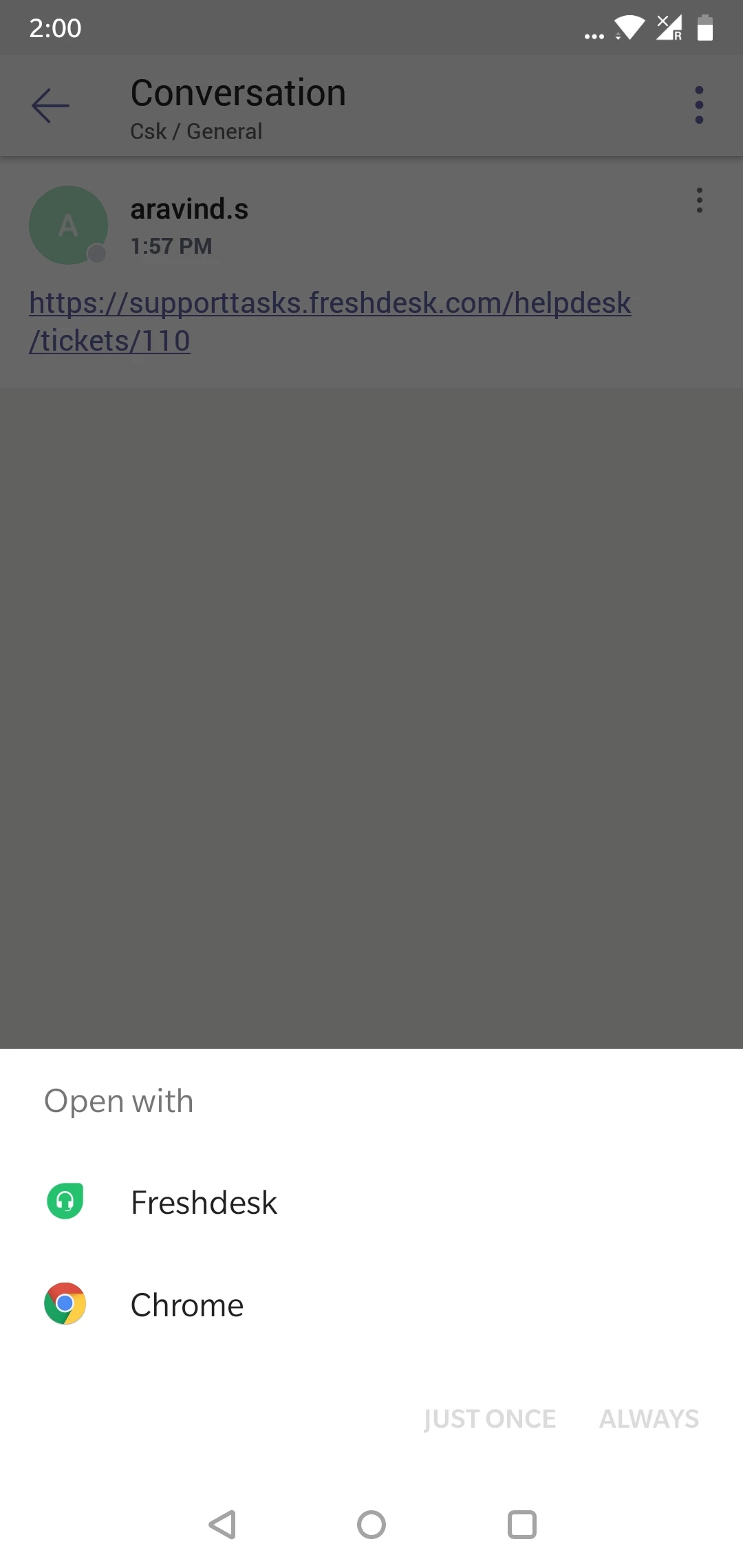
Doesn't work with MS Teams. Same behavior as before. Only options available to open are browsers. My version is 3.8.4. Is there another version I could try?

  • Author
  • Apprentice
  • July 13, 2018

Also verified with other Android and iPhone users on our team that this is definitely not resolved.  Clicking an URL in Google Hangouts or MS Teams only opens a browser.  There's no option to open the Freshdesk app.


aravind.sundararajan
Skilled Expert
Forum|alt.badge.img+12

@Scott I was able to open the ticket link in Freshdesk app from the Microsoft Teams chat window. I guess your preferences might be different and hence all the links are opened in Chrome by default.


In case if the prompt doesn't appear, please navigate to Settings -> General -> Clear App data in your MS Teams app and then change the settings for 'open links by default'.


Cheers!