I recently installed the Powershell Orchestration and there’s a few things I’m not in love with from a security perspective.
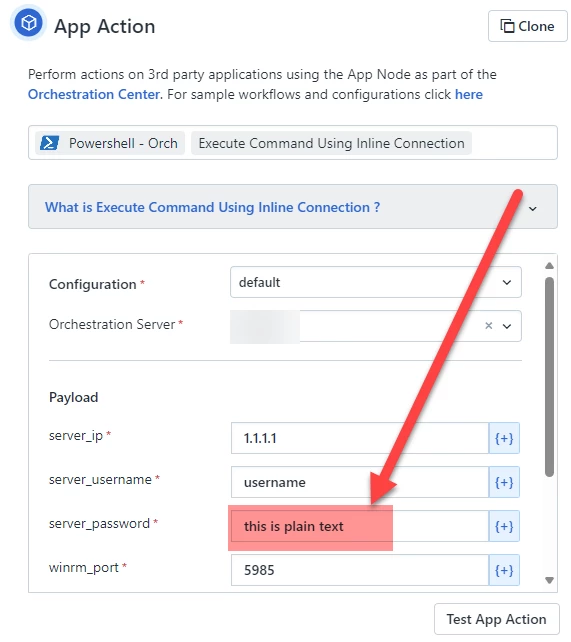
The password is in plain-text. Even after you save the workflow, the password is still in plain-text. This is not a good security practice. Any way to block out the password and not display it to the user?
Additionally, profiles are created as part of the Powershell Orchestration settings, but then you aren’t even using a profile in the Inline Command. Instead, you have to manually supply a username and password.
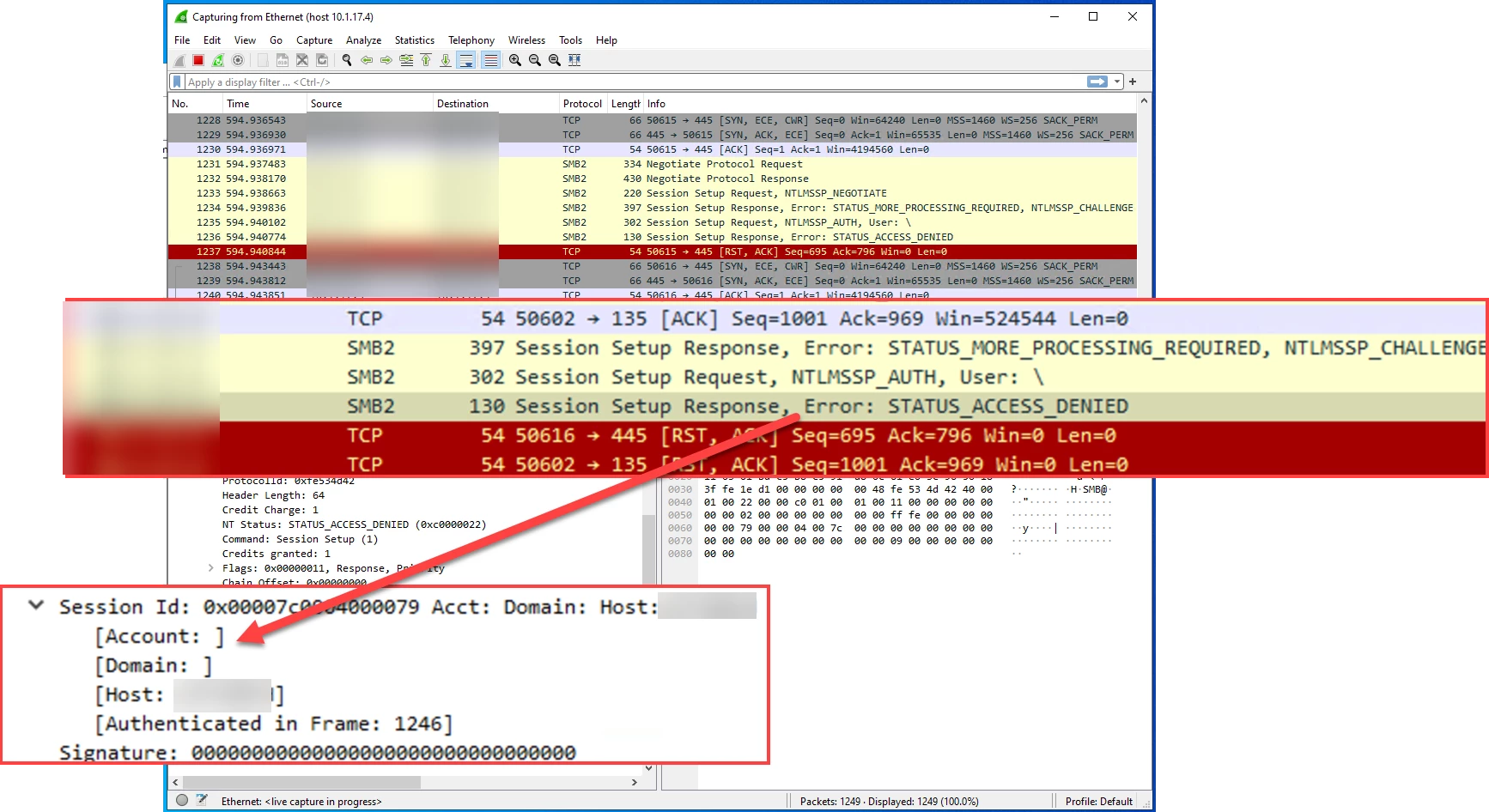
When a script is called, it looks as if NTLM is being used to access the script. Can we have a choice of what to use?
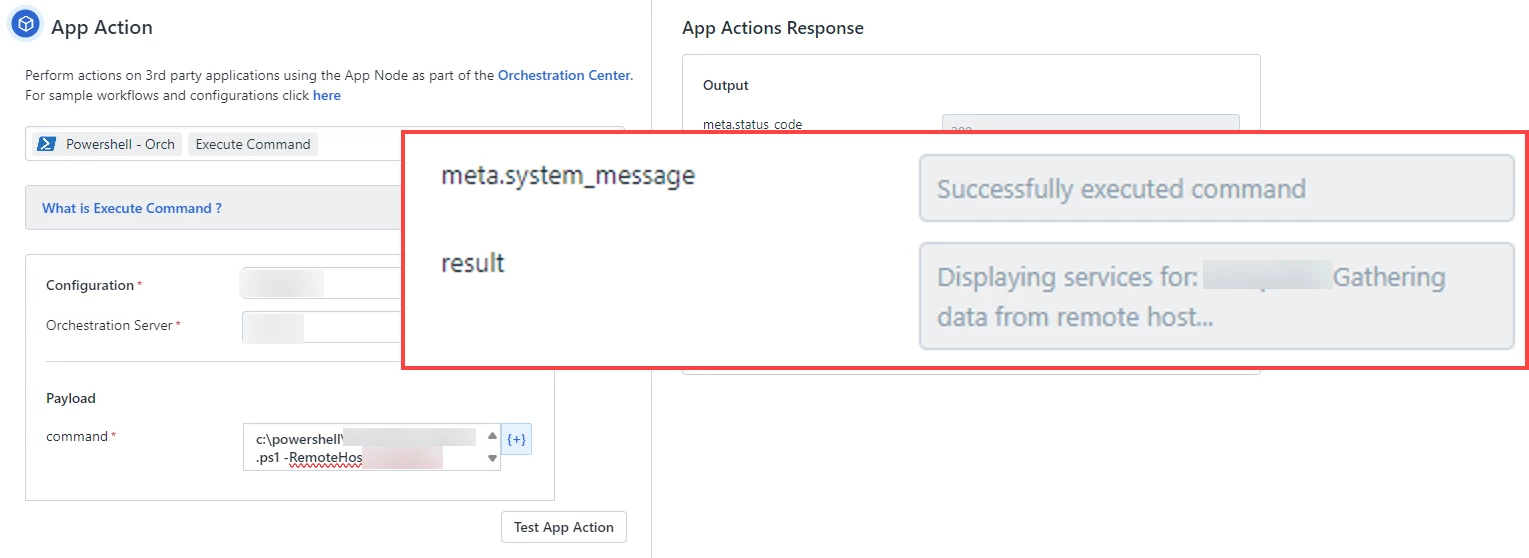
When I use the Execute Command to run a script, it only loads in the first part of it and says it executed successfully - not executing any of the commands in the script. If anybody has any insights, I’d love to hear them to get this to work. Thank you!
Update, unless you perform an Inline Connection, the NTLM packet that is sent with the Powershell Orchestrator doesn’t send a username/domain causing NTLM errors.
We just recently started working with Powershell. As we were going through our internal security review, I noticed some things that just weren’t quite right with the Powershell integration and a potential bug.
I ended up looking further into the NTLM issue notated in the OP and found that the account and domain aren’t being passed unless you use the in-line connection.
Ideally, I shouldn’t have to specify the username / password to perform an in-line connection. When attempting to run my script on remote machines via the orchestrator, the account and domain aren’t passed which leads the script to fail.