When creating a ticket, sending an email (fwd or new), or editing ticket details, there should be an easy way to see when a contact in the dropdown represents a primary email address over a secondary email.
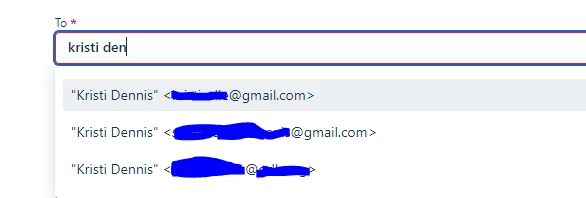
In the photo below, there are three email addresses for the same contact because they sometimes email from any of the three, but all are for one person (name changed to mine for security reasons). To get a good idea what they are referring to and to see an accurate history, we need them all on the same contact.
However, when we need to send a new email they asked that we send to a particular one (hence the primary being important). BUT without going to the contact each time, I have no way to distinguish which is the primary from the “new email” screen (or anywhere else).