Under Review

Reporting on Deactivated requesters/agents

  • Jan 13, 2026 5:04 PM UTC
  • 9 replies
  • 112 views

Forum|alt.badge.img+1

How can I use Analytics to report on deactivated requesters and agents?  This is challenging my Asset Management team to identify which assets are still assigned to employees that are no longer working at the company.  The asset Used By field has the name followed by "(Deactivated)" when viewed in the console, but we can't report or export that same information and designation.

 

9 replies

Amrit Mishra
Contributor
Forum|alt.badge.img+8
  • Contributor
  • Jan 23, 2026 5:55 AM UTC

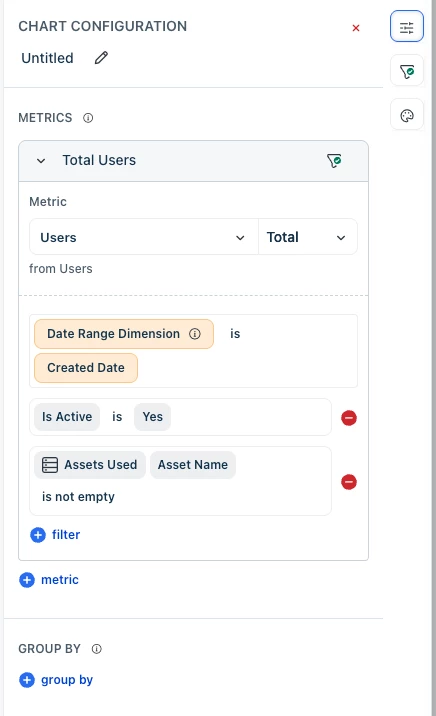
​@joebowen you could try creating a report for the deactivated users first and then drill into the assets assigned to them (sample screenshot below).

For example, you could create a report for deactivated users by using the ‘Is Active’ filter. Use the value ‘No’. Then add another filter to view only those who have been assigned assets by using the ‘Assets Used > Asset Name’ filter. You can use the value ‘is not empty’.


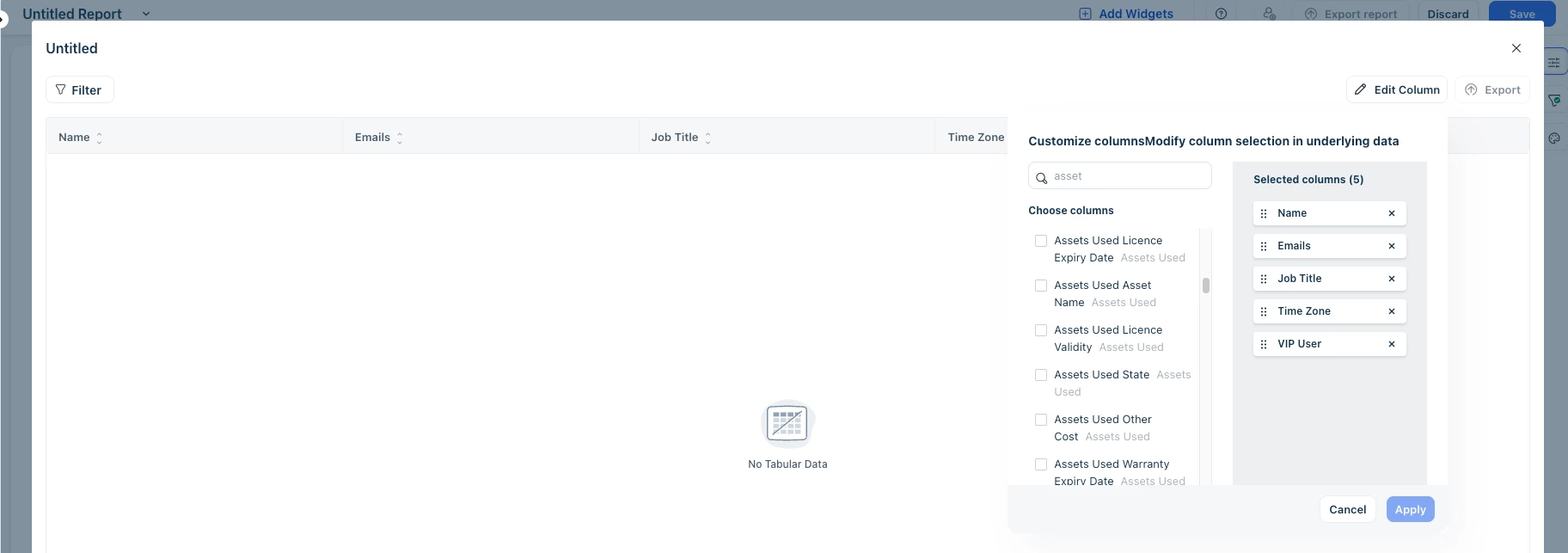
Once you have this view, then you can click on Underlying Data view and edit the columns to view the asset related fields. Sample screenshot below.


Forum|alt.badge.img+9
  • Top Contributor ⭐
  • Jan 23, 2026 12:04 PM UTC

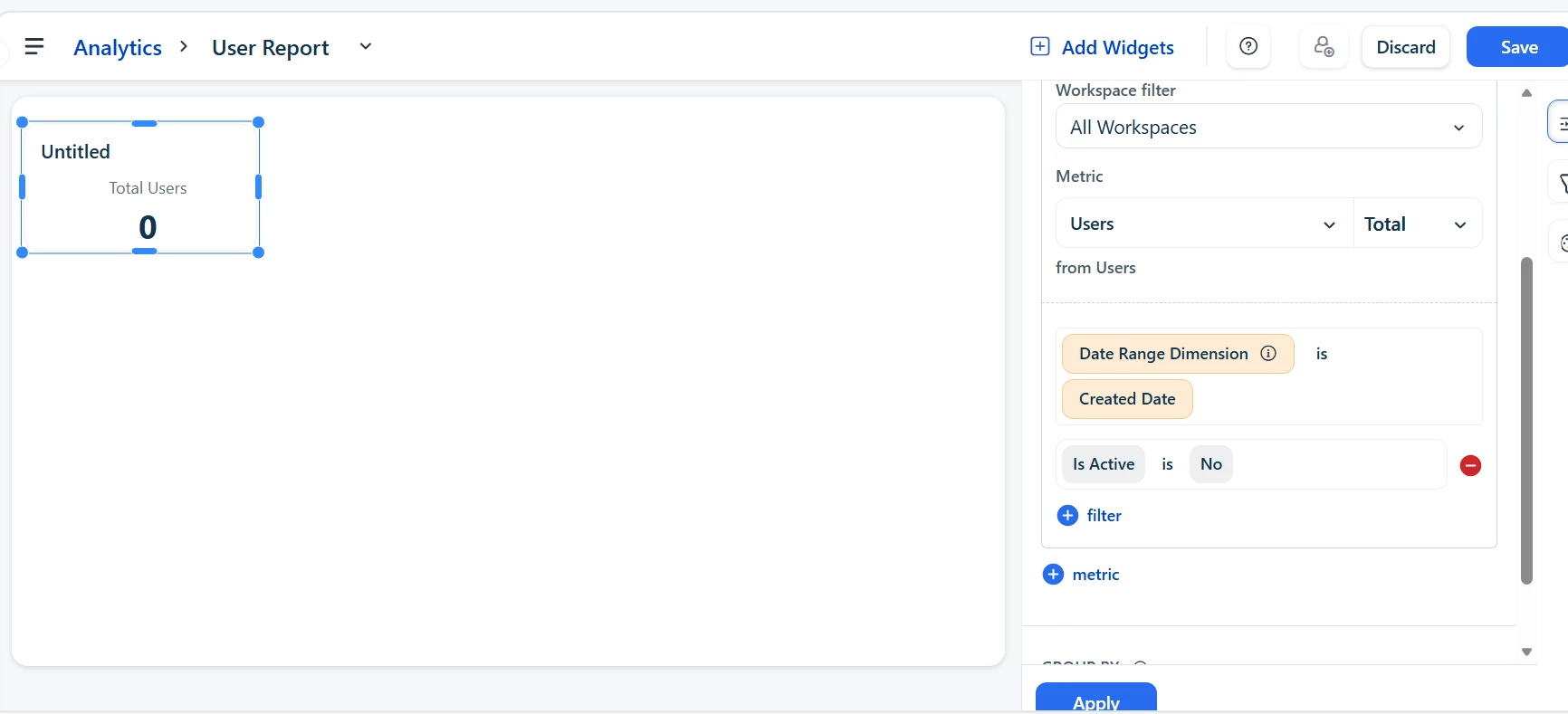
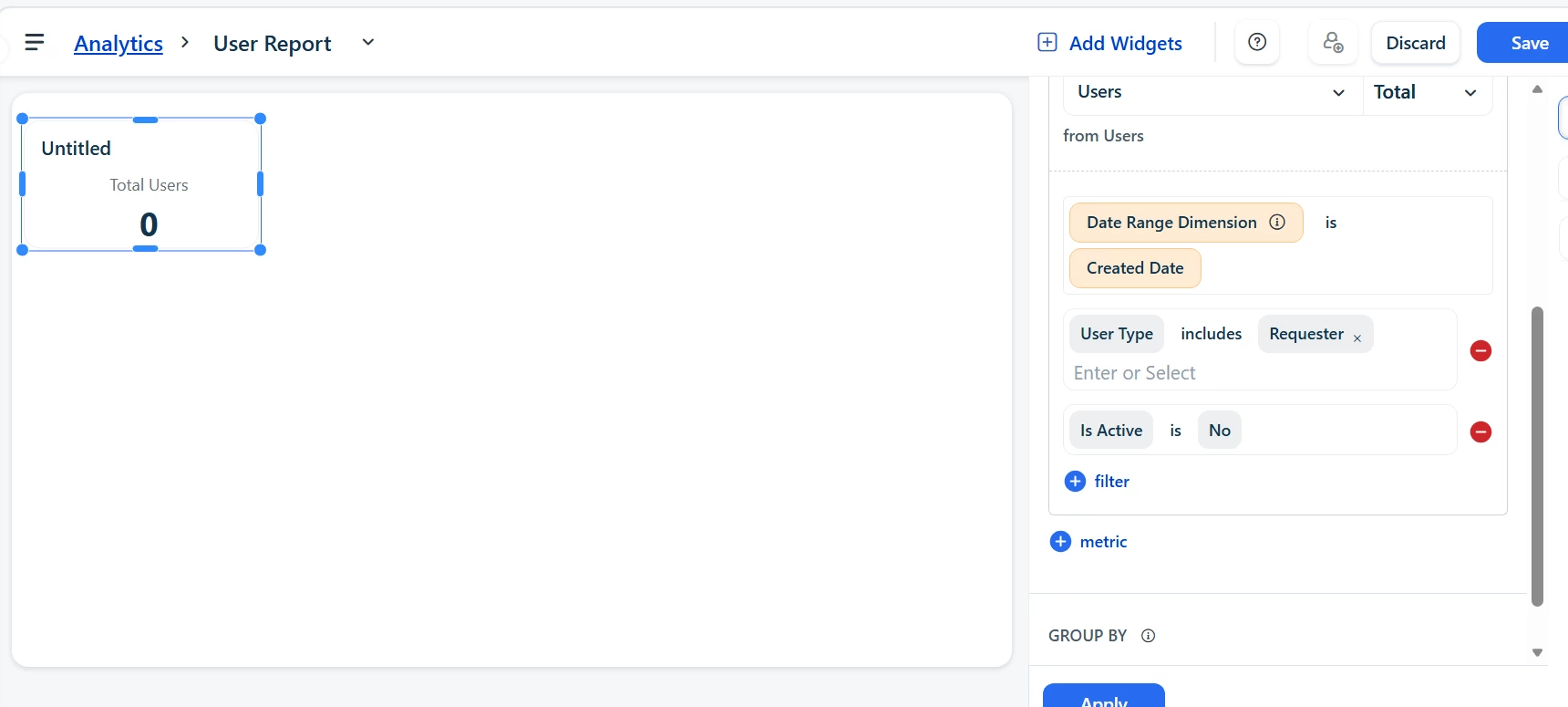
Hi ​@Amrit Mishra , Good day to you! Upon checking in analytics with the mentioned filter (Is Active - is - No), I’m not able to pull in any deactivated requester data. (image below)


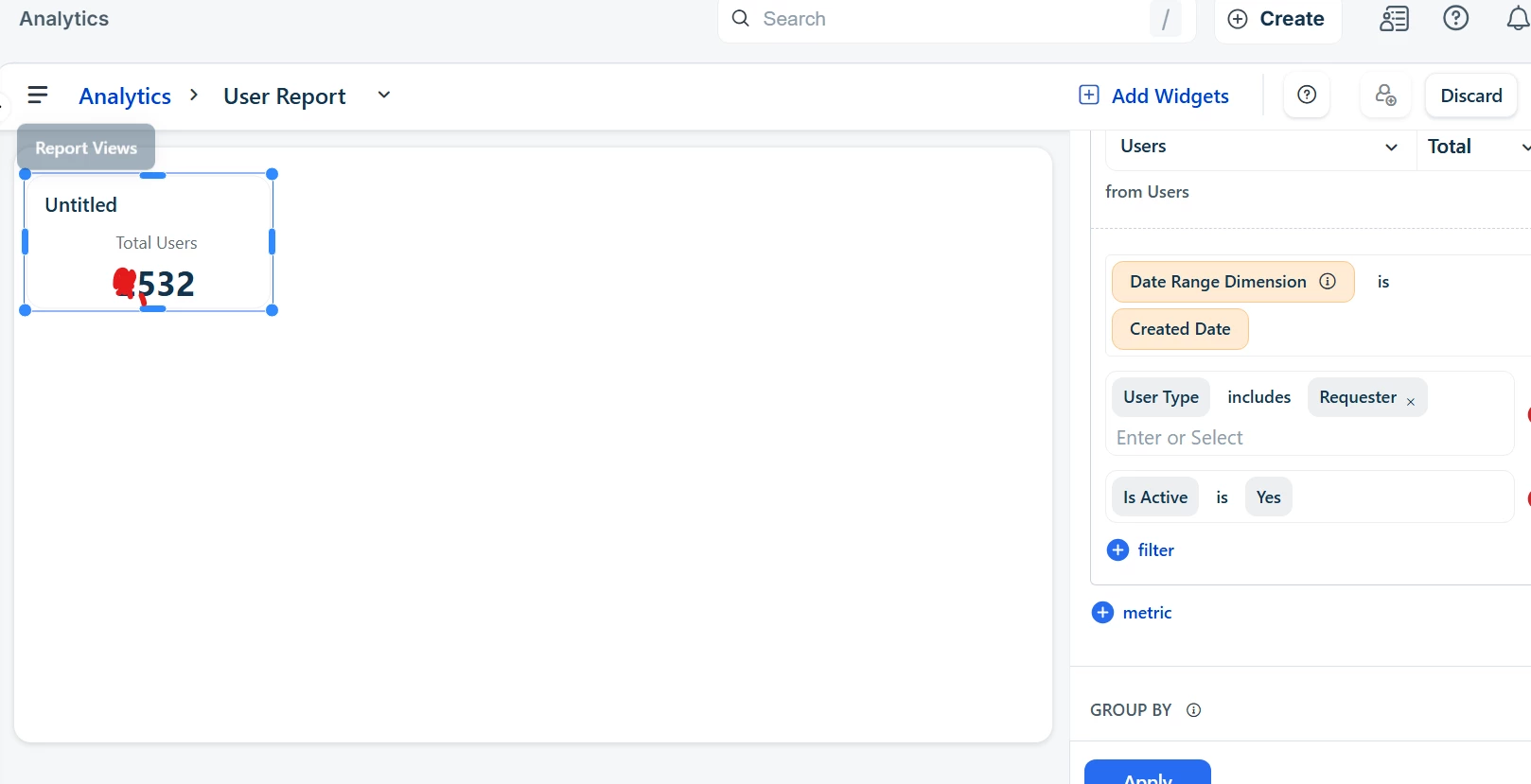
“Is Active - is - Yes” filter works and shows the Active users. I’ve also added the “User type - includes - Requester” filter to get more precise data.

However, even if I use the below filters, the “Inactive/Deactivated” user value shows “0”. Despite drilling down it continues to show “0” users. Is this something that is only encountered by us or is it a limitation?


Amrit Mishra
Contributor
Forum|alt.badge.img+8
  • Contributor
  • Jan 23, 2026 2:33 PM UTC

​@Nav_in you are right. This doesn’t seem to work and looks like reporting on deactivated users isn’t supported, even though the ‘Is Active’ attribute is available. We’ll log an internal tracker for this and try to get this fixed. I’ll share an update on this thread when we finalize an ETA.


Amrit Mishra
Contributor
Forum|alt.badge.img+8
  • Contributor
  • Jan 23, 2026 2:34 PM UTC

Meanwhile, ​@Nav_in and ​@joebowen, please feel free to raise this as an idea on this portal so that it can be upvoted by others who have this requirement. More upvotes will result in faster prioritization.


Amrit Mishra
Contributor
Forum|alt.badge.img+8
  • Contributor
  • Jan 27, 2026 6:43 AM UTC

Have confirmed that this capability is currently not supported, hence converted this question into an idea.


Forum|alt.badge.img+9
  • Top Contributor ⭐
  • Jan 27, 2026 8:00 AM UTC

Have confirmed that this capability is currently not supported, hence converted this question into an idea.

Thank you ​@Amrit Mishra !! Thank you ​@joebowen for raising this query!! 


Forum|alt.badge.img
  • Apprentice
  • Apr 2, 2026 11:43 AM UTC

​@joebowen 

What I have done in the past for this is export the specific asset list and include the “used by” filter. The export will show the designation “deactivated” as shown in the console. With a little work in excel you can easily filter out those specific assets owned by deactivated users. 

Far from the ideal solution (I found this thread because I had the same question as you) but it works at least.


Amrit Mishra
Contributor
Forum|alt.badge.img+8
  • Contributor
  • Apr 2, 2026 12:00 PM UTC
New Idea→Open : Open for Consideration

Forum|alt.badge.img+1
  • Author
  • Apprentice
  • Apr 2, 2026 1:25 PM UTC

​@MartinvG - Thank you!  This will be a great temporary solution for my needs.  I still wish to have a widget in analytics so I can include it in my dashboard.  I’ve been waiting for the new feature to be added “in the near future” since 2024!