Hi,
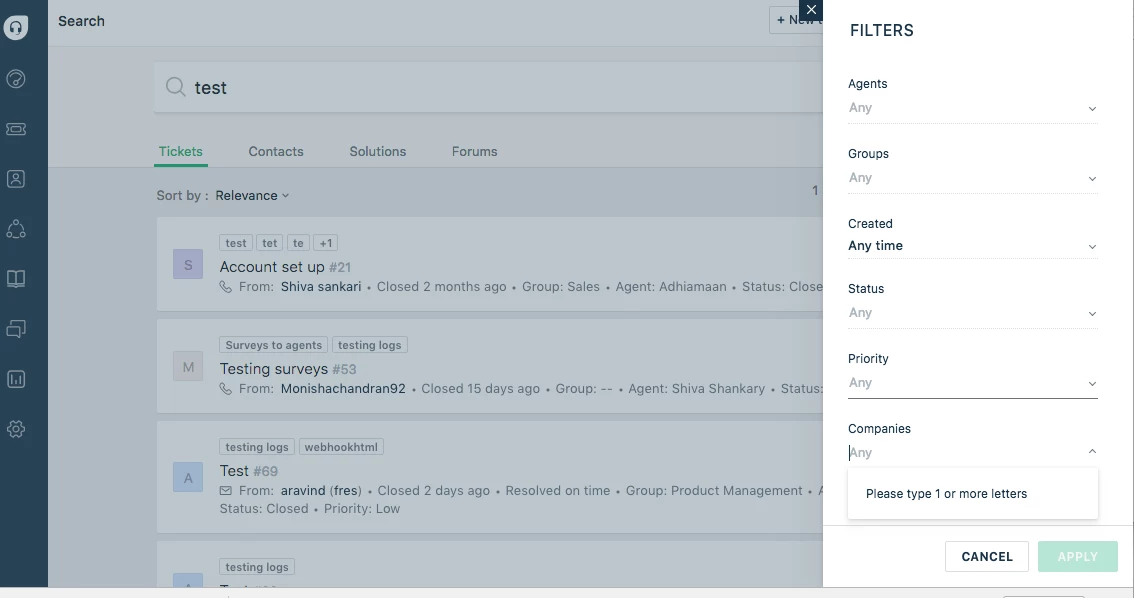
We would like to find out if there's a way to search for tickets logged under one company. I'll elaborate using a use case (fictitious):
Suppose one of our customers is a trucking / logistics company named King Roadlines. This company makes use of a software named Truckman. It so happens that Truckman is also used by two other client companies, not related in any capacity to King Roadlines. Now, if we would like to look up a ticket logged 6 months ago by an employee @ King Roadlines, regarding an issue with Truckman, how would we go about doing it? Searching for keywords "truckman king roadlines" is not very helpful, as it still brings up results from tickets logged for Truckman issues from the other two client companies.
What would really be helpful, in my opinion, is after creating a new view for all the tickets (current as well as historical ones) logged by King Roadlines, we should be able to search for tickets containing keyword "truckman", so that the results do not contain any tickets from the other two client companies.
Hope this explains our scenario. Feel free to give me a ring if you would like a more detailed explanation. +64 7 282 2081
Thanks a lot!
Kind Regards,
Shazaan