New Idea

Searching multiple assets

Related products:Freshservice
  • September 26, 2023
  • 3 replies
  • 85 views

Zacq768
Apprentice
Forum|alt.badge.img+1

Our workplace is moving from the very dated WebHelpdesk from solarwinds but are slowly finding features missing from FreshService that are useful in WHD. 

One big one for us is the lack of ability to paste in a set of asset numbers so that we can edit multiple assets at once.

Use case in WHD:

  1. Job: Tech needs to quickly retrieve a list of serial numbers from 10 ipads
  2. Tech scans 10 barcodes, making a list of 10 asset numbers
  3. Tech copy pastes the numbers into WHD which pulls those assets
  4. Tech can export the list, including the serial numbers in CSV form
    1. Or, tech can tick multiple assets and edit their fields 
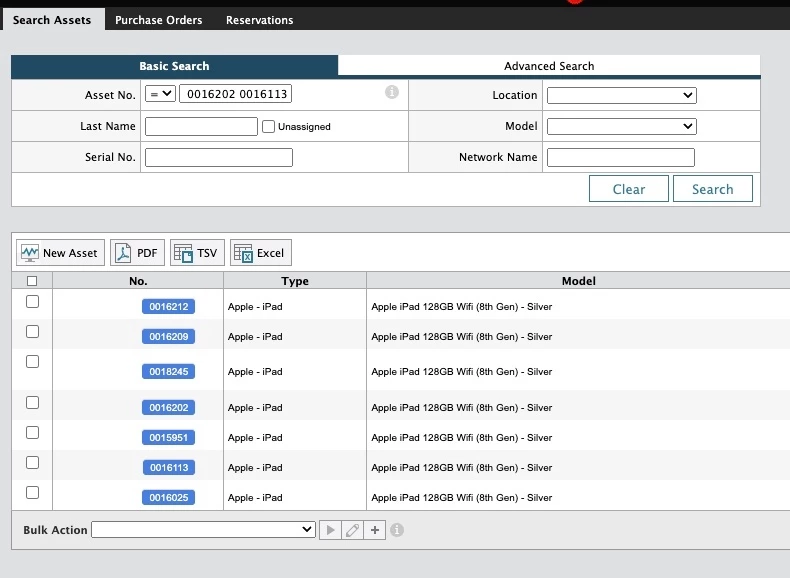

This is not possible in FreshService.
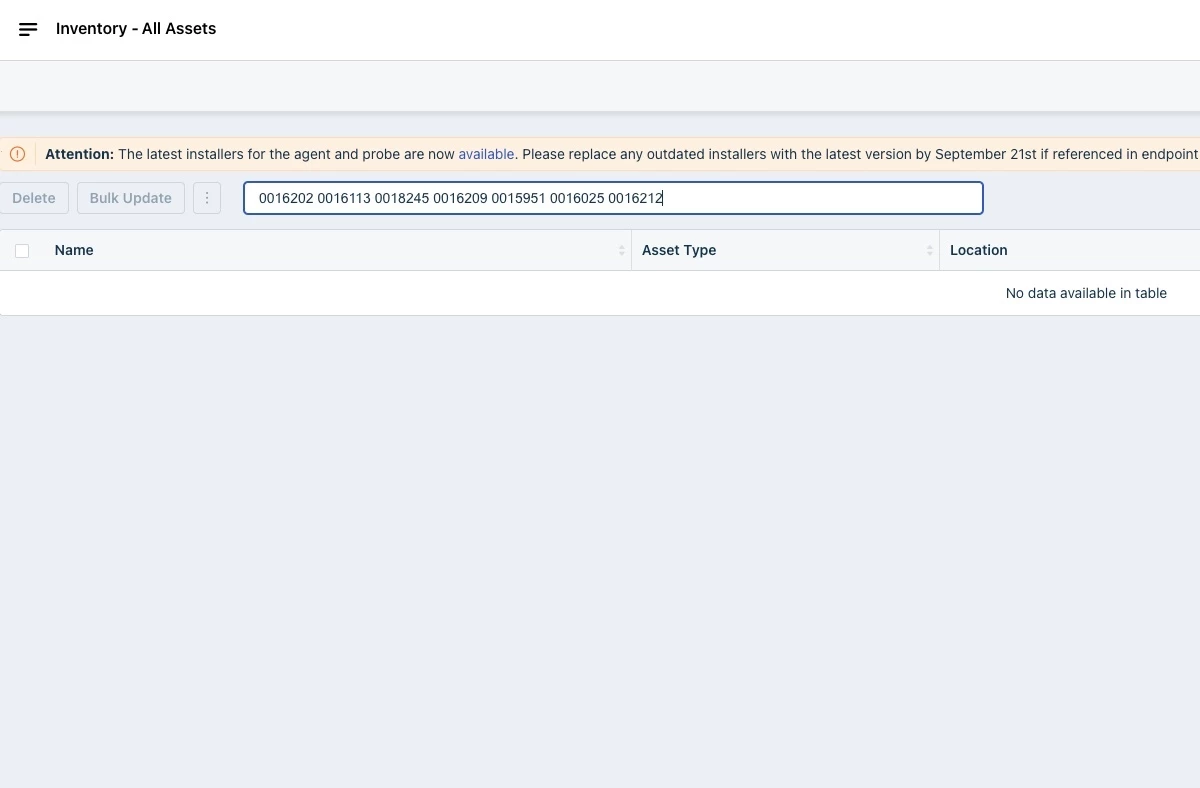


Am i doing this wrong? 
If not, can this please be added as a feature request.

3 replies

rajagopal.baladhandayutham
Community Manager
Forum|alt.badge.img+6

Hi @Zacq768 

Editing multiple assets by searching using asset IDs or asset tags is not an available option. However, you can achieve a similar result by filtering assets in the asset list view and then applying bulk updates to them. Additionally, you have the option to perform a bulk update of asset information by importing a CSV file for each asset type. For more details on how to use the CSV import feature for assets, you can refer to the following solution article:

https://support.freshservice.com/en/support/solutions/articles/234757-importing-assets


Zacq768
Apprentice
Forum|alt.badge.img+1
  • Author
  • Apprentice
  • September 29, 2023

Hi @Zacq768 

Editing multiple assets by searching using asset IDs or asset tags is not an available option. However, you can achieve a similar result by filtering assets in the asset list view and then applying bulk updates to them. Additionally, you have the option to perform a bulk update of asset information by importing a CSV file for each asset type. For more details on how to use the CSV import feature for assets, you can refer to the following solution article:

https://support.freshservice.com/en/support/solutions/articles/234757-importing-assets


Thanks for the advice but i dont see what you mean by “filtering assets in the asset list view”. There is no field to enter asset-tags/numbers so how am i meant to filter for them?

Also, suggestion 2 isnt viable as we have a multitude of different kinds of assets. we would have to only scan the barcode/number code for specific items and then again for every other kind of item. Its not efficient.


afautley
Top Contributor ⭐
Forum|alt.badge.img+11
  • Top Contributor ⭐
  • October 4, 2023

Hi Zac

There is no function like you are requesting in freshservice. 

The best way i see you doing this is as Raj says, (which is not the way you do it now with scanning barcodes). Using the filters on the right to say bring back ipads as the asset type, then further filters maybe around purchase date if they are all new ipads? if not this then a further filter relevant to your scenario would work.  This should get the filters to a stage where you can select your relevant assets and then use the bulk update feature. 

I presume you have a slick process that people are already use to, so it would mean them changes their process.