Closed for Voting

See which Solutions are published vs. draft

Related products:Freshdesk
  • April 17, 2013
  • 4 replies
  • 25 views

I'm working on adding a bunch of new solutions. Some are in draft state because I'm still editing on them. Unfortunately, I can't see any indication when I look at the list of solutions in a category whether or not it's published or draft. I have to click through each one and look at the status, or open my public-facing Solutions tab in another window and compare. 


Please add an indicator at list level to show which solutions are draft vs. published in a category that is set to be visible to others.


4 replies

annapoorna.venketaraman
Skilled Expert
Forum|alt.badge.img+8

Hey Judi,


Thank you for writing to us here. 


It is indeed a very valid use case and I am sorry that we don't have it in place already. I have forwarded the request to my Product Manager and will be addressing this very soon. 


Thanks again for bringing this to our notice. Please keep such ideas coming in.


Annapoorna 


  • Contributor
  • April 10, 2014

Any update on this? 


I have some other requests related to draft vs published status too: 

https://support.freshdesk.com/support/discussions/topics/295573 - ability to publish drafts more quickly 

https://support.freshdesk.com/support/discussions/topics/295574 - new solutions should default to "draft" instead of "published"


In order of what I want most, this one (18236) is first, then 295574, then 295573/ 


  • Community Debut
  • May 5, 2014

I have this same problem.  Please add this functionality ASAP. 


aravind.sundararajan
Skilled Expert
Forum|alt.badge.img+12

Hi,


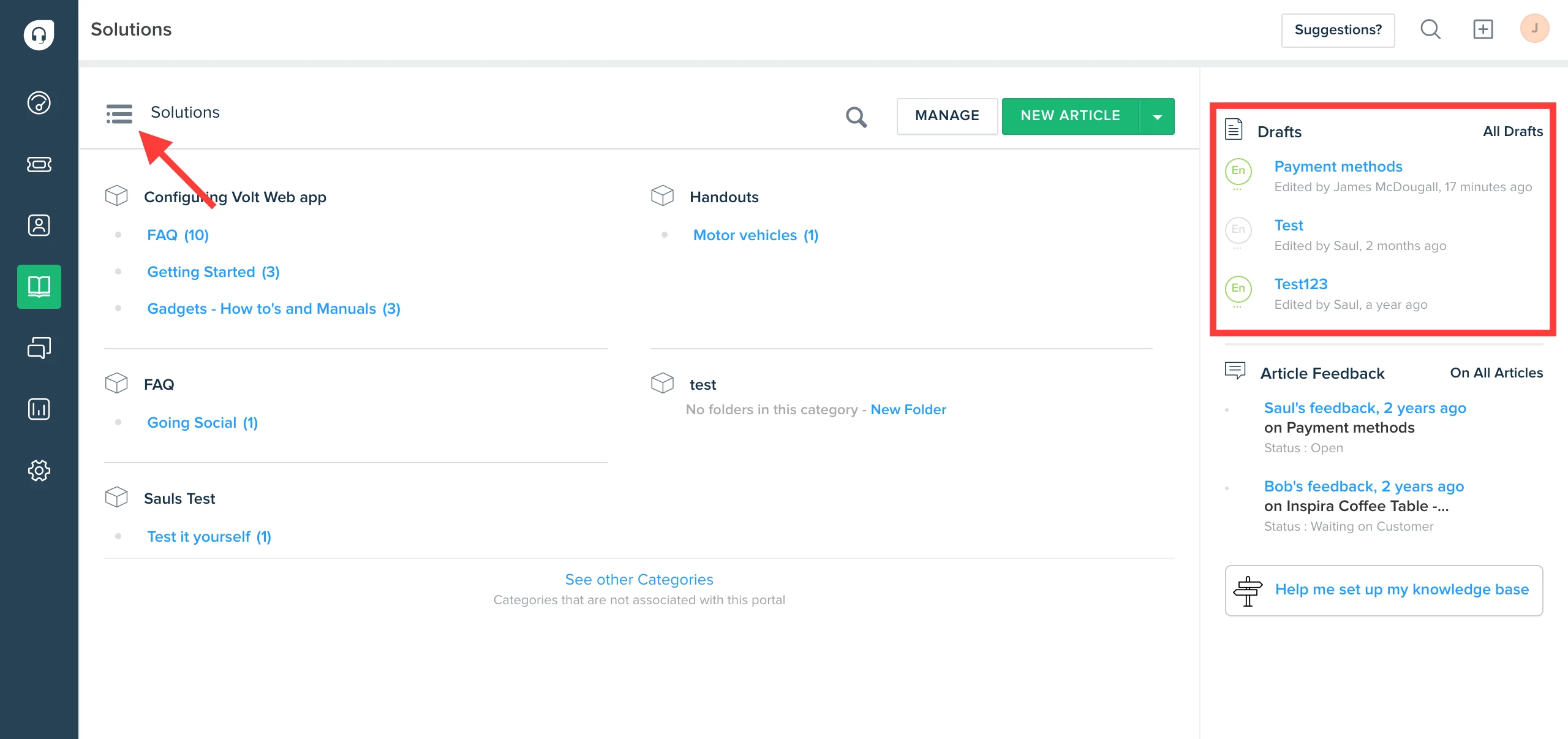
Ever since the revamp of our knowledgebase section,it has become easier to manage the draft articles as we've a dedicated folder for drafts.


image


Cheers!